Updates not showing in Software Center after installation

A.J. Armstrong 6 Reputation points
2020-08-27T16:29:32.83+00:00

I have a bit of a strange issue which I'm hoping someone will be able to assist me with.

I have a site with SCCM setup with SUP and everything is working perfectly well, including updates getting installed as I want them to. However, I've had a request from our senior management team to show updates that have been installed in the Software Center. apparently one of the directors saw this at another company and wants it in our environment.

So at the moment, I have my ADR's setup and the updates get pushed to the end client machine and are shown in the Updates area of the Software Center. But, once successfully installed, they go away and just shows as No items found until the next batch of updates.

What our boss wants is for those installed updates to remain in the Software Center but just showing as Installed.

I know its a bit of a strange one, but hoping someone has an idea!

Thanks in advance.

Windows for business | Windows Server | User experience | Other
0 comments No comments
{count} votes

1 answer

Sort by: Most helpful
  1. Rita Hu -MSFT 9,661 Reputation points
    2020-08-28T05:57:57.593+00:00

    Hi AJArmstrong-4691,

    Thanks for your posting on Q&A.

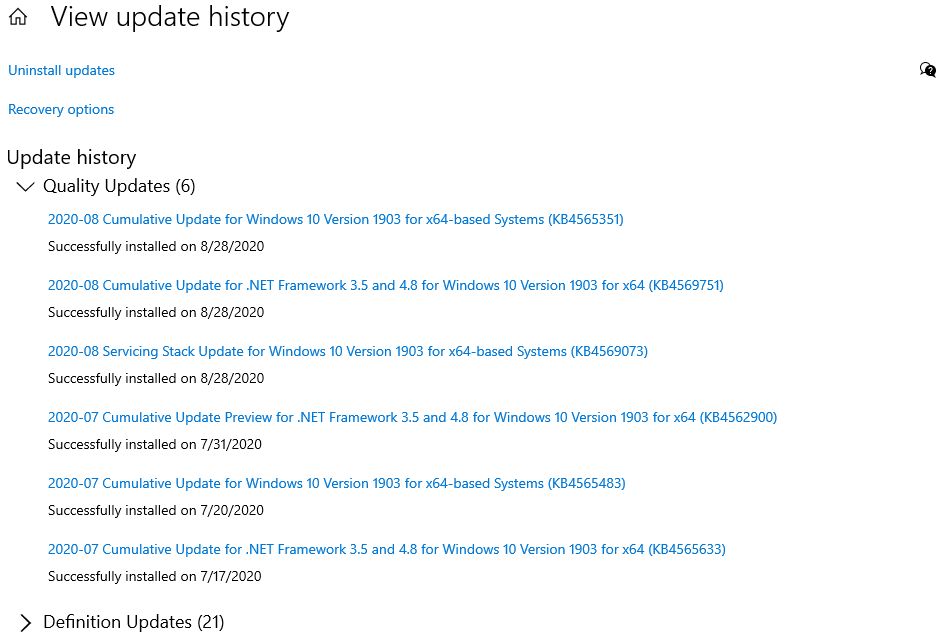
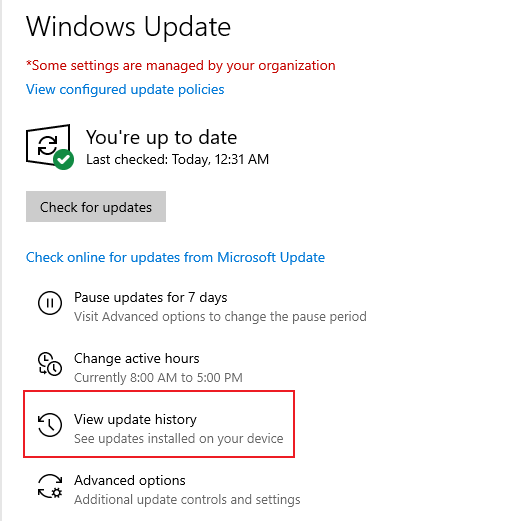
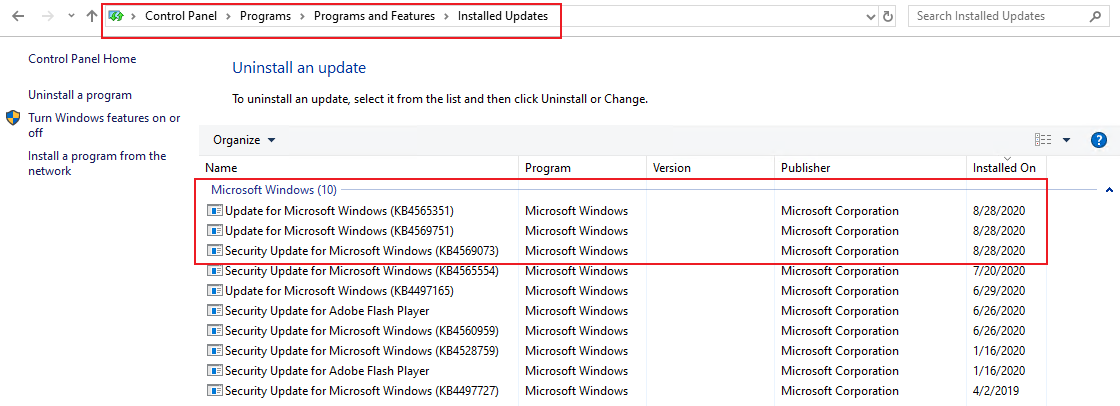
    It seems related to the designed. There is no good way to show the installed updates in the Software Center. But we could check the installed updates refer to the following methods. Please refer the following picture to check the installed updates:

    1. Check the installed updates in Windows Update
      21113-9.png 21142-10.png

    Check the installed updates in Control Panel
    21143-11.png

    Regards,
    Rita


    If the response is helpful, please click "Accept Answer" and upvote it.

    0 comments No comments

Your answer

Answers can be marked as 'Accepted' by the question author and 'Recommended' by moderators, which helps users know the answer solved the author's problem.