
Share via

Problem in wifi access

Andrea Vironda 816 Reputation points
2022-03-29T16:49:07.223+00:00

Hi,
each i get back home i switch off my hotspot and i turn on my laptop.
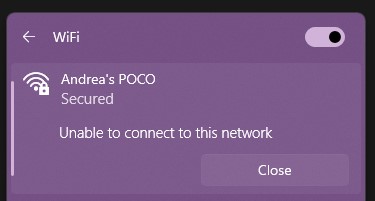
the connection is not smooth, since the network is not recognized and I need to restart the netwrok card 2-3 times, and then I have to try for 4-5 times the connection in windows (error message below).
188032-screenshot-2022-03-29-183339.jpg
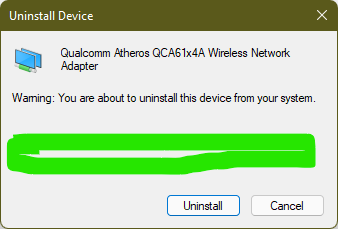
What can I do to avoid this problem? network drivers are updated, I have a Qualcomm QCA61x4A. Last driver were created in 8.18, and in the meanwhile I updated to W11...

Windows for business | Windows Client for IT Pros | Networking | Network connectivity and file sharing
Windows for business | Windows Client for IT Pros | User experience | Other
0 comments No comments

3 answers

Sort by: Most helpful
  1. Docs 16,851 Reputation points
    2022-04-03T08:24:07.897+00:00

    1) List any of these installed or recently uninstalled non-Microsoft software:
    a) antivirus
    b) firewall

    2) Open administrative command prompt and type or copy and paste:

    sfc /scannow
    dism /online /cleanup-image /restorehealth
    msdt.exe -id DeviceDiagnostic
    msdt.exe -id NetworkDiagnosticsInbound
    msdt.exe -id NetworkDiagnosticsWeb
    msdt.exe -id NetworkDiagnosticsNetworkAdapter

    3) For each Microsoft Windows troubleshooter: click "view detailed information" > post images or share links into this thread
    (for share links please use one drive, drop box, or google drive)

    https://support.microsoft.com/en-us/windows/fix-wi-fi-connection-issues-in-windows-9424a1f7-6a3b-65a6-4d78-7f07eee84d2c

    .
    .
    .
    .
    .

    Please remember to vote and to mark the replies as answers if they help.

    On the bottom of each post there is:

    Propose as answer = answered the question

    On the left side of each post there is /\ with a number: click = a helpful post
    .
    .
    .
    .
    .

    Was this answer helpful?

    0 comments No comments

  2. franco d'esaro 25,076 Reputation points Volunteer Moderator
    2022-04-01T20:56:03.747+00:00

    Hi,
    try to perform a clean installation of the Wi-Fi driver: https://www.intel.com/content/www/us/en/support/articles/000022173/wireless.html
    Note: The Intel wireless adapter is referred to here but the procedure is applicable for any network adapter model.

    Was this answer helpful?


  3. franco d'esaro 25,076 Reputation points Volunteer Moderator
    2022-03-30T13:20:13.85+00:00

    Hi Andrea,
    try to reset network connections: Open PowerShell or CMD and run as administrator, copy and paste the following commands by pressing enter at the end of each command line:

    netsh winsock reset
    netsh int ip reset
    netsh advfirewall reset
    ipconfig /flushdns

    Restart the computer at the end of all commands.

    Was this answer helpful?


Your answer

Answers can be marked as 'Accepted' by the question author and 'Recommended' by moderators, which helps users know the answer solved the author's problem.