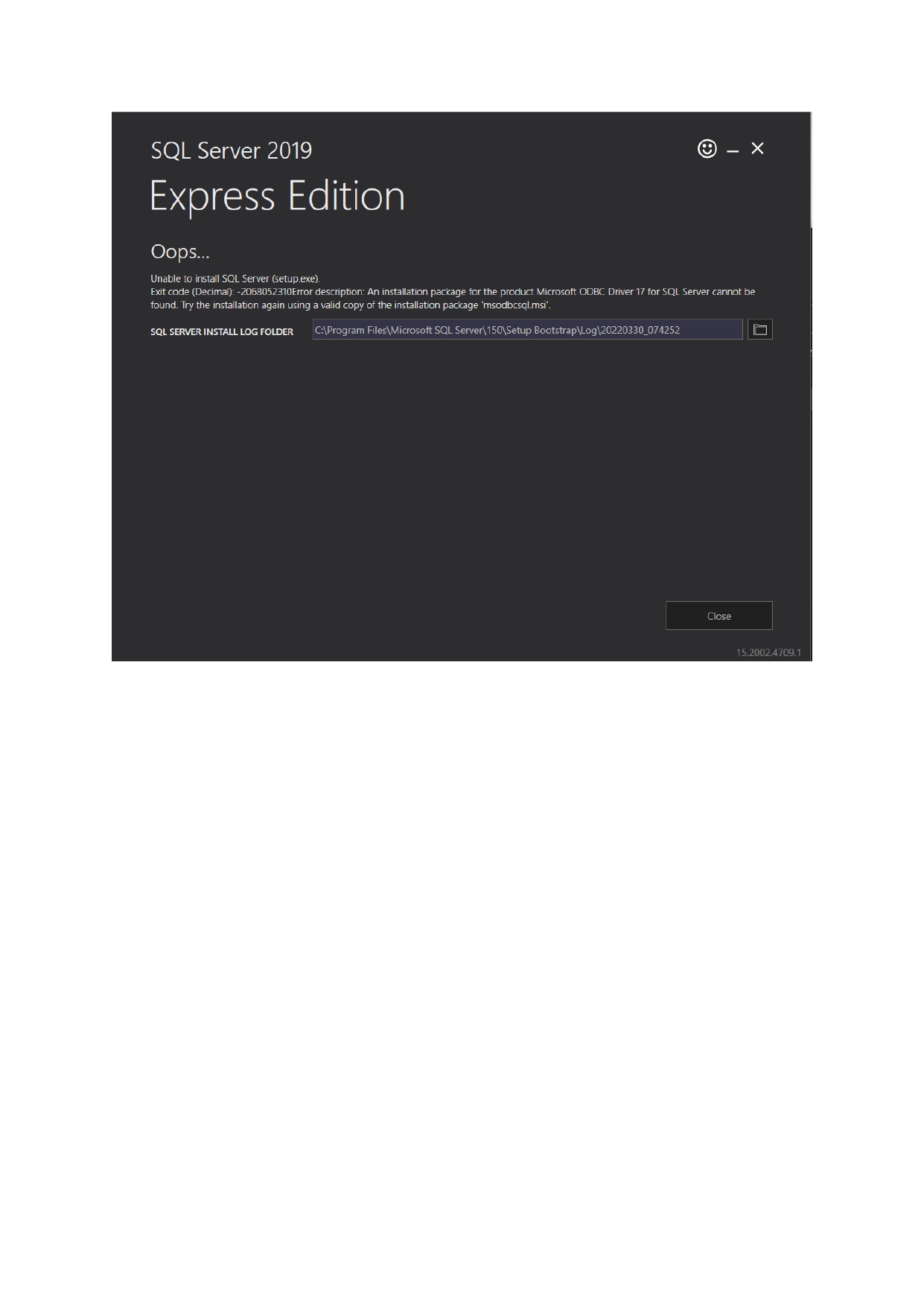
SQL download error

Liew Vun Chang 21 Reputation points
2022-03-29T23:50:50.157+00:00

Guys please help me with this error as i try many ways to solve it but i still download the sql server187920-doc1-page-0001.jpg

SQL Server | Other
0 comments No comments
{count} votes

Answer accepted by question author
  1. CathyJi-MSFT 22,406 Reputation points Microsoft External Staff
    2022-03-30T02:10:56.063+00:00

    Hi @Liew Vun Chang ,

    Please check if Microsoft ODBC Driver 17 for SQL Server was already installed on your computer. You can check this from Control Panel\Programs\Programs and Features. If it is existed, please uninstall it, then download SQL 2019 Express from MS link again and install the SQL server 2019 express package as administrator.


    If the answer is helpful, please click "Accept Answer" and kindly upvote it. If you have extra questions about this answer, please click "Comment".

    0 comments No comments

1 additional answer

Sort by: Most helpful
  1. Liew Vun Chang 21 Reputation points
    2022-03-30T09:45:05.7+00:00

    188315-image.png

    Pls help me with this as i had wait for it the whole afternoon anyway to make it faster?


Your answer

Answers can be marked as 'Accepted' by the question author and 'Recommended' by moderators, which helps users know the answer solved the author's problem.