Microsoft Security | Microsoft Graph
An API that connects multiple Microsoft services, enabling data access and automation across platforms

This browser is no longer supported.
Upgrade to Microsoft Edge to take advantage of the latest features, security updates, and technical support.
' cx='32' cy='32' r='32' /%3E%3Ctext x='50%25' y='55%25' dominant-baseline='middle' text-anchor='middle' fill='%23FFF' %3EAH%3C/text%3E%3C/svg%3E)
When I send a request to
https://graph.microsoft.com/v1.0/users?$count=true&$filter=businessPhones/any(p:startsWith(p, '%2B44 (20)'))&$top=999&$search="displayName:John Smith"
(searching for John Smith with a number that starts with "+44 (20)"
I get the results
{
"@odata.context": "https://graph.microsoft.com/v1.0/$metadata#users(displayName,businessPhones,mobilePhone,id)",
"@odata.count": 1,
"value": [
{
"displayName": "John Smith",
"businessPhones": [
"+44 (20) 12341234"
],
"mobilePhone": null,
"id": "1234c123-12bb-12aa-1234-50a50b50a50b"
}
]
}
However when I only specify the first 3 letters of the businessPhones,
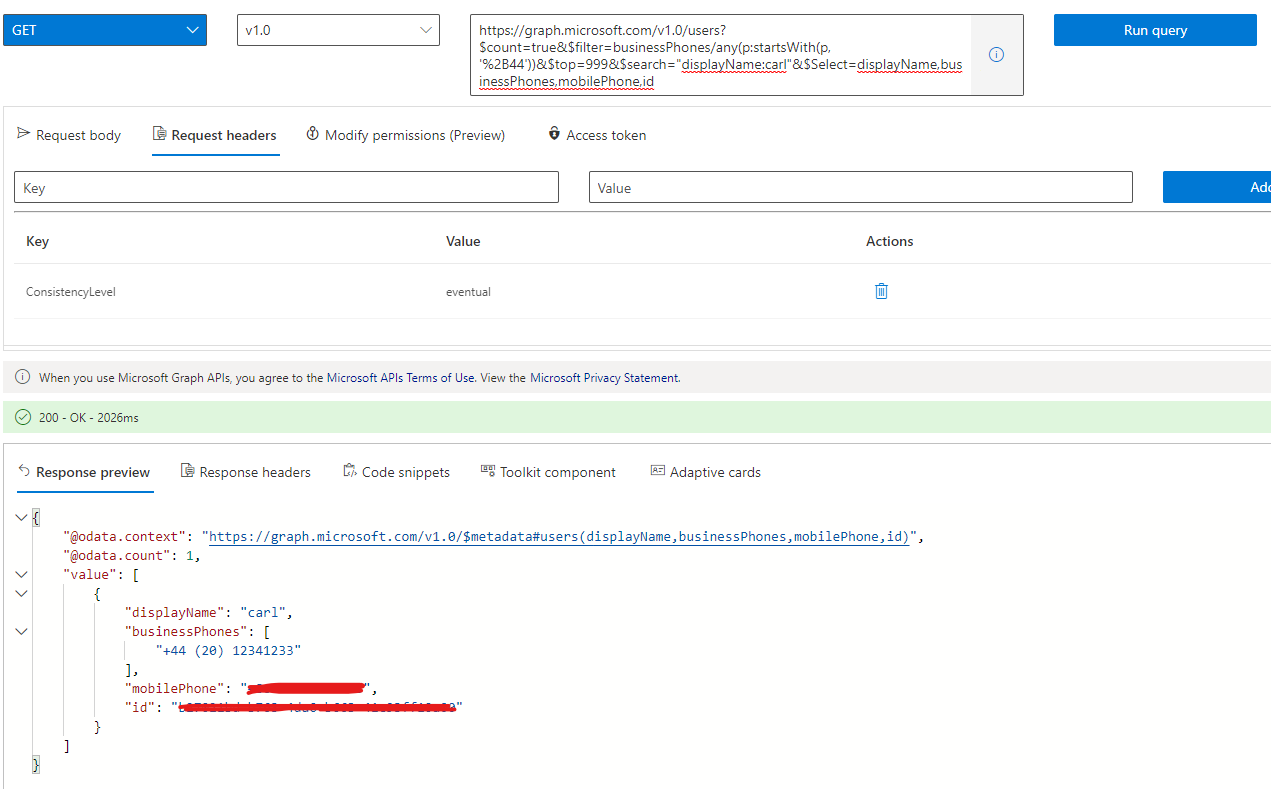
https://graph.microsoft.com/v1.0/users?$count=true&$filter=businessPhones/any(p:startsWith(p, '%2B44'))&$top=999&$search="displayName:John Smith"&$Select=displayName,businessPhones,mobilePhone,id
(searching for John Smith with a number that starts with "+44"
I get
{
"@odata.context": "https://graph.microsoft.com/v1.0/$metadata#users(displayName,businessPhones,mobilePhone,id)",
"@odata.count": 0,
"value": []
}
Why is this? The same user should be returned to me. If I just query the /users endpoint, I get 1.6 million people returned.
I am using %2B because that's the html encoding for "+", which I need there, otherwise I can't search on it.
PS the id/phone/name was changed from the real user I'm using for privacy reasons.
An API that connects multiple Microsoft services, enabling data access and automation across platforms
Thank you for the response!
Unfortunately clearing the cache and cookies didn't help. I am using the headers ConsistencyLevel: eventual (they are the only headers, and the query doesn't work without it).
I am still getting it to repro. If I ask for users with businessPhones starting with "+44", and no $search, the person I'm searching for appears. But as soon as I add &$search="displayName:John Smith", I get 0 results back, until I specify the number to startsWith up to "+44 (2".
I have repro-d this with a different user as well, who's phone also starts with "+44 (20)". And again, if I search
https://graph.microsoft.com/v1.0/users?$count=true&$filter=businessPhones/any(p:startsWith(p, '%2B44 (2'))&$top=999&$Select=displayName,businessPhones,mobilePhone,id&$search="displayName:Rochelle Reid"
Then I get 1 result back. However, it I do
https://graph.microsoft.com/v1.0/users?$count=true&$filter=businessPhones/any(p:startsWith(p, '%2B44'))&$top=999&$Select=displayName,businessPhones,mobilePhone,id&$search="displayName:Rochelle Reid"
Then I get 0 results.
Removing the $Select and $top doesn't make any difference.
Can you please try and repro this with someone with more than just 1 name please? You might need to delete more numbers than me for the number, but I'm interested in whether this is just for me.

Of course, I also tested it with different users, and it doesn't seem to be a problem. Do you think this question is for a specific user?
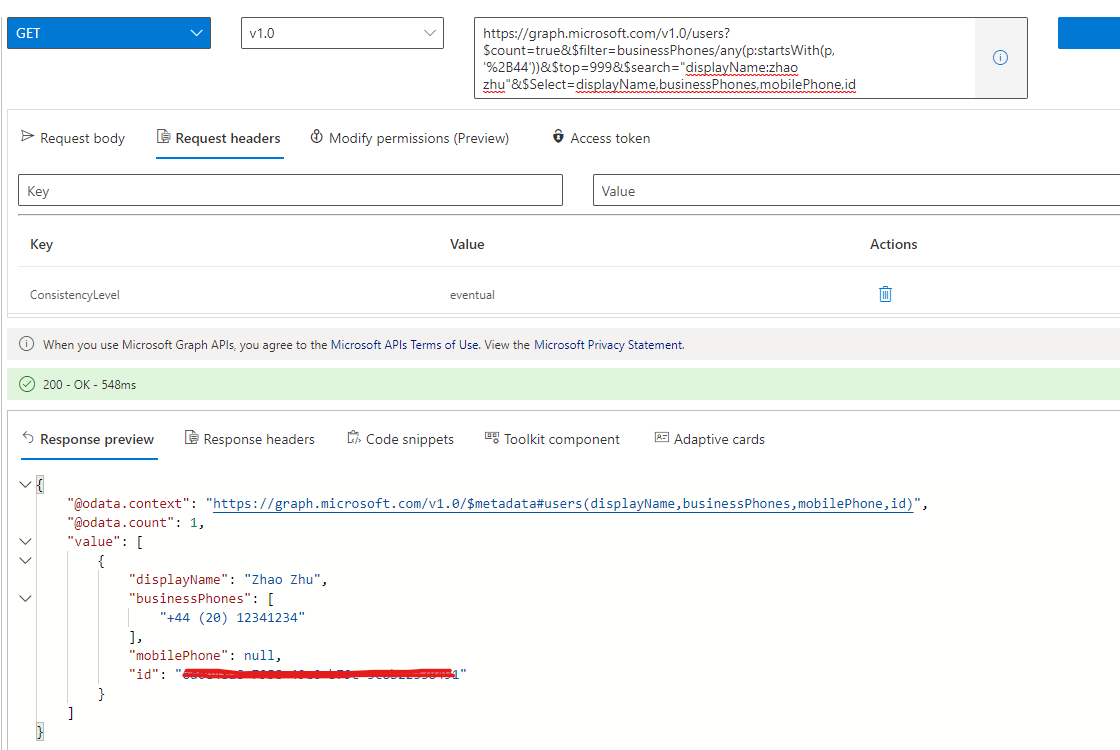
This reproes for me every single time I search for a user with a number starting with +44. It also reproes for me when I use a different international code, such as +36.
Is there a possibility that there is something wrong with the /users API that it doesn't always return things correctly? I am happy to get on a call with you as well if you'd like to see my screen as I do these searches.
I've tested it locally and it doesn't seem to be a problem. Can you clear your browser cache and use Graph Explorer to call that api test? Also, don't forget to add the ConsistencyLevel : eventual request header.
If the answer is helpful, please click "Accept Answer" and kindly upvote it. If you have extra questions about this answer, please click "Comment".
Note: Please follow the steps in our documentation to enable e-mail notifications if you want to receive the related email notification for this thread.