Community Center | Not monitored
Tag not monitored by Microsoft.

This browser is no longer supported.
Upgrade to Microsoft Edge to take advantage of the latest features, security updates, and technical support.
' cx='32' cy='32' r='32' /%3E%3Ctext x='50%25' y='55%25' dominant-baseline='middle' text-anchor='middle' fill='%23FFF' %3EMS%3C/text%3E%3C/svg%3E)
When a installer runs as administrator then the %APPDATA% resolves to the administrator not the user we want to install to. How do I access the logged in users appdata directory?
' cx='32' cy='32' r='32' /%3E%3Ctext x='50%25' y='55%25' dominant-baseline='middle' text-anchor='middle' fill='%23FFF' %3EMT%3C/text%3E%3C/svg%3E)
If I understand your problem correctly then I think you're mixing concerns. It sounds like you have an install that requires admin privileges. Therefore to install the application an administrator runs it for the user. This is assuming the user isn't an admin and UAC is enabled. In this situation the "logged in user" is the administrator. They are running the process in an isolated login session and none of the other login sessions are relevant. Thus the administrator's AppData directory is the logged in user's AppData.
In the other scenario where the user is an admin and they get elevated via UAC when running the installer then the user (and their elevated user account) are the same and therefore the AppData directories are the same. There should be no issues here.
Now comes the question of why your app needs access to the AppData directory. There are a couple of situations that come to mind. But one very important thing to consider here is that the user who is "logged in" when the app is installed may not be the same user that runs the app. Of course your installer could be per-user but in that case you wouldn't need an "admin" account to install it so I'm ignoring that situation.
The problem case is the end user is logged in as a normal non-admin, then runs the installer and is prompted for the administrator password. After entering it the installer copies most of the files to program files and then sets up some user preferences files in APPDATA. Once the installer is done and the application is run we expect those user preferences to be available to the program in user mode. We don't need to share data between users. When the user is the admin then all works. We have the same problem with the desktop icon.
We thought we had a solution where we looked at logged in users and figured out the right appdata path from there. This however fails when a user changes his name becauase the appdata path does not use the new name. I can't find a way to find the apdata path for a given user.

Are you doing your work in a custom action?
Yes you are in scenario 1 that I discussed. The person installing the application isn't the user who will run it so it doesn't make any sense to install any files for their profile. At the same time the users who may run the app may not even have a profile on the machine at the point you install the app. For example when I set up a machine I install all the apps first and then create user profiles. The installer is too early in the process to do per-user settings.
As I mentioned before I believe the correct solution is to store your default preferences either in the app directory or perhaps under the common appdata folder. When your app runs you should determine that the currently running user doesn't have any preferences yet and at that point copies the defaults from whereever they are stored to the running user's appdata directory.
Alternatively you may also consider putting the default preferences file into the default user's appdata directory. From my understanding when a new user profile is created on the machine it'll use the default user's profile as a starting point. However this does not help any user who already has a profile when you install. This is where the common appdata directory can be useful. If you also put the default preferences into the common appdata directory then new user profiles will get the default preferences automatically but existing users can pull from the common appdata directory (and save to the current user's appdata directory).
This also solves your pathing issue with the current user's appdata.
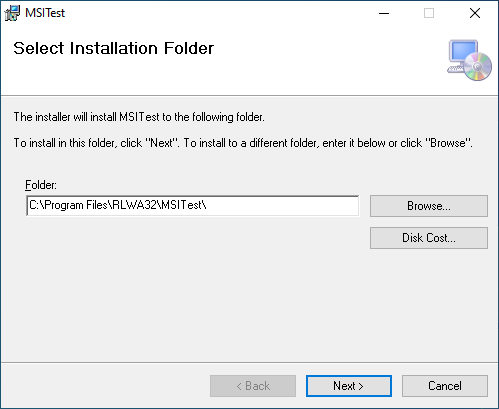
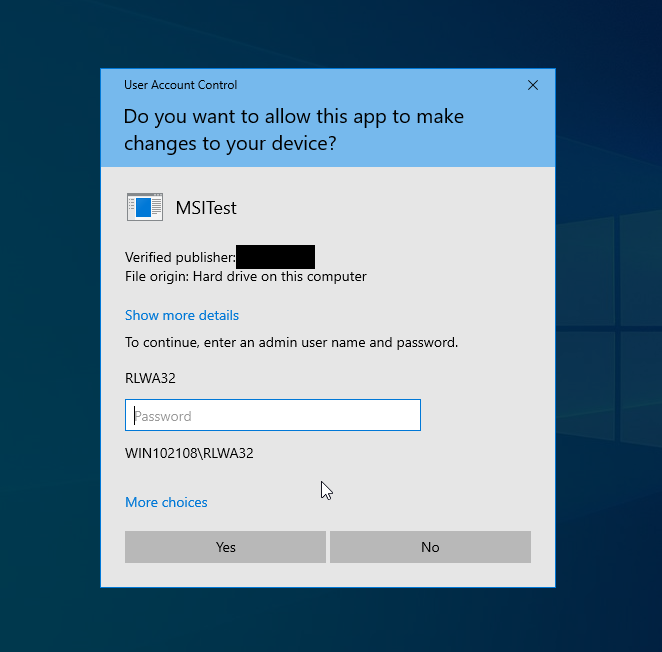
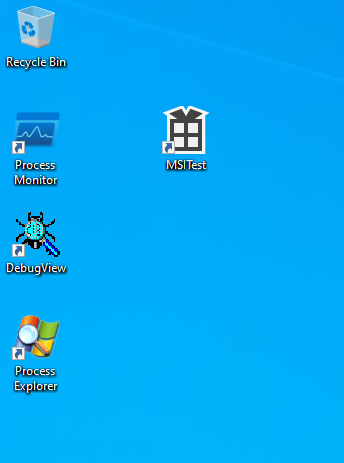
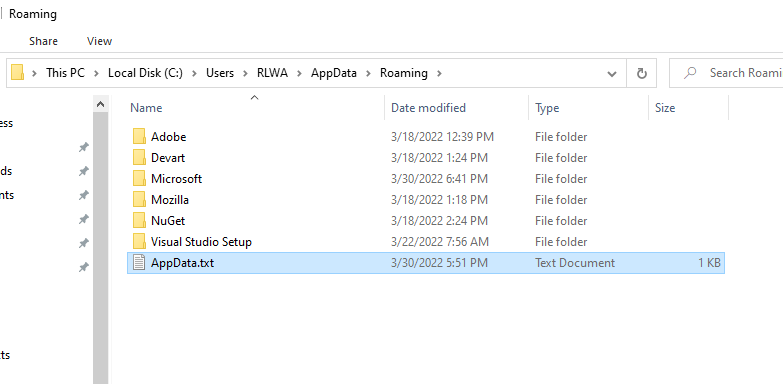
I unsuccessfully tried to reproduce the issue with a Windows Installer (.msi) that installed an application to C:\Program Files (requires admin) and also installed a text file to the installing user's %AppData% folder. A shortcut was also installed to the installing user's desktop. The installing user (RLWA) is not a member of the Administrators group. Everything worked as intended with desktop shortcut and text file installed for RLWA account, not the Administrator from the UAC consent prompt.
Installer path for program -
UAC Prompt during installation -
After installation desktop with shortcut -
File installed to %AppData% folder for installing user -
That is the action I want. How does MSI figure out where to install it to? That is, what appdata directory?
I use inno for an installer since we still need to support XP.
I'm not familiar with inno. The .msi file that I created specified the installed location of the AppData.txt file as AppDataFolder. From the docs - "The Windows Installer sets the value of the AppDataFolder property to the full path of the Roaming folder for the current user."
I suggest you pursue your questions about inno setup at the software author's forums here - https://jrsoftware.org/forums.php