Community Center | Not monitored
Tag not monitored by Microsoft.

This browser is no longer supported.
Upgrade to Microsoft Edge to take advantage of the latest features, security updates, and technical support.
' cx='32' cy='32' r='32' /%3E%3Ctext x='50%25' y='55%25' dominant-baseline='middle' text-anchor='middle' fill='%23FFF' %3EJ%3C/text%3E%3C/svg%3E)
I'm trying to open Cloud Shell from the azure portal webpage.
I get an error that looks like this:
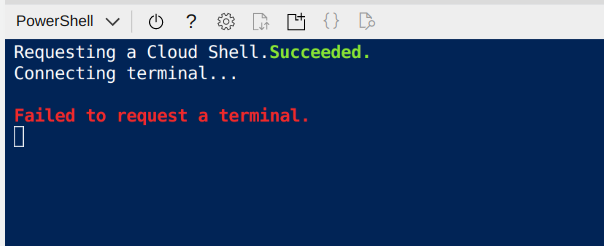
Looking in the browser console I see that the browser is trying to connect to https://gateway02.eastus.console.azure.com/n/cc-741045ac/cc-741045ac/authorize and getting a certificate error:

Browsing to that url myself I see that the certificate is indeed not valid - it is for gatewayssl.eastus.console.azure.com and not gateway02.eastus.console.azure.com
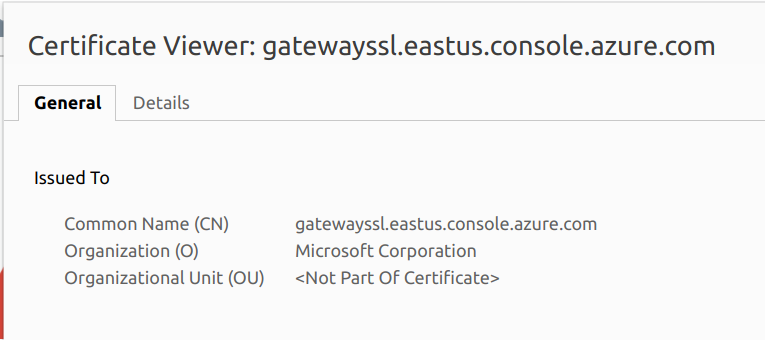
If I manually accept the certificate in my browser and open cloudshell again, and am lucky enough to connect again to gateway02 instead of a different gateway then cloudshell works normally.
This is clearly a certificate configuration problem on Microsoft's side, but it's weird because from what I see and understand cloudshell shouldn't be working for anybody. Do other people have better luck opening cloudshell? How can I escalate this problem to Microsoft?
Tag not monitored by Microsoft.
Answer accepted by question author
' cx='32' cy='32' r='32' /%3E%3Ctext x='50%25' y='55%25' dominant-baseline='middle' text-anchor='middle' fill='%23FFF' %3EJ%3C/text%3E%3C/svg%3E)
I was having this issue last week, but it seems to be resolved this morning...