Microsoft 365 and Office | SharePoint | Development
The process of building custom applications and tools that interact with Microsoft SharePoint, including SharePoint Online in Microsoft 365.

This browser is no longer supported.
Upgrade to Microsoft Edge to take advantage of the latest features, security updates, and technical support.
' cx='32' cy='32' r='32' /%3E%3Ctext x='50%25' y='55%25' dominant-baseline='middle' text-anchor='middle' fill='%23FFF' %3EA%3C/text%3E%3C/svg%3E)
Hello,
We currently have some folders and files within our SharePoint Online site that have been shared to external parties using the direct link. We have noticed that whenever a folder or file has been shared with a direct link, when we give a NEW group access to that folder or file, they won't be able to see it unless we remove the sharing link from it.
Does anyone know a fix for this?
' cx='32' cy='32' r='32' /%3E%3Ctext x='50%25' y='55%25' dominant-baseline='middle' text-anchor='middle' fill='%23FFF' %3ECM%3C/text%3E%3C/svg%3E)
Hi @AustinBr123 ,
How did you give a new group access? By "Grant Permissions" in manage access?
We go into the people & groups page and add them to the group there.
Hi @AustinBr123 ,
When you shared a folder or file to users it will break inheriting permission and create unique permission automatically. So you have to follow below steps to give a new group access to the folder.
1.Manage access > Advanced > Grant permissions > type your group name
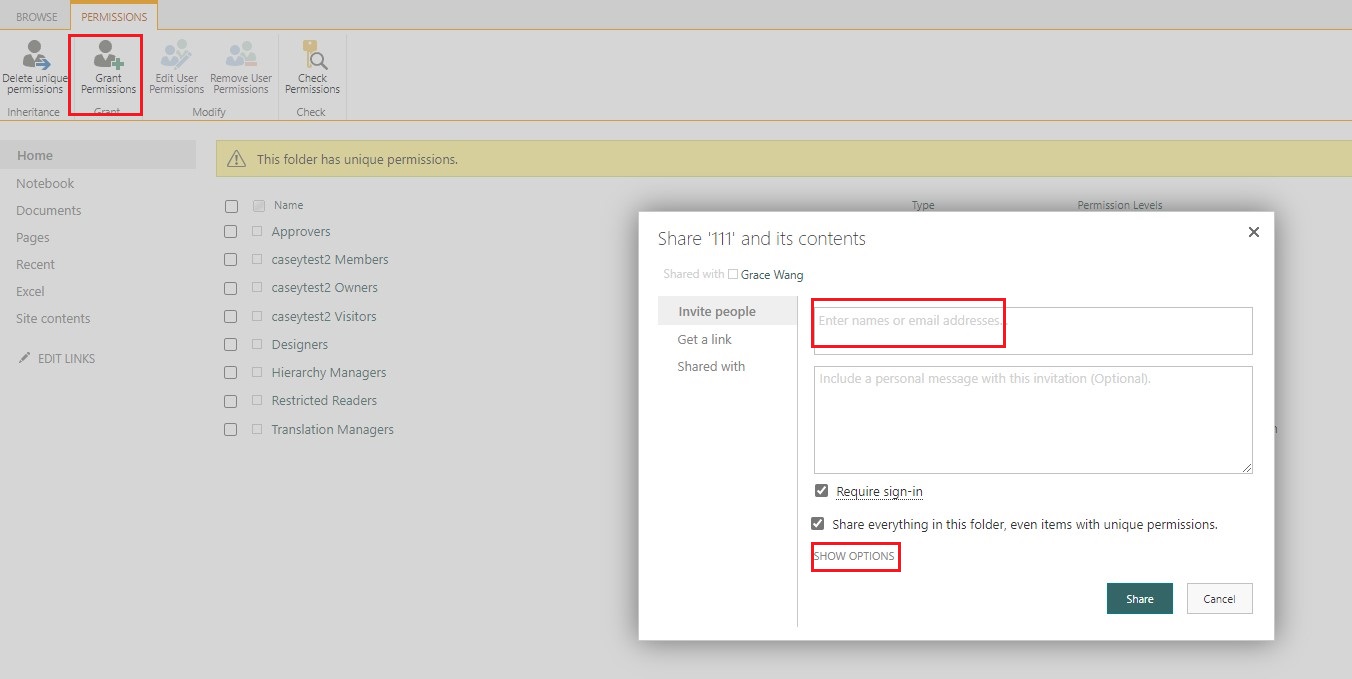
2.SHOW OPTIONS > select a permission level
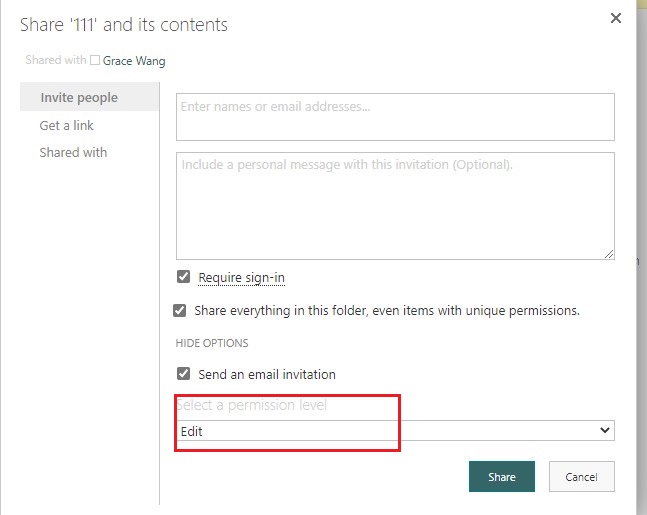
If the answer is helpful, please click "Accept Answer" and kindly upvote it. If you have extra questions about this answer, please click "Comment".
Note: Please follow the steps in our documentation to enable e-mail notifications if you want to receive the related email notification for this thread.
Hi @AustinBr123 ,
Is there any update on this thread? Comment here if you still need any help.