Azure Logic Apps
An Azure service that automates the access and use of data across clouds without writing code.
This browser is no longer supported.
Upgrade to Microsoft Edge to take advantage of the latest features, security updates, and technical support.
' cx='32' cy='32' r='32' /%3E%3Ctext x='50%25' y='55%25' dominant-baseline='middle' text-anchor='middle' fill='%23FFF' %3EEK%3C/text%3E%3C/svg%3E)
I am querying a SQL DB which returns a single row of data with 5 fields. I want to use one of the fields in the next step, which is a HTTP webhook. It forces me into a foreach loop and then errors due to the returned results not being in an array. Help please
I have also added a parse json step after the query so I can use the returned data as dynamic content
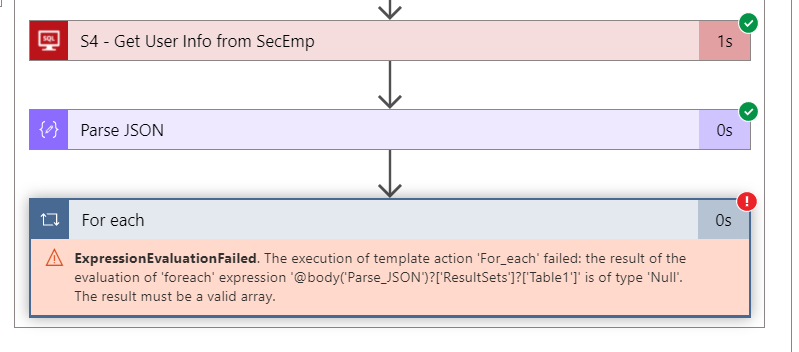
Copy of the error

@Eric Krasner - US Thanks for reaching out. Looks like you are using Get row v2 action as you mentioned that it returns a single row. Please confirm if my understanding is correct.
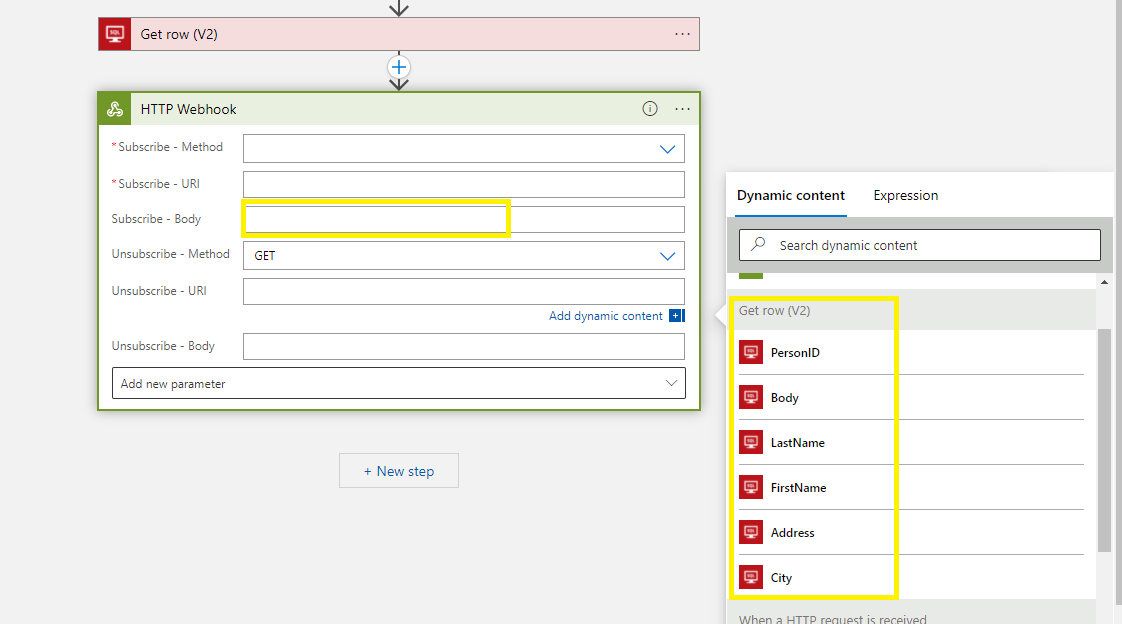
In that case, you can directly use the dynamic result of your Get row V2 action in any of the next action in your workflow. You don't have to use the Parse Json action in this case as your output from the action is already tokenized for you as below.
In case if you have used the Get rows v2 action which returns a list of rows as the array then it is expected behavior and if you are using any fields it will automatically create for each loop for you to get the current item from the output list.
There are two ways to handle this either you can create the rest of your workflow inside the foreach loop (without parse json action as the output will already be tokenized for you inside the loop) as the return is array or you can leverage the actions function as below to get the first item from the array along with the column name value which you need.
In my case in the below screenshot, the action name is Get rows (v2) (space should be replaced by '_' when using inside actions and you can refer to the code view to get the name of your action), 0th item in the array and the column for which I want to get the value is LastName.
actions('Get_rows_(V2)').outputs.body.value?[0]?['LastName']
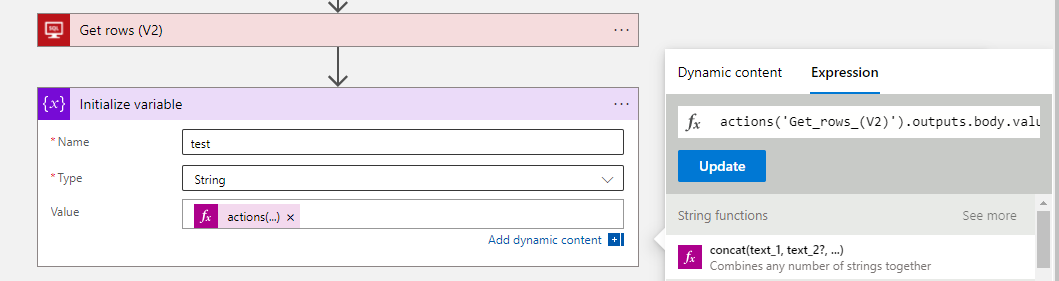
Note: For reference I have used the variable for the testing purpose in the next action you can leverage the same actions function in any of your next actions to get the value.
Feel free to get back to me if you need any assistance.
Please 'Accept as answer' and ‘Upvote’ if it helped so that it can help others in the community looking for help on similar topics.
Thanks. I wasn't using the Get Row v2, but that seems to be the way to go. However, that brings up another issue. How do I get the Row ID?
@Eric Krasner - US Row ID will be unique identifier of a row i.e. your primary key which you can pass to retrieve the data from Get Row (v2) action.