Developer technologies | Windows Presentation Foundation
A part of the .NET Framework that provides a unified programming model for building line-of-business desktop applications on Windows.
This browser is no longer supported.
Upgrade to Microsoft Edge to take advantage of the latest features, security updates, and technical support.
' cx='32' cy='32' r='32' /%3E%3Ctext x='50%25' y='55%25' dominant-baseline='middle' text-anchor='middle' fill='%23FFF' %3EFE%3C/text%3E%3C/svg%3E)
hi there...
i need help with this
wpf
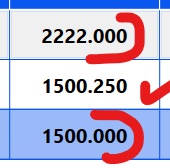
if all three number are zero must not show it
if not must show three number after

Here is my Demo of ValueConverter in C#:
The cs code is:
public partial class MainWindow : Window
    {
        public MainWindow()
        {
            InitializeComponent();
            ObservableCollection<Member> memberData = new ObservableCollection<Member>()
            {
                new Member(){DataNumber = "150.1200"},
                new Member(){DataNumber = "150.13699"},
                new Member(){DataNumber = "150.110"},
                new Member(){DataNumber = "12.000"},
                new Member(){DataNumber = "61.333"},
                new Member(){DataNumber = "72.100"}
            };
            dataGrid.DataContext = memberData;
        }
    }
    public class Member
    {
        public string DataNumber { get; set; }
    }
    public class Converter : IValueConverter
    {
        public object Convert(object value, Type targetType, object parameter, CultureInfo culture)
        {
            string strNum = System.Convert.ToDouble(value.ToString()).ToString("0.000");
            double dNum = System.Convert.ToDouble(strNum);
            int intNum = System.Convert.ToInt32(dNum);
            if(intNum==dNum)
            {
                return intNum;
            }else
            {
                return dNum.ToString("0.000");
            }

        }

        public object ConvertBack(object value, Type targetType, object parameter, CultureInfo culture)
        {
            throw new NotImplementedException();
        }
    }
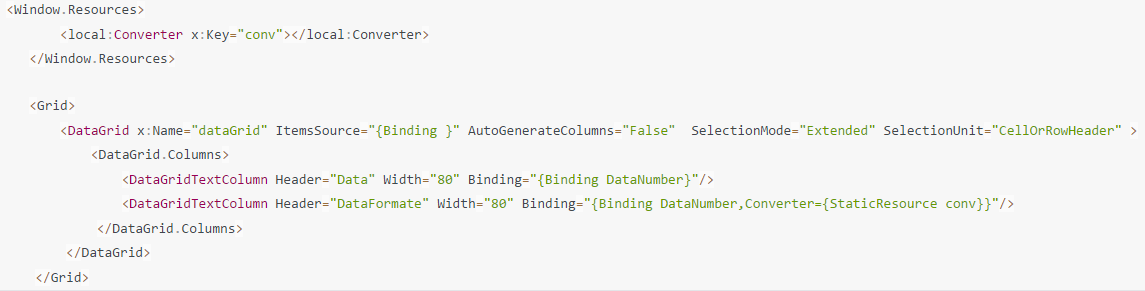
The Xaml code is:
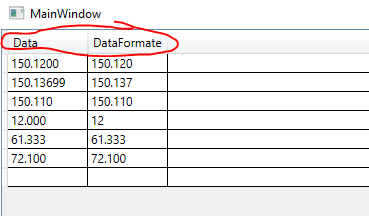
The result is:

Hi,
you can use ValueConverter like in following demo:
<Window x:Class="Window053"
        xmlns="http://schemas.microsoft.com/winfx/2006/xaml/presentation"
        xmlns:x="http://schemas.microsoft.com/winfx/2006/xaml"
        xmlns:d="http://schemas.microsoft.com/expression/blend/2008"
        xmlns:mc="http://schemas.openxmlformats.org/markup-compatibility/2006"
        xmlns:local="clr-namespace:WpfApp1.WpfApp053"
        mc:Ignorable="d"
        Title="Window53" Height="450" Width="800">
  <Window.DataContext>
    <local:ViewModel/>
  </Window.DataContext>
  <Window.Resources>
    <local:ColumnConverter x:Key="conv"/>
  </Window.Resources>
  <Grid>
    <DataGrid ItemsSource="{Binding View}" AutoGenerateColumns="False">
      <DataGrid.Columns>
        <DataGridTextColumn Header="ID" Binding="{Binding ID}"/>
        <DataGridTextColumn Header="Col1" Binding="{Binding Col1}"/>
        <DataGridTextColumn Header="Col2" Binding="{Binding Col2, Converter={StaticResource conv}}"/>
      </DataGrid.Columns>
    </DataGrid>
  </Grid>
</Window>
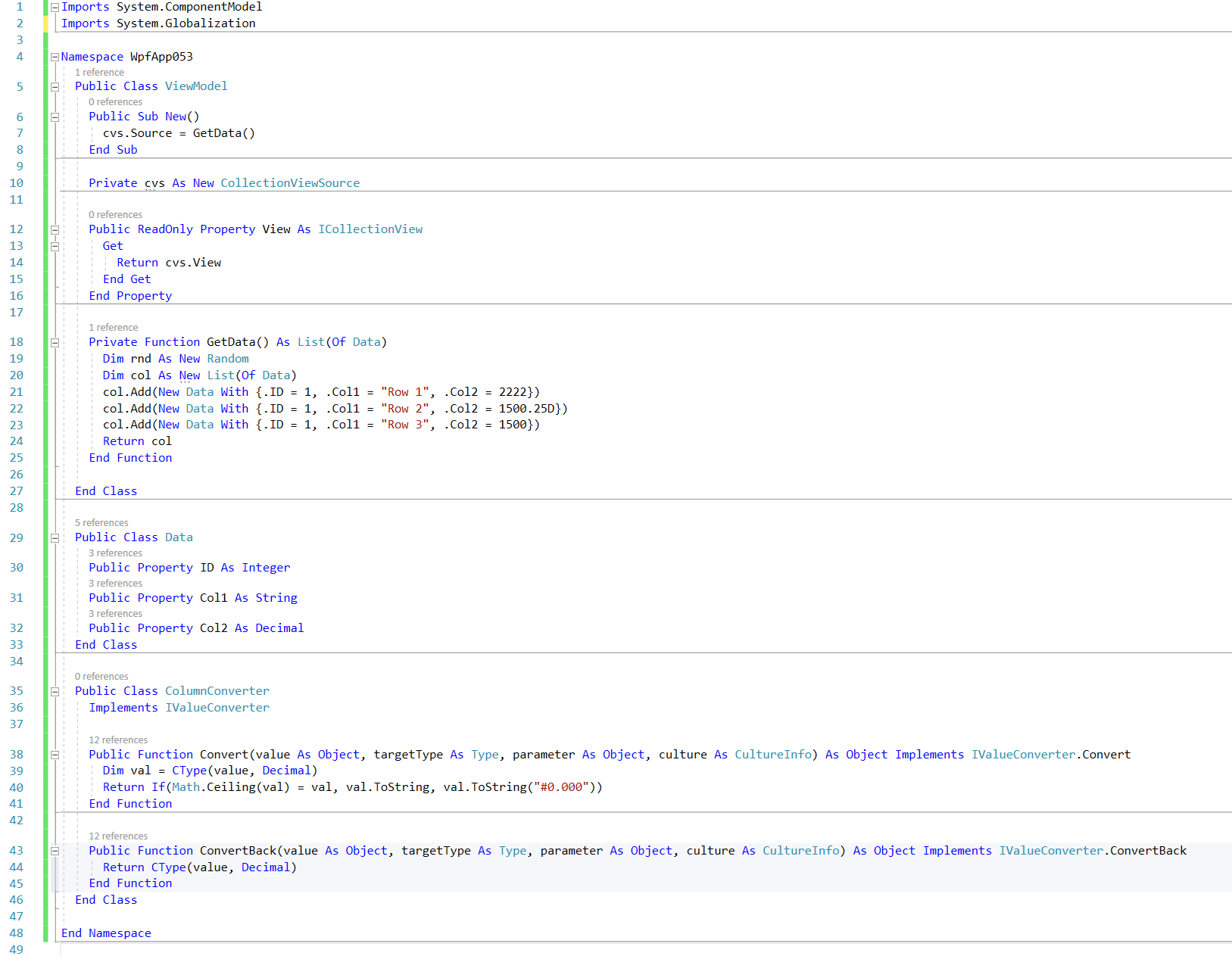
And classes:
Result: