Azure Logic Apps
An Azure service that automates the access and use of data across clouds without writing code.
This browser is no longer supported.
Upgrade to Microsoft Edge to take advantage of the latest features, security updates, and technical support.

Hi,
I am trying to generate authorisation code by making a POST request in logic App. Let me clear each and every step of what i trying to achieve
Actually this is the URL -

In this i passed my client id = 021ed4a0-7883-42fd-82c0-056648bb3567
redirecturi = http://localhost:44300/
as you can see in this snap

Now when i hit enter the page redirect and i get a code generated in the URl as shown -

Now i use this code as an authorisation code to generate access token while calling REST API.
Now when i tried to generate this authorization code using logic app in azure .
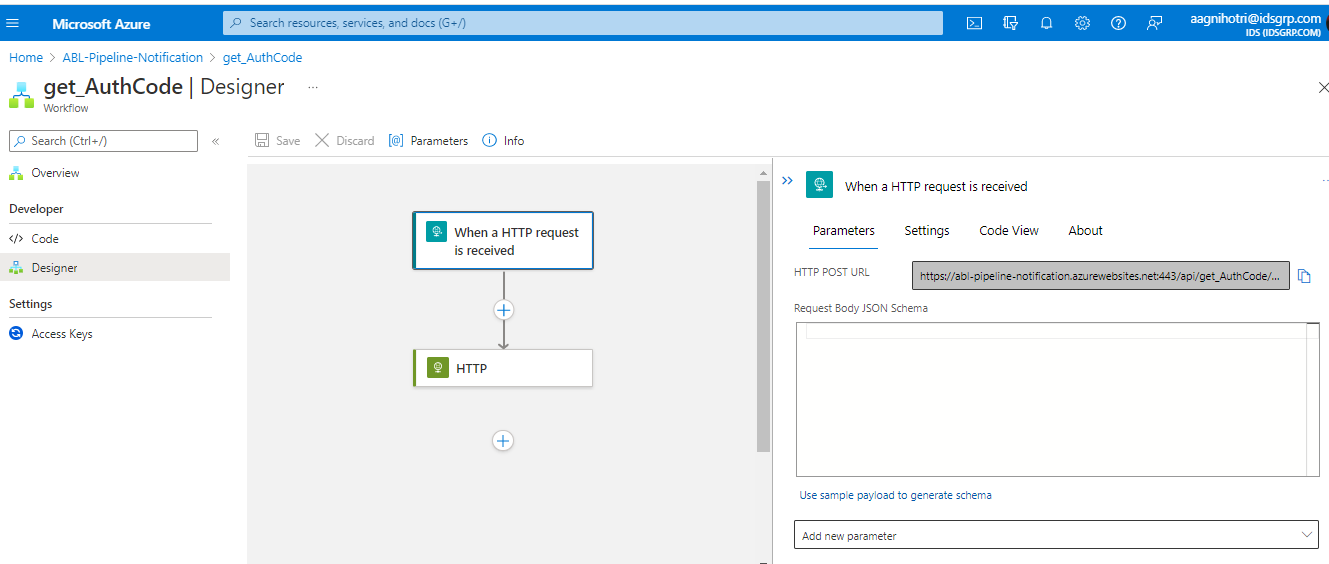
As you can see i defined all the parameters in the body
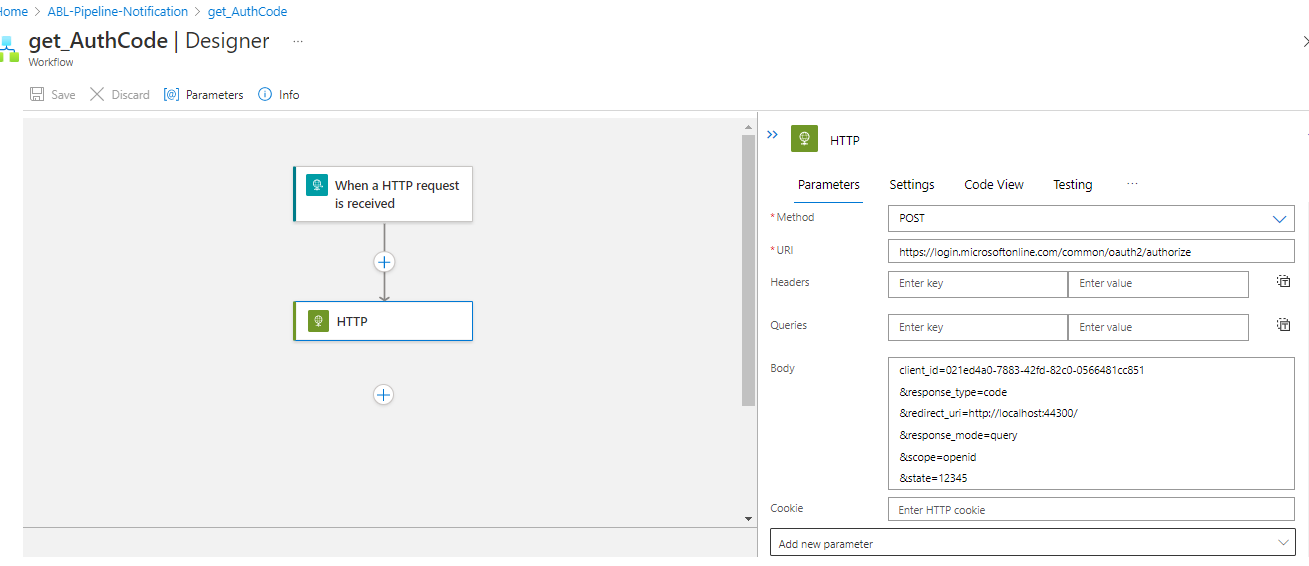
When i run this logic app

It runs successfully but it is not generating the code as described above when we are running the url directly in the browser.
In the body it is returning the HTML of page and somewhere i found these in the code -
See the highlighted ones
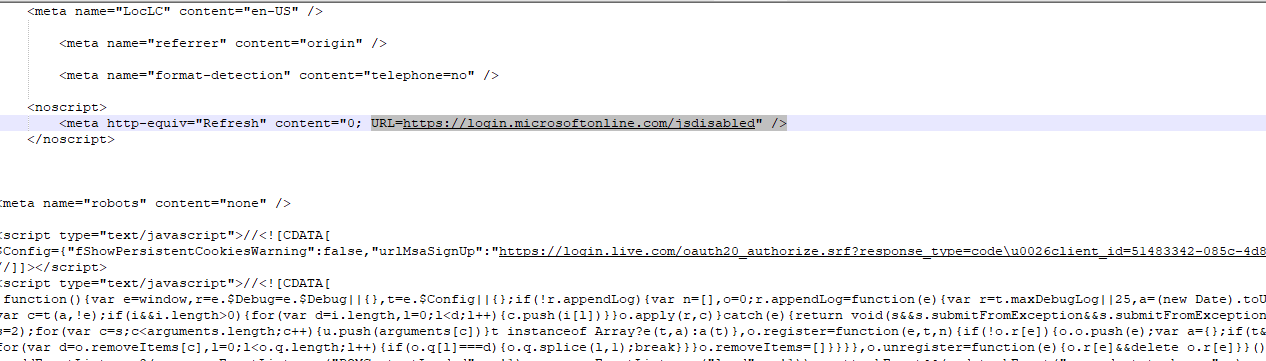

I have tried multiple times but not able to generate the auth code using logic app. Can anyone help me out how to get that. I don't know what mistake am i doing.

@Amar Agnihotri As per the above images it looks the response is the redirect URL (status code 3xx) which is not supported as documented here and the response is the page.