Microsoft Security | Intune | Configuration Manager | Other
Other Configuration Manager-related features and issues

This browser is no longer supported.
Upgrade to Microsoft Edge to take advantage of the latest features, security updates, and technical support.

Dear experts,
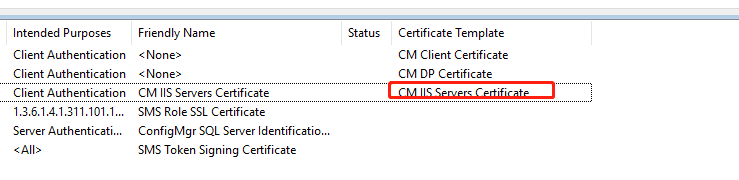
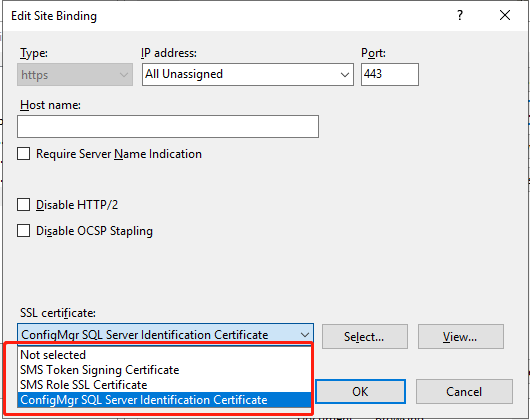
I'm in the middle of PKI certificates configuration and I've enrolled IIS server certificate, however it didn't show when I tried to select it under IIS default website.
Please refer to screenshots and help to advise what I've missed?
I noticed that the certificate was Client authentication however I needed Server Authentication, is it possible to change the Intended Purposes?
Many thanks.
Other Configuration Manager-related features and issues
Answer accepted by question author

If you add a certificate to Server Certificates in IIS but you don’t see it in the binding window, there are two things to check
Make sure the certificate you added to “Server Certificates” is the one you created a “Certificate Request” for. If you add a certificate that wasn’t requested in “Server Certificates”, it won’t show up in IIS binding window even if it does in “Server Certificates” list
Make sure there is a private key in the certificate
Thanks @Kalyan Sundar , you are right, I created it based on the incorrect template, it was supposed to be Web Server, after that, it showed as Server Authentication.