Microsoft Teams | Microsoft Teams for business | Other
Additional features, settings, or issues not covered by specific Microsoft Teams categories

This browser is no longer supported.
Upgrade to Microsoft Edge to take advantage of the latest features, security updates, and technical support.
' cx='32' cy='32' r='32' /%3E%3Ctext x='50%25' y='55%25' dominant-baseline='middle' text-anchor='middle' fill='%23FFF' %3EMF%3C/text%3E%3C/svg%3E)
When we were recording a video in the teams, Someone pressed the stop recording button and interrupted it. Could we find which user performed the operation?thanks
Additional features, settings, or issues not covered by specific Microsoft Teams categories
' cx='32' cy='32' r='32' /%3E%3Ctext x='50%25' y='55%25' dominant-baseline='middle' text-anchor='middle' fill='%23FFF' %3EYS%3C/text%3E%3C/svg%3E)
Hi @max fang ,
Just checking in to follow up with this thread. Have you had a chance to check the replies provided? If you find any of the replies helpful, do you mind accepting it as answer? This can be beneficial to others who read this thread. If you still have further concern on this, please feel free to let us know.
Hi @max fang ,
When we were recording a video in the teams, Someone pressed the stop recording button and interrupted it. Could we find which user performed the operation?
No. I am afraid it's currently not feasible to find out who stopped a recording.
As mentioned by TKujala, normally we would search the Audit logs to view user or administrator activities in the organization, but going through the Teams activities covered in the audit logs, I don't see any potentially relevant events which may indicate who stops a recording.
Then I tried checking it in my lab tenant by creating a meeting for test. During my test, User1 started the recording, and after a few minutes, User2 clicked "Stop recording". Then I waited for a while and tried searching the Audit logs in Microsoft 365 compliance center using the name of the meeting recording file, but there's no activity related to user2.
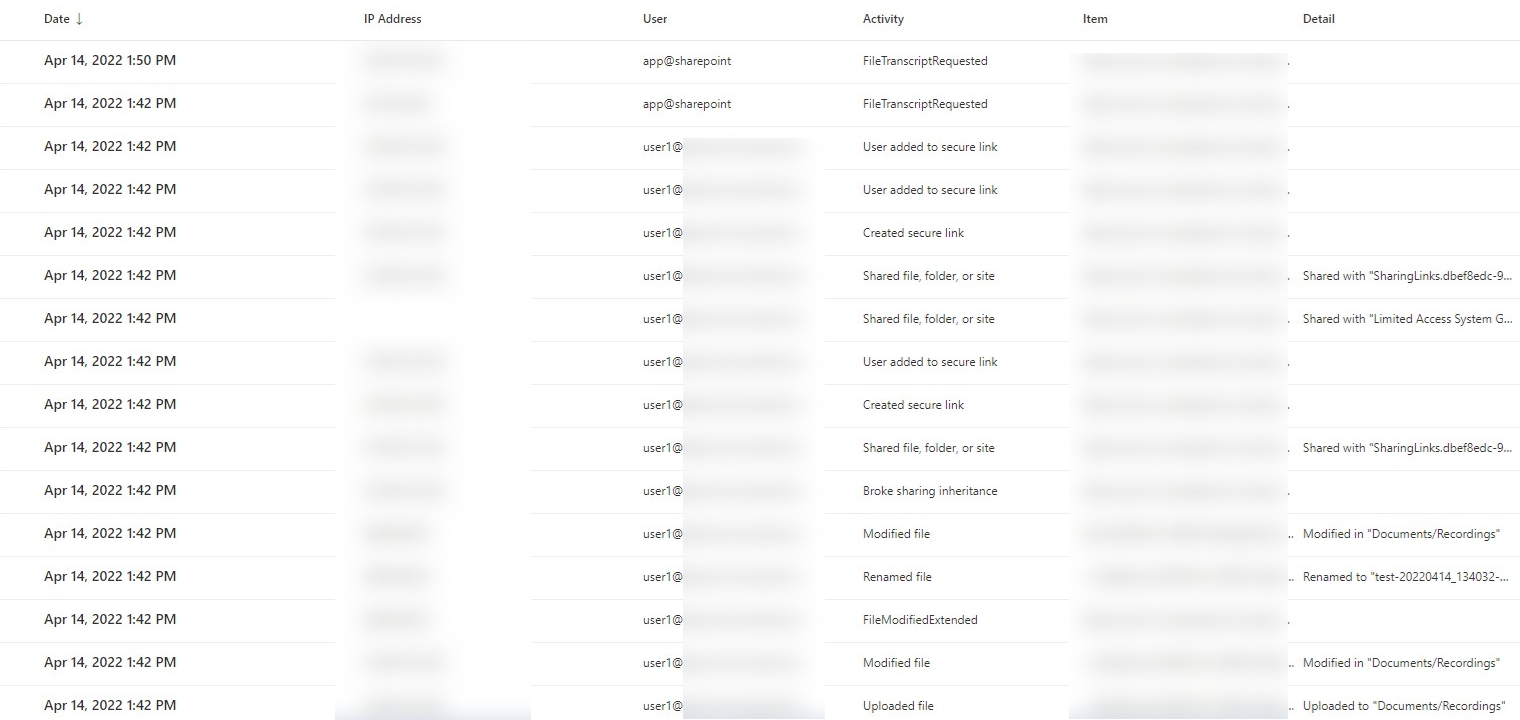
Given this, I just submitted this via the dedicated feedback portal for Microsoft Teams. You can add your vote or comment there as well and hopefully we can see this feature added in the future:
https://feedbackportal.microsoft.com/feedback/idea/af940c62-c8bb-ec11-a81b-000d3a03dba2
If the answer is helpful, please click "Accept Answer" and kindly upvote it. If you have extra questions about this answer, please click "Comment".
Note: Please follow the steps in our documentation to enable e-mail notifications if you want to receive the related email notification for this thread.

Hi @max fang ,
You can use Audit Logs in Azure Active Directory.
https://learn.microsoft.com/en-us/azure/active-directory/reports-monitoring/concept-audit-logs
Or Auditing solutions in Microsoft 365.