Azure Logic Apps
An Azure service that automates the access and use of data across clouds without writing code.
This browser is no longer supported.
Upgrade to Microsoft Edge to take advantage of the latest features, security updates, and technical support.
' cx='32' cy='32' r='32' /%3E%3Ctext x='50%25' y='55%25' dominant-baseline='middle' text-anchor='middle' fill='%23FFF' %3EHJ%3C/text%3E%3C/svg%3E)
the powershell output for the runbook on automation account is not a json , how can modify it to get it in json parse logic app connector?
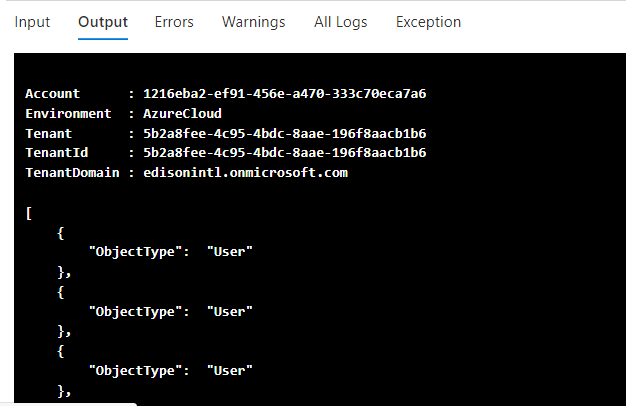
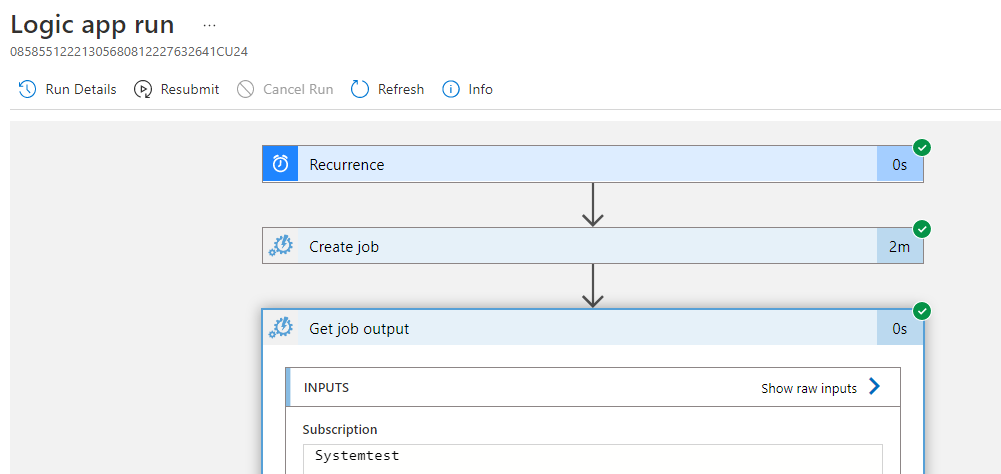
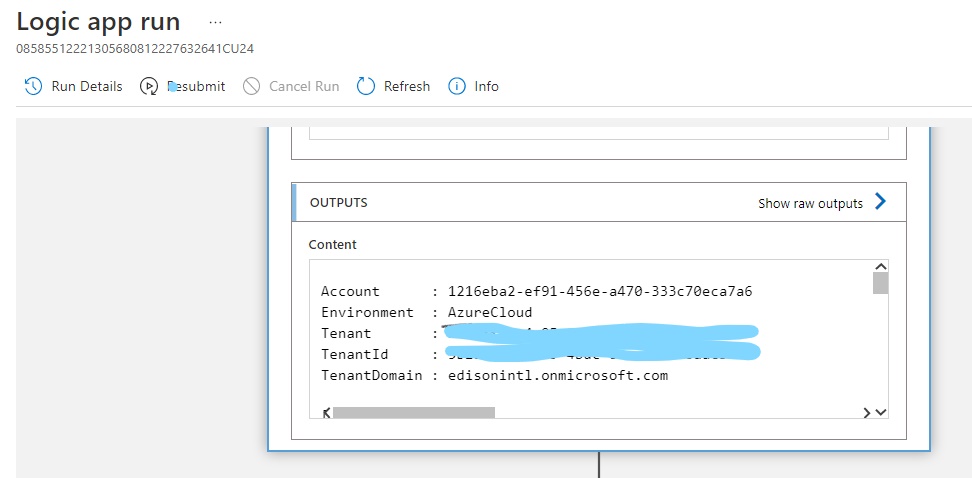
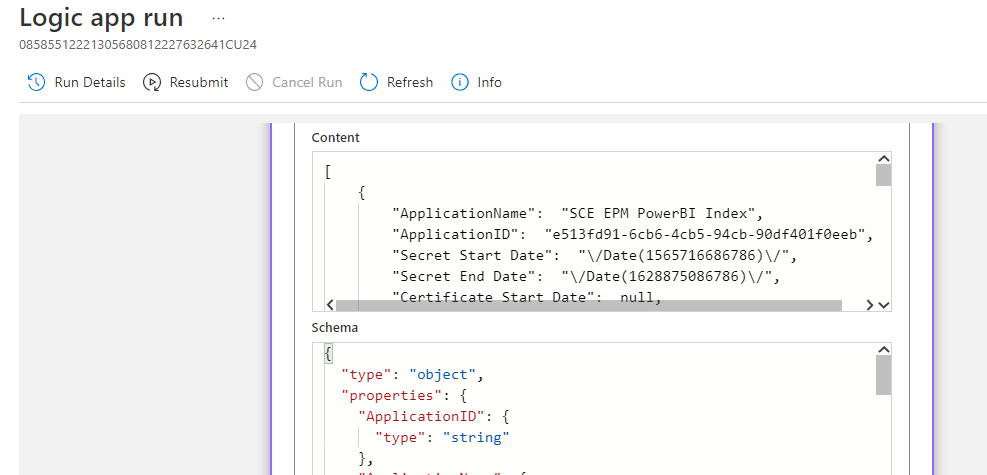
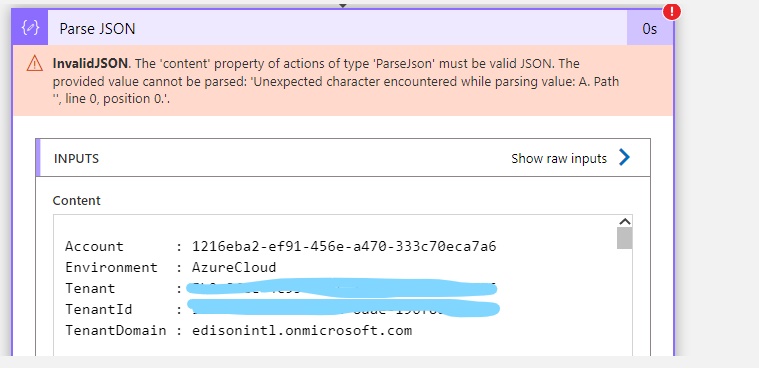

@HectorMH Jimenez Thanks for reaching out. As per the output below I can see that the output field is not a valid JSON as you can see.
Account: value
Environment: value
...
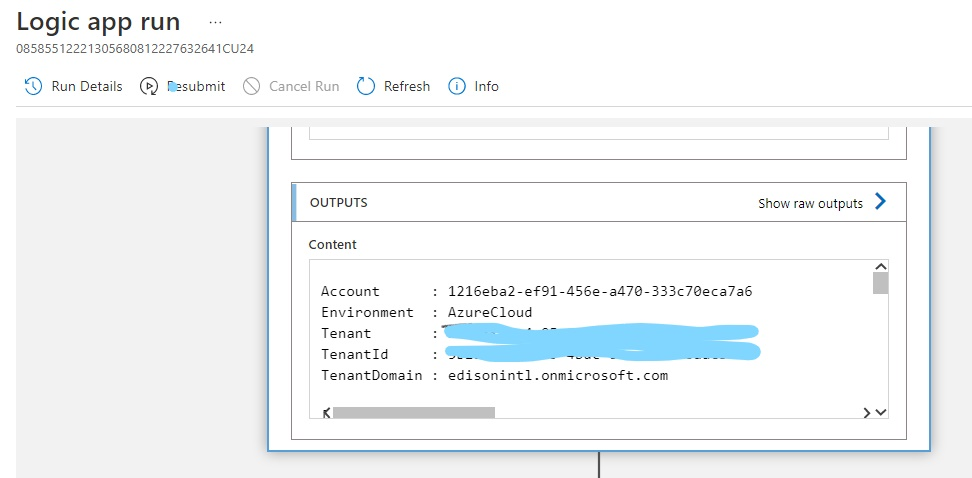
Further looking into your second screenshot that you have shared I can see the output is text value and looks like it has the valid JSON section (yellow highlighted text) inside the array value.
The starting text (red highlighted text) is not a valid JSON and when you use Parse JSON action then it fails as expected as your output is not valid JSON object.
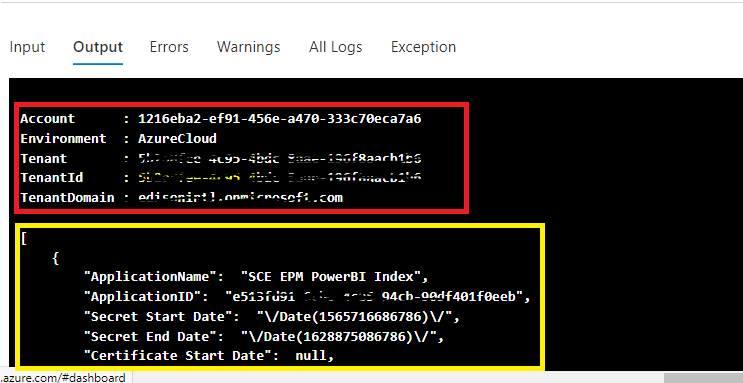
To make your output as the valid JSON object either you need to update the job and it should only return the valid JSON text (yellow highlighted text).
In case if you are not able to return the valid JSON object from your job then you can either leverage the split function to split your text and get the yellow highlighted text and then pass the right JSON object to your Parse JSON action. Alternatively, you can leverage the inline function and write the regular expression to get the right JSON value content.
Feel free to get back to me if you have any queries or concerns.
Thank you for the response Mayank , it worked using inline function to get the right Json file.
@HectorMH Jimenez Thanks for your response and glad to know that it has helped. Feel free to get back to us in Microsoft Q&A if you need any assistance in future.

I have not worked specifically with these connector activities. A few tips that may help:
Most of the activities produce JSON output and all expect JSON input. You can see the JSON output in the run logs. Errors related to JSON formatting are often a generic reference to a configuration error in the preceding activity. This could be misinterpreted as the need for a JSON parser. I would take a closer look at the "Get Job Output" config and logs.
As you may know, the template for a JSON parser can be taken from the output of the previous activity. Usually, the only time you need a JSON parser is following a generic HTTP request activity. Are you sure you need a JSON parser? Maybe there is an issue with the runbook?
This is the correct output
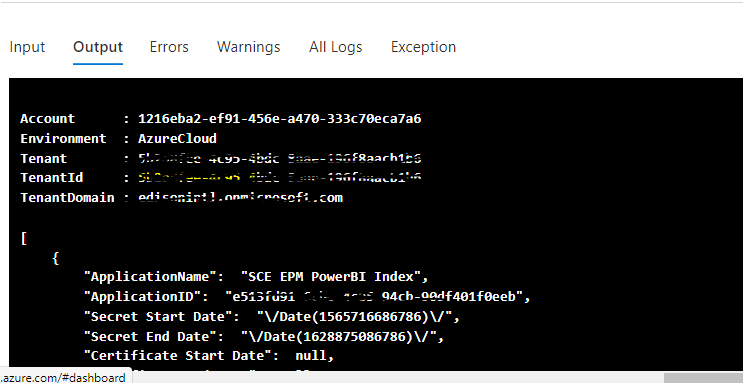
Thanks for the response, im trying to send the output information from my powershell script of the automation account by email to end users, that is the reason taht im using json parser to get the fields and put into the email body, not sure if exist a different way to get the output in csv format and send it to end users by email.
Thank you