Microsoft 365 and Office | SharePoint | For business | Windows
A group of Microsoft Products and technologies used for sharing and managing content, knowledge, and applications.

This browser is no longer supported.
Upgrade to Microsoft Edge to take advantage of the latest features, security updates, and technical support.
' cx='32' cy='32' r='32' /%3E%3Ctext x='50%25' y='55%25' dominant-baseline='middle' text-anchor='middle' fill='%23FFF' %3EMR%3C/text%3E%3C/svg%3E)
I am a company executive with global security admin privileges to SharePoint. An insubordinate employee blocked executive access to company data on our SharePoint site by restricting access privileges. There has to be a way as an admin to override that so any and all documents on SharePoint are visible to me again, even though I was blocked. How do I do this? I've already reset the libraries to inherit permissions from their parent but SharePoint is still showing limited access exists.

I am currently looking into this issue and will give you an update as soon as possible.
Thank you for your understanding and support.
Hi @Michael Ricco
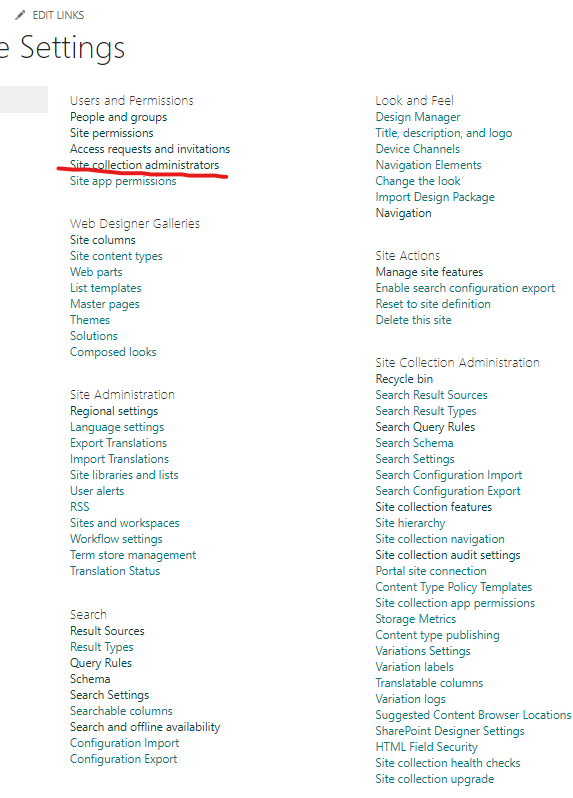
You could set your account as site collection administrators:
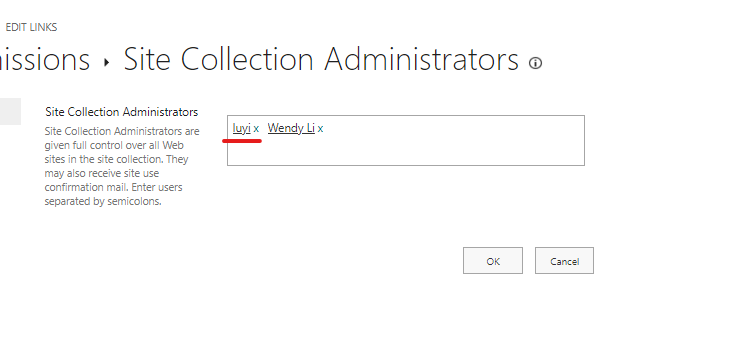
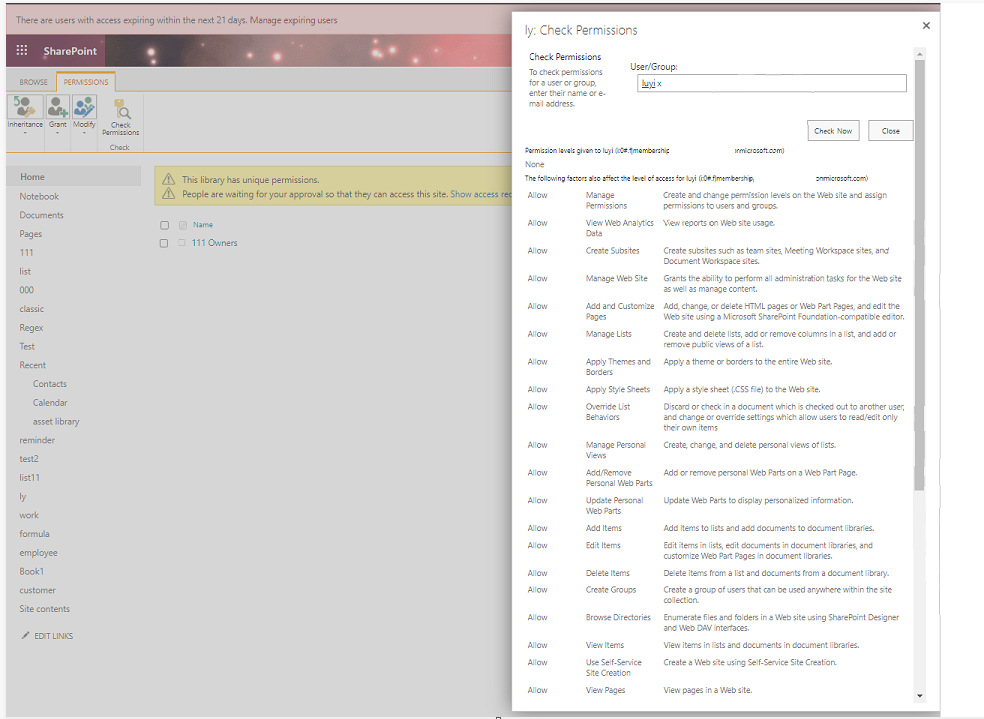
For example, I set unique permission for "ly" library and delete all permissions for "luyi" account, but when I add this account to site collection administrators, I could access this library again:
If the answer is helpful, please click "Accept Answer" and kindly upvote it. If you have extra questions about this answer, please click "Comment".
Note: Please follow the steps in our documentation to enable e-mail notifications if you want to receive the related email notification for this thread.
Thank you for the help. Unfortunately, I'm still struggling because I was already set up as the site collection administrator. I'm able to access all libraries and folders. It is documents within the folders that I'm not able to see and this setting doesn't seem to be sufficient to solve it.
Hi @Michael Ricco
Could you please provide some screenshot for me? In my test, if I set my account as the site collection adminstrator, then I will have the all permission in this site (including the libraries and folders which have unique permissions). I also have the permission to determin whether the library should have unique permission.
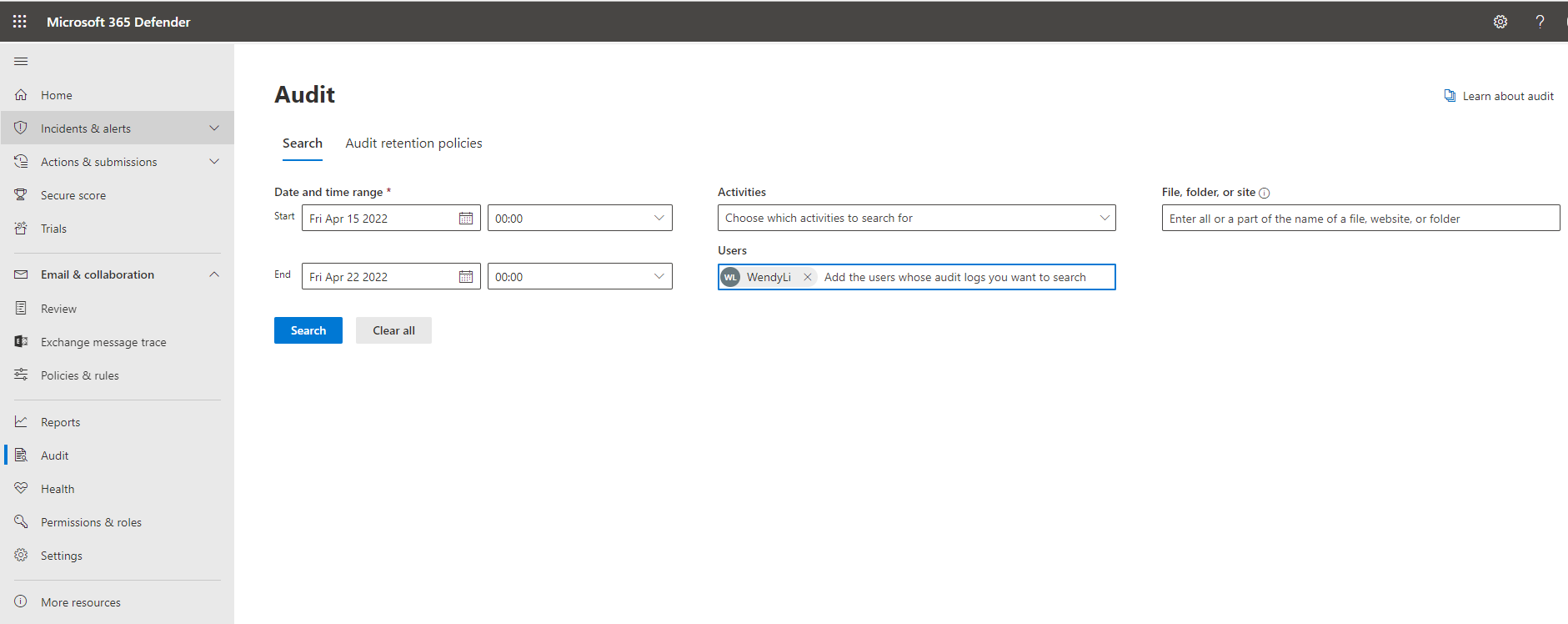
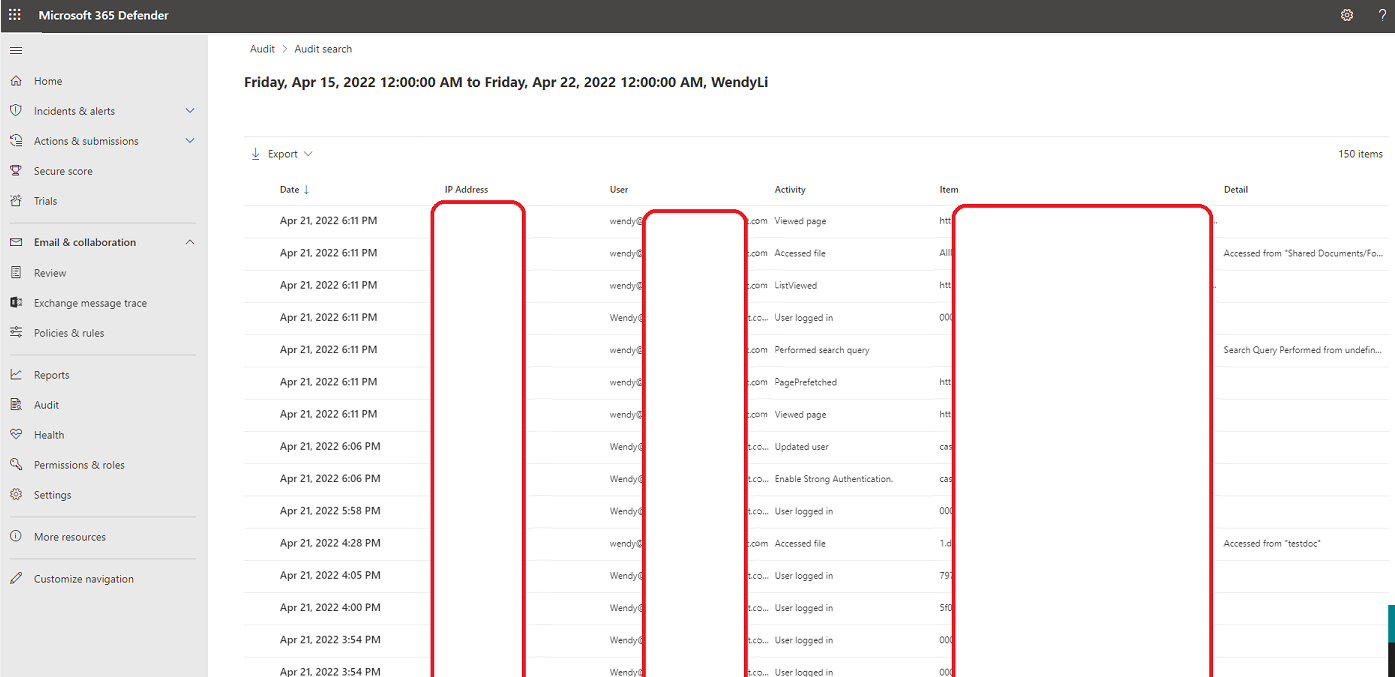
What is more, just to be sure, you could log in audit log to check what has the employee done in the site recently:
Hi @Michael Ricco
I am checking to see whether the problem has been resolved. If you have any questions or progress, you can contact me in time.