Developer technologies | VB
An object-oriented programming language developed by Microsoft that can be used in .NET.
This browser is no longer supported.
Upgrade to Microsoft Edge to take advantage of the latest features, security updates, and technical support.
' cx='32' cy='32' r='32' /%3E%3Ctext x='50%25' y='55%25' dominant-baseline='middle' text-anchor='middle' fill='%23FFF' %3EDA%3C/text%3E%3C/svg%3E)
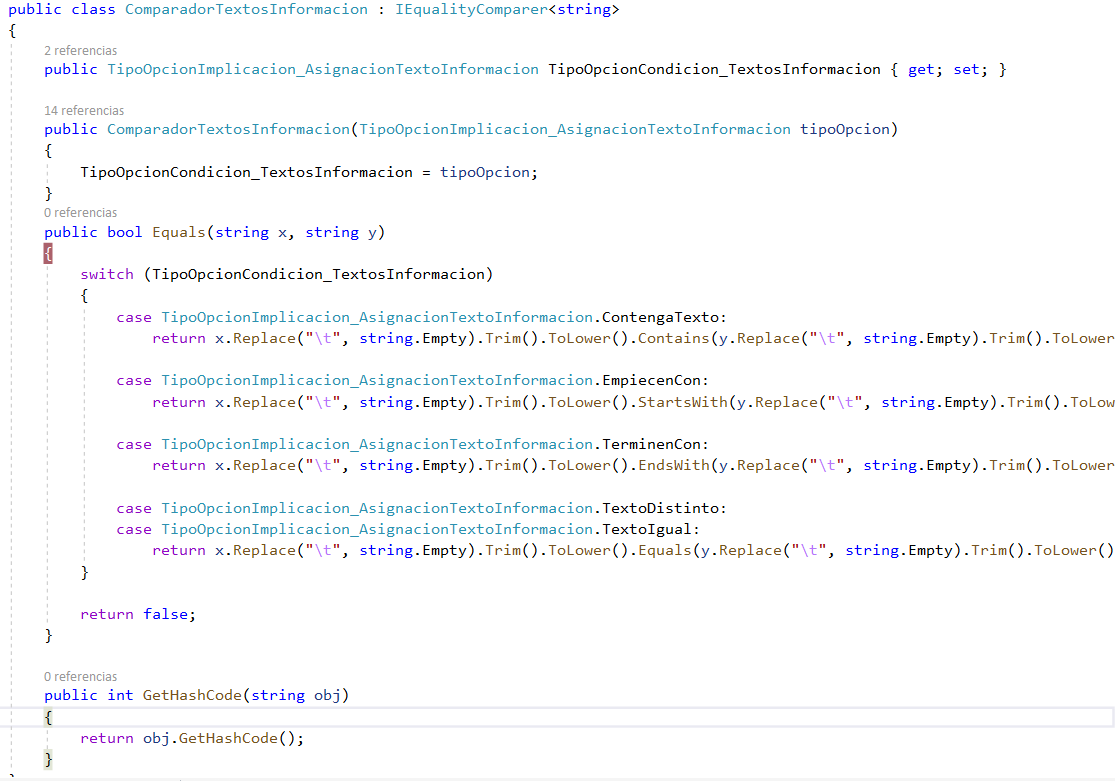
Hello. I try to get the intersection of 2 string arrays using an implementation of IEqualityComparer. But for some reason the Equals method is not executed. I put a breakpoint but the execution doesn't stop there. Do you know the reason? Thank you. I attach the code.

' cx='32' cy='32' r='32' /%3E%3Ctext x='50%25' y='55%25' dominant-baseline='middle' text-anchor='middle' fill='%23FFF' %3EAB%3C/text%3E%3C/svg%3E)
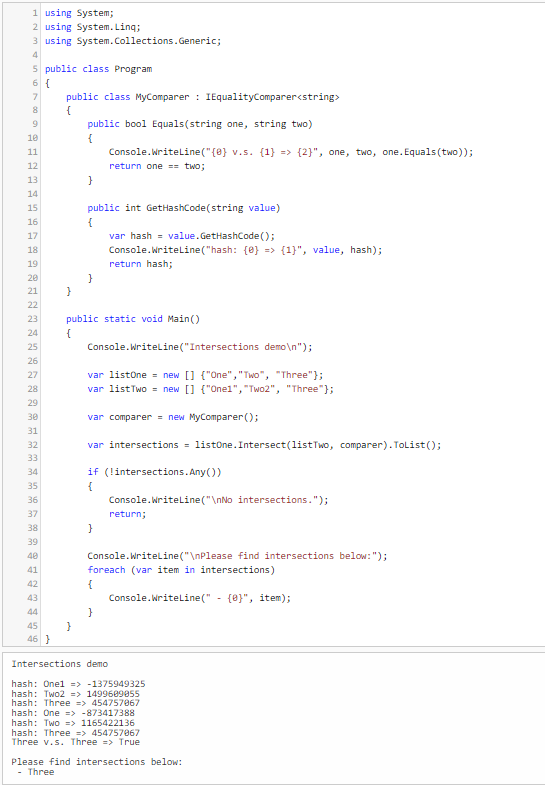
@Diego Alvarez your code is working fine for me, too. you can find evidence here: https://dotnetfiddle.net/ODIXlc

Hi
You need to post code in a code block (5th from left in toolbar), unless you expect people here to copy from your image and retype everything.
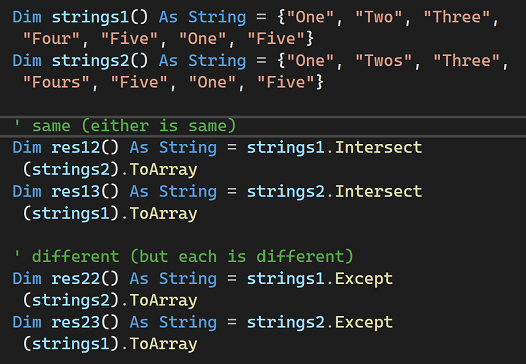
Anywat, can't answer your question as I can't view your code. I think it is about getting matches (or differences) in string arrays - if so, check this image out.
Hello LesHay-2099. Thank you for your reply. This is the code:
if (valoresCondicion.Intersect(numeroOperando.Textos, new ComparadorTextosInformacion(
                                            TipoOpcionCondicion_TextosInformacion)).Any())
                                    valorCondicion = true;


public class ComparadorTextosInformacion : IEqualityComparer<string>
    {
        public TipoOpcionImplicacion_AsignacionTextoInformacion TipoOpcionCondicion_TextosInformacion { get; set; }

        public ComparadorTextosInformacion(TipoOpcionImplicacion_AsignacionTextoInformacion tipoOpcion)
        {
            TipoOpcionCondicion_TextosInformacion = tipoOpcion;
        }
        public bool Equals(string x, string y)
        {
            switch (TipoOpcionCondicion_TextosInformacion)
            {
                case TipoOpcionImplicacion_AsignacionTextoInformacion.ContengaTexto:
                    return x.Replace("\t", string.Empty).Trim().ToLower().Contains(y.Replace("\t", string.Empty).Trim().ToLower());

                case TipoOpcionImplicacion_AsignacionTextoInformacion.EmpiecenCon:
                    return x.Replace("\t", string.Empty).Trim().ToLower().StartsWith(y.Replace("\t", string.Empty).Trim().ToLower());

                case TipoOpcionImplicacion_AsignacionTextoInformacion.TerminenCon:
                    return x.Replace("\t", string.Empty).Trim().ToLower().EndsWith(y.Replace("\t", string.Empty).Trim().ToLower());

                case TipoOpcionImplicacion_AsignacionTextoInformacion.TextoDistinto:
                case TipoOpcionImplicacion_AsignacionTextoInformacion.TextoIgual:
                    return x.Replace("\t", string.Empty).Trim().ToLower().Equals(y.Replace("\t", string.Empty).Trim().ToLower());
            }

            return false;
        }

        public int GetHashCode(string obj)
        {
            return obj.GetHashCode();
        }
    }
Please check the example, the comparer works fine for me, all methods are triggered: https://dotnetfiddle.net/my63GH
andriyb The code doesn't work for me in my VS project. Will it be a configuration?