Developer technologies | Visual Studio | Debugging
A core feature of Visual Studio that allows developers to inspect, analyze, and troubleshoot code during execution.
This browser is no longer supported.
Upgrade to Microsoft Edge to take advantage of the latest features, security updates, and technical support.
' cx='32' cy='32' r='32' /%3E%3Ctext x='50%25' y='55%25' dominant-baseline='middle' text-anchor='middle' fill='%23FFF' %3EI%3C/text%3E%3C/svg%3E)
I have some strange issue while debugging.
I tried resetting options, changing debug options. Reinstall multiple times following official documentation
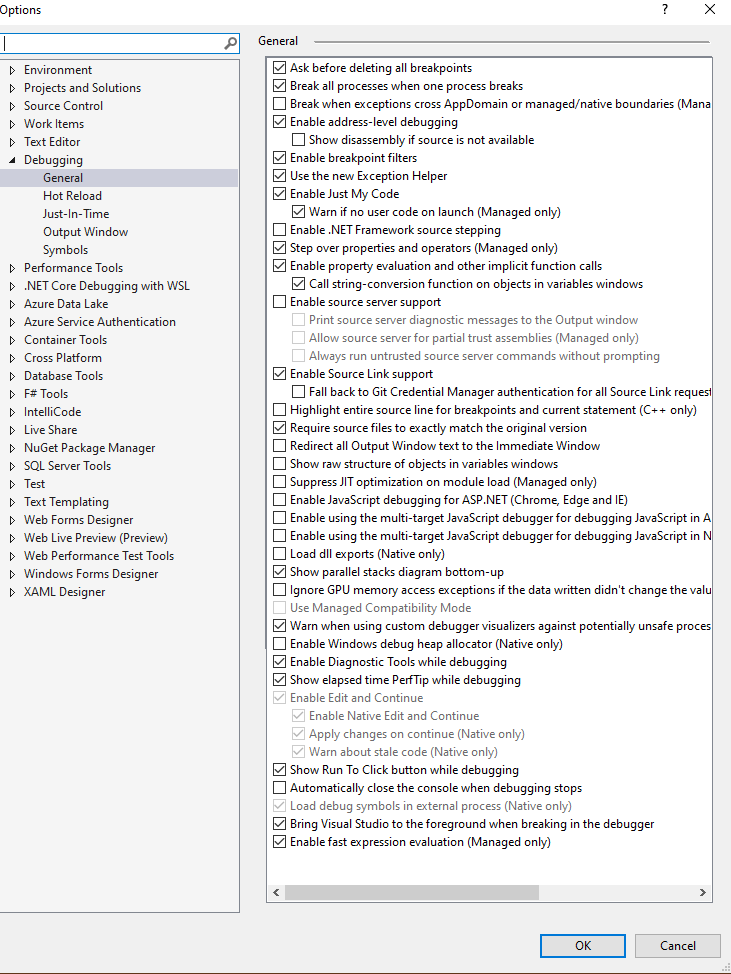
Current options:
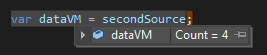
When I hover over variable I can't expand variable to see its property values.
First example I can expand till object:

Second example I can't expand at all:
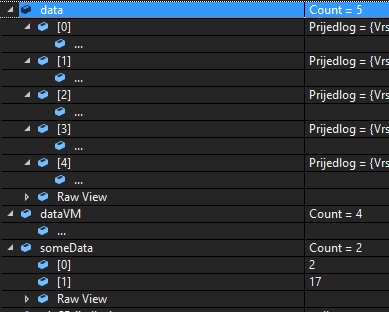
Finally in locals are all results from top cases:
Using Microsoft Visual Studio Professional 2019 Version 16.11.13
A core feature of Visual Studio that allows developers to inspect, analyze, and troubleshoot code during execution.

Are there any attributes on the class or properties?
Do you have any Visual Studio extensions installed, if so disable them using devenv /safemode.
You might try creating a simple do nothing console project with variables similar to the current project and see if inspecting variables work, if so then it's a problem related to the current project and if not, has inspecting variables every worked in the past?
I would report this in the feedback button in Visual Studio too.
' cx='32' cy='32' r='32' /%3E%3Ctext x='50%25' y='55%25' dominant-baseline='middle' text-anchor='middle' fill='%23FFF' %3EK%3C/text%3E%3C/svg%3E)
Hi ihorvat7
I had exactly the same problem ad you described,
In my case, the solution was to remove an Inherited Member that was contained in the Class with the debugging showing variables error, this action solves the CS0108 warnning error and also solves the debagging problem issue you mentioned.
Hi ihorvat7
I had exactly the same problem ad you described,
in my case,, the solution was to remove an Inherited Member that was contained in the Class with the debugging showing variables error, this action solves the CS0108 warning error and also solves the debagging problem issue you mentioned