
Hi @kannika jan ,
Your user account may haven't enough permissions to do that.
You can also check that the sysvol folder is working properly.
https://support.microsoft.com/en-us/topic/04fc119e-295f-a556-9d7c-616796e96d5d
This browser is no longer supported.
Upgrade to Microsoft Edge to take advantage of the latest features, security updates, and technical support.
' cx='32' cy='32' r='32' /%3E%3Ctext x='50%25' y='55%25' dominant-baseline='middle' text-anchor='middle' fill='%23FFF' %3EKJ%3C/text%3E%3C/svg%3E)
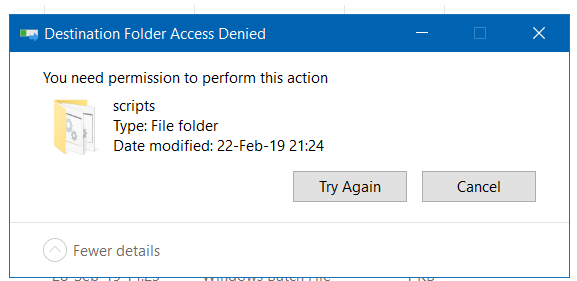
After I copy file script and paste it to sysvol>>Folder Script, I can't paste files in this folder and get error as attachment.
How to fix this issue

Hi @kannika jan ,
Your user account may haven't enough permissions to do that.
You can also check that the sysvol folder is working properly.
https://support.microsoft.com/en-us/topic/04fc119e-295f-a556-9d7c-616796e96d5d

Hello
Thank you for your question and reaching out.
I can understand you wish to access SYSVOL Folder
Basically, you shouldn't be doing this. This is a security feature that prevents unauthorised alteration of critical domain files. The c:\window\ssysvol location on a DC, as you stated in your message, is the correct approach to edit the SYSVOL contents. With standard DFS-Replication, the modifications will be replicated to other DCs.
--If the reply is helpful, please Upvote and Accept as answer--