Azure Data Lake Storage
An Azure service that provides an enterprise-wide hyper-scale repository for big data analytic workloads and is integrated with Azure Blob Storage.
This browser is no longer supported.
Upgrade to Microsoft Edge to take advantage of the latest features, security updates, and technical support.
' cx='32' cy='32' r='32' /%3E%3Ctext x='50%25' y='55%25' dominant-baseline='middle' text-anchor='middle' fill='%23FFF' %3EMP%3C/text%3E%3C/svg%3E)
I have an Synapse pipeline that will make a call to a REST API returning a json response that I want to write to the data lake. My REST API call requires I pass a sessionId in the header. I first use a WebActivity to 'login' and retrieve the session Id. I then use a Copy Data activity with a HTTP json source. My sink is a json file in the data lake. I have 5 'Additional headers' that I must include when making my API call in the source, two of which reference my sessionId returned from the first Web activity. When I try Preview data on my source I get the following error:
Error occurred when deserializing source JSON file '../applications'. Check if the data is in valid JSON object format.
Unexpected character encountered while parsing value: <. Path '', line 0, position 0
When I run my pipeline it does complete, however the file that is written contains HTML instead of json and appears to be the result of the login failing.
I also tried using a REST API call as my source instead of the HTTP source. Both give me the same error on the Preview data of the source.
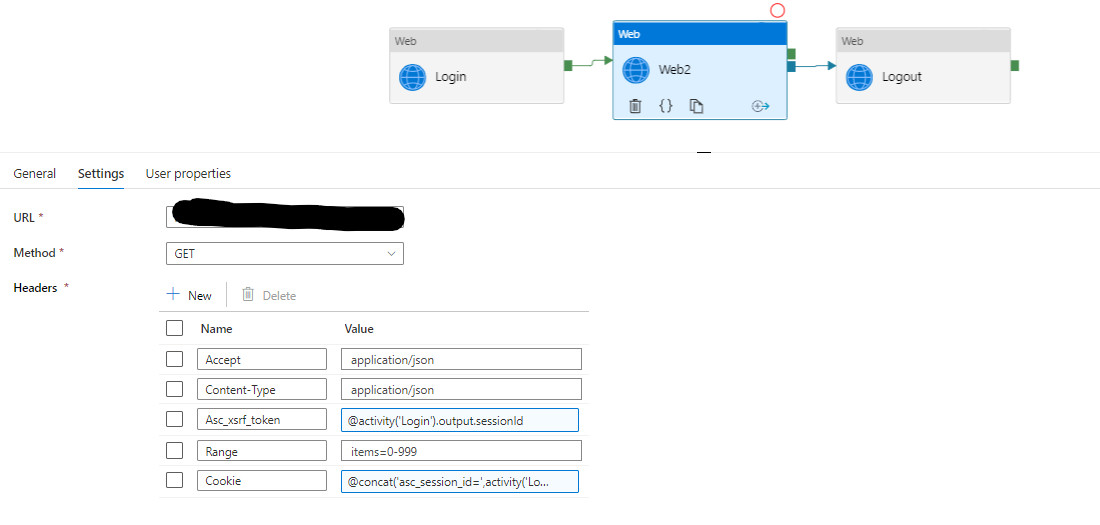
To test that my API call is passing the correct values in the header, I created a second pipeline containing a Web activity to 'login' and return the session Id, then I have a second Web activity that passes the 5 header values. This pipeline makes a successful call to my API and returns the expected result.
Here is what my pipeline looks like using an HTTP source with the Copy data activity:
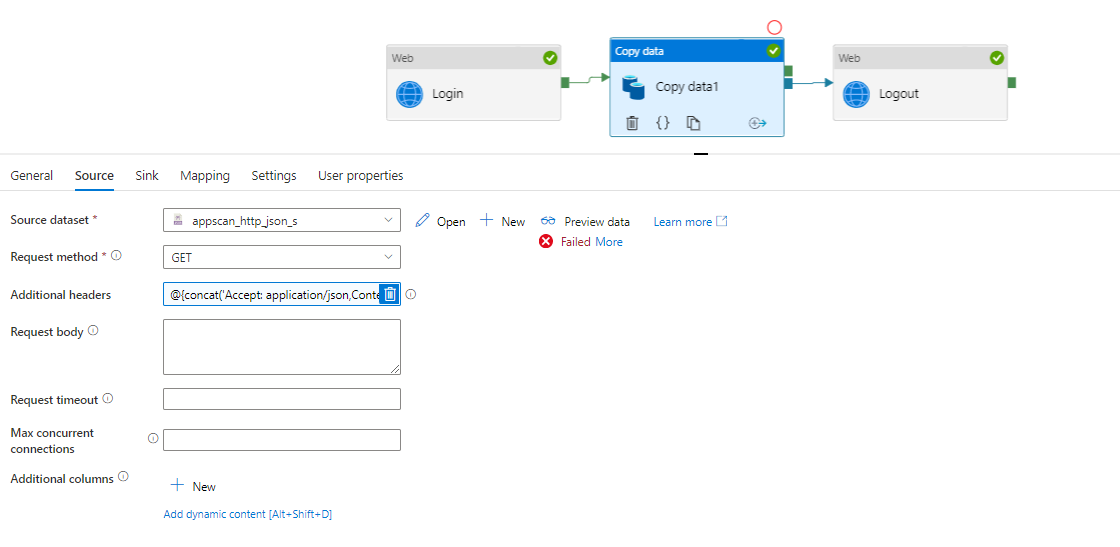
My Additional headers field looks like :
@{concat('Accept: application/json,Content-Type: application/json,Asc_xsrf_token: ',activity('Login').output.sessionId,',Range: items=0-999,Cookie: asc_session_id=',activity('Login').output.sessionId)}
This is what my pipeline looks like when using a REST API source:
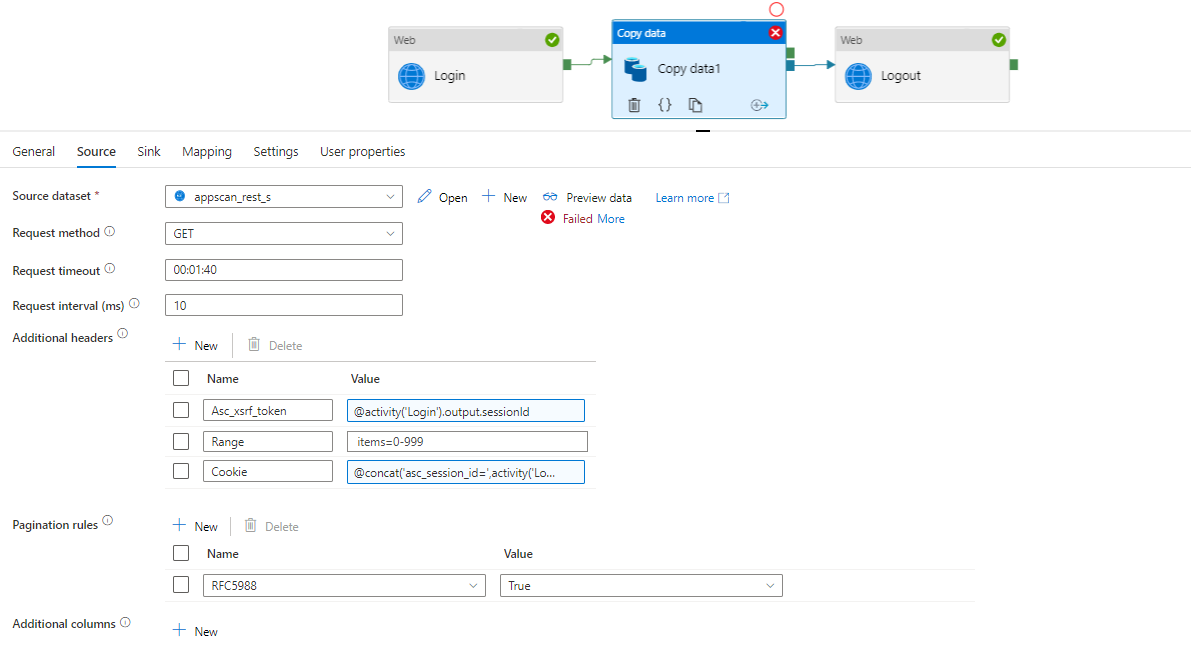
And my pipeline containing just a Web Activity to return the response looks like this. The Web activity returns a response as expected:
Am I passing the headers correctly for the Copy data activity? Why would the Copy activity API call not work?
Is there a way to view the Request that is being sent for the source? That would help me debug this issue.

Hi @M Price ,
Thank you for posting query in Microsoft Q&A Platform.
Could you please try using below string interpolation syntax while writing expression and see if that helps?
Accept: application/json,Content-Type: application/json,Asc_xsrf_token: ',@{activity('Login').output.sessionId},',Range: items=0-999,Cookie: asc_session_id=',@{activity('Login').output.sessionId}
Please let us know how it goes. Thank you.
Thanks for the reply @ShaikMaheer-MSFT ,
I made the change to the expression and get the same error result. I made the suggested change to the pipeline that utilizes an HTTP json source type and made a similar change to the pipeline that uses a REST source type. Both returned the same error I reported initially.
Is there a way to see the actual request that is being sent?
Thank you.
Hi @M Price , If I am not wrong, there is no way to see actual request sent to API. But if input json of that activity can give any clue then we can check it. To double confirm, I am checking with internal team for there inputs if we can see actual request sent to API. I will be share updates once I here back.
Hi @ShaikMaheer-MSFT ,
Here is the input from Copy Activity when using a REST json source:
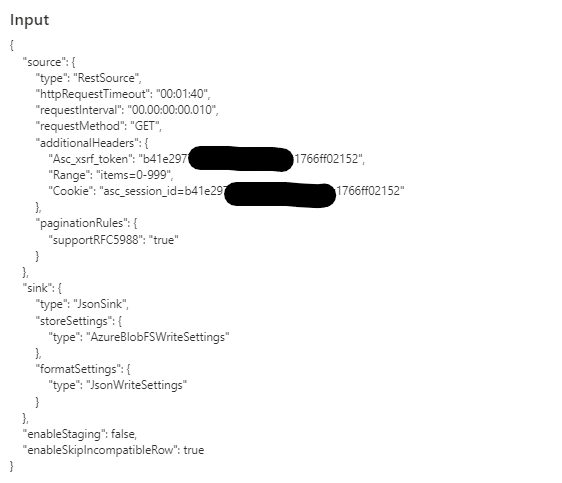
The headers look correct to me.
Here is the Input from the Copy Activity when using a HTTP json source:
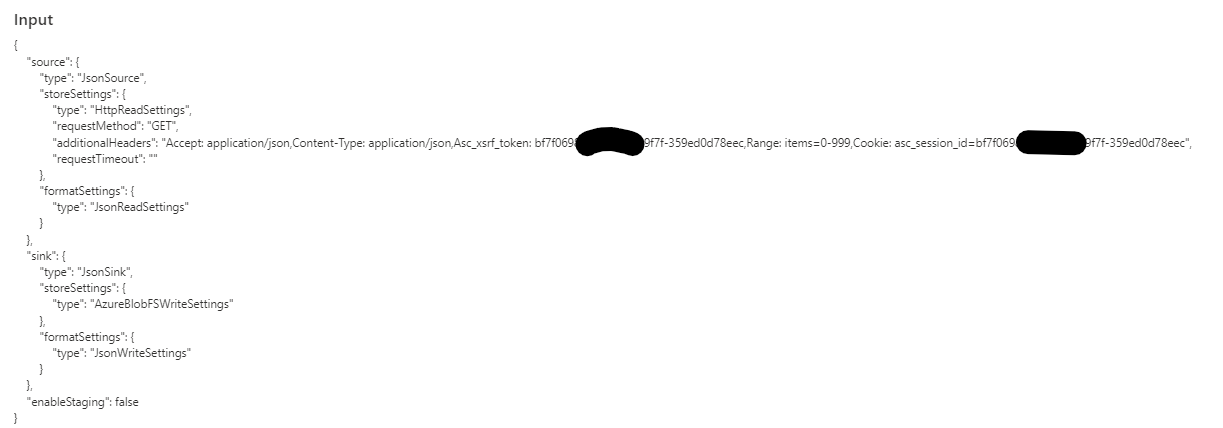
Assuming the the headers are formatted correctly, this also look correct.
When using a HTTP json source, the Copy Activity does complete without error, however the file written contains the following text instead of a json response:

The Copy Activity that uses a REST json source fails with the error I mentioned in my original question. Based on that error message, I suspect the copy activity is validating the json before writing the file. The HTTP source and the REST source are likely both being redirected to a page for login.
' cx='32' cy='32' r='32' /%3E%3Ctext x='50%25' y='55%25' dominant-baseline='middle' text-anchor='middle' fill='%23FFF' %3ELS%3C/text%3E%3C/svg%3E)
Hello @M Price could you share how you solved this error? Thank you.