Microsoft 365 and Office | Word | For business | Windows
A family of Microsoft word processing software products for creating web, email, and print documents.

This browser is no longer supported.
Upgrade to Microsoft Edge to take advantage of the latest features, security updates, and technical support.
' cx='32' cy='32' r='32' /%3E%3Ctext x='50%25' y='55%25' dominant-baseline='middle' text-anchor='middle' fill='%23FFF' %3EA%3C/text%3E%3C/svg%3E)
Due to the mistaken press of a shortcut key, the format of the comments in my word has changed and cannot be displayed in all. How to change it?
The previous page is normal The next page is abnormal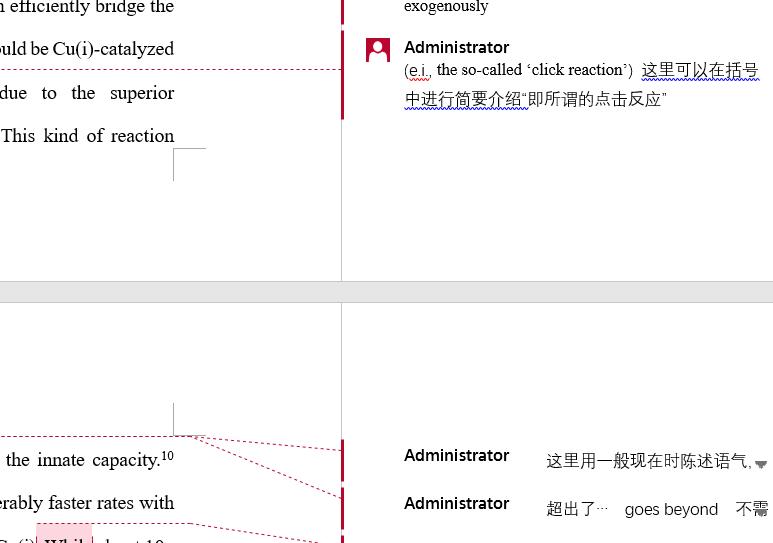

Hi @顺东 蔡
Welcome to Q&A forum ~
Are there many comments on a page?
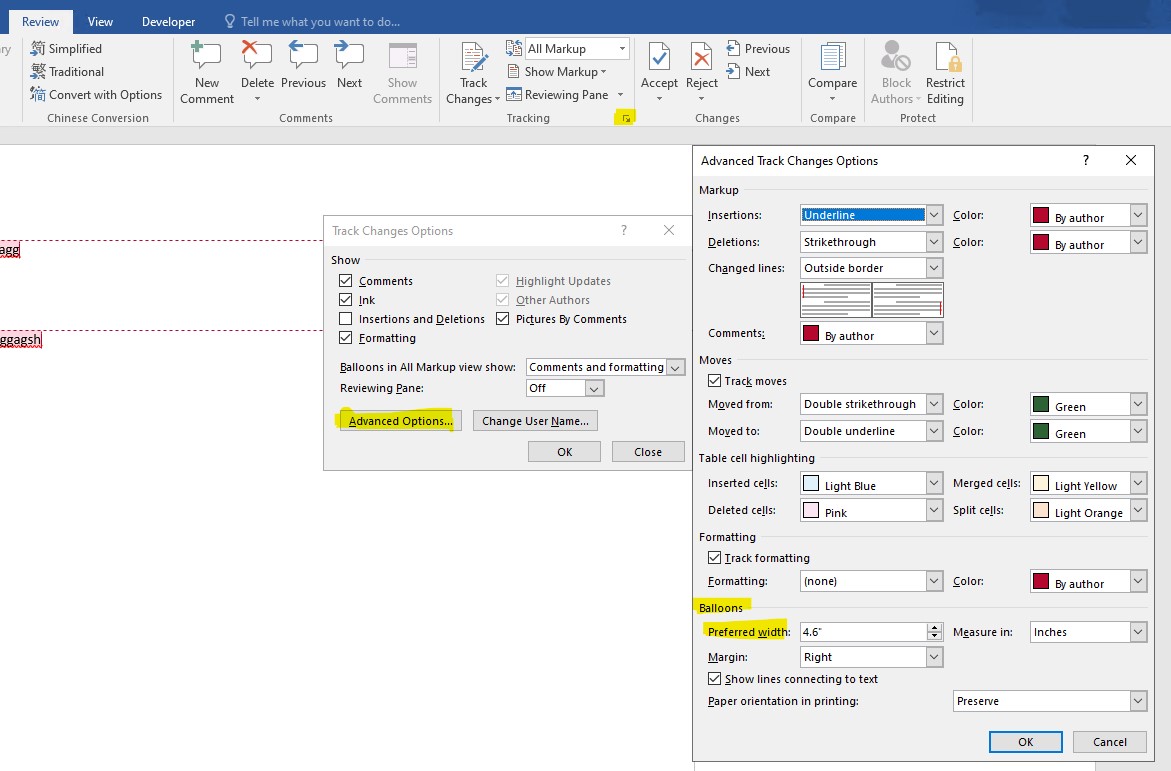
If the answer is helpful, please click "Accept Answer" and kindly upvote it. If you have extra questions about this answer, please click "Comment".
Note: Please follow the steps in our documentation to enable e-mail notifications if you want to receive the related email notification for this thread.
Hi @顺东 蔡
I am checking thread, is there any update?
If yes, welcome to post back.