Microsoft 365 and Office | SharePoint | For business | Windows
A group of Microsoft Products and technologies used for sharing and managing content, knowledge, and applications.

This browser is no longer supported.
Upgrade to Microsoft Edge to take advantage of the latest features, security updates, and technical support.
' cx='32' cy='32' r='32' /%3E%3Ctext x='50%25' y='55%25' dominant-baseline='middle' text-anchor='middle' fill='%23FFF' %3EA%3C/text%3E%3C/svg%3E)
I have a SharePoint list with about 10 columns and customized the list using PowerApps, is there an easy way to create the same list with the customized forms on another site? Or have to create the new list from brank on the target site?

@Andy To create the same structure on the target list, you can go to the target site and create a list using "From existing list".
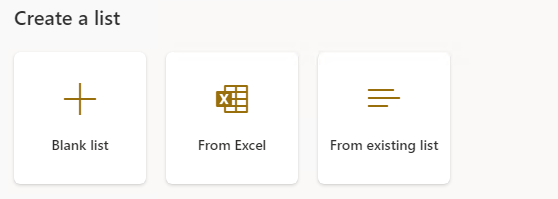
PowerApps form is not kept when creating a list using the above method, if your PowerApps form is not complex, we suggest you create a new one as an easier way to achieve it.
There is an idea about this topic, you can refer to it:
-----------------------
If the answer is helpful, please click "Accept Answer" and kindly upvote it. If you have extra questions about this answer, please click "Comment".
Note: Please follow the steps in our documentation to enable e-mail notifications if you want to receive the related email notification for this thread.
' cx='32' cy='32' r='32' /%3E%3Ctext x='50%25' y='55%25' dominant-baseline='middle' text-anchor='middle' fill='%23FFF' %3EA%3C/text%3E%3C/svg%3E)
Power apps is not currently supported here on Q&A. The product group for Power apps actively monitors questions over at
https://powerusers.microsoft.com/t5/Power-Apps-Community/ct-p/PowerApps1
--please don't forget to upvote and Accept as answer if the reply is helpful--