Microsoft 365 and Office | SharePoint | Development
The process of building custom applications and tools that interact with Microsoft SharePoint, including SharePoint Online in Microsoft 365.

This browser is no longer supported.
Upgrade to Microsoft Edge to take advantage of the latest features, security updates, and technical support.
' cx='32' cy='32' r='32' /%3E%3Ctext x='50%25' y='55%25' dominant-baseline='middle' text-anchor='middle' fill='%23FFF' %3EJH%3C/text%3E%3C/svg%3E)
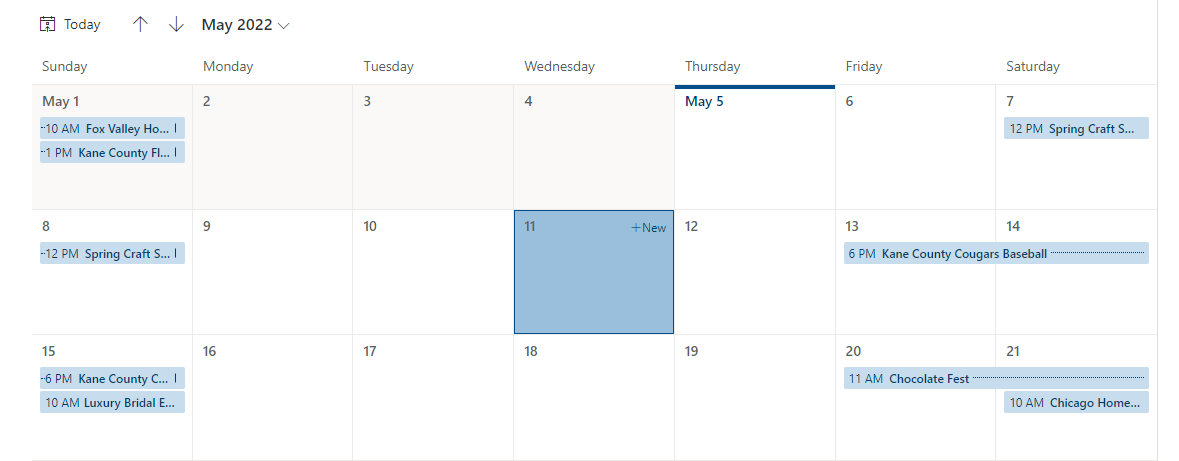
I have a custom form for my SP list. I have created a modern calendar view on the list. When selecting +New on any given date, the custom form opens but does not populate the date selected. I noticed that the standard form does populate the date selected. Is there a parameter I can pass to the custom form so it defaults to the date selected?
' cx='32' cy='32' r='32' /%3E%3Ctext x='50%25' y='55%25' dominant-baseline='middle' text-anchor='middle' fill='%23FFF' %3EED%3C/text%3E%3C/svg%3E)
How did you design your custom form?
What does "populate the date selected" mean? Whether there is a date and time column with default value in the custom form and it does not populate default value in the calendar view?
If the answer is helpful, please click "Accept Answer" and kindly upvote it. If you have extra questions about this answer, please click "Comment".
Note: Please follow the steps in our documentation to enable e-mail notifications if you want to receive the related email notification for this thread.
Custom form was built in PowerApps. Right now I have the date field as Today on a New form and Parent.Default on an Edit. When looking at the SP list using modern calendar view, I have the option to start a new form directly from any given date by clicking +New in the top right corner of the date box. In a standard form, the date of the box selected will populate to the form by default. I want to modify the custom form to do the same. When I open the standard form in PowerApps the date field is set to Parent.Default. I know the data exists, just don't know how to pull it into the custom form.
' cx='32' cy='32' r='32' /%3E%3Ctext x='50%25' y='55%25' dominant-baseline='middle' text-anchor='middle' fill='%23FFF' %3EA%3C/text%3E%3C/svg%3E)
This is my exact problem, too. @Emily Du-MSFT do you have a solution?
' cx='32' cy='32' r='32' /%3E%3Ctext x='50%25' y='55%25' dominant-baseline='middle' text-anchor='middle' fill='%23FFF' %3EMI%3C/text%3E%3C/svg%3E)
Same issue here. Any update?
My PowerApp form has a default value of "Today()" and if the user creates a new item from the Calendar view in another day, the form still opens with date value equal to the current date, instead of the one selected by the user when clicking on the calendar.
For info this is my actual code:
If(
    AddTimesheetForm.Mode = FormMode.New,
    If(
        !IsBlank(SharePointIntegration.Selected.StartHour),
        DateValue(SharePointIntegration.Selected.StartHour), // Use StartHour field
        Today()
    ),
    Parent.Default
)
Just to come back on this topic. After detailed debugging I can pretty safely confirm that this is a bug affecting the way the Calendar View communicates with a PowerApp form. The SharePointIntegration object that is supposed to carry out info such as the user selection on the calendar looks inexistent when accessing it from PowerApp (printing its value in a label field shows a NULL). Consequently I don't know if there's an alternative approach to get this working, other than reverting to the standard SharePoint form. In that case everything works. In my case this is not a valid option since I have some advanced logic in my form, that is not supported in the standard SharePoint form unfortunately. Let's hope Microsoft fixes this issue soon.
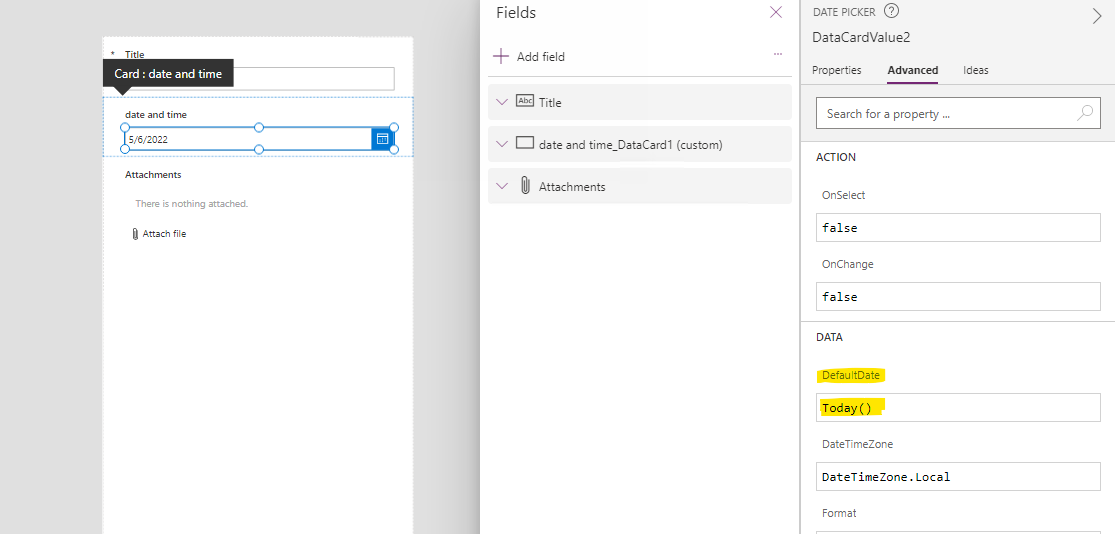
Per my test, default view and calendar view use the same custom form. You could design form as following picture shows.
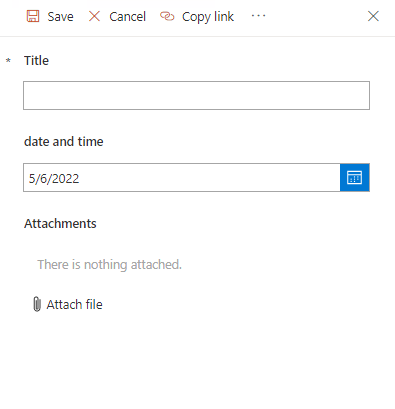
Result:
If the answer is helpful, please click "Accept Answer" and kindly upvote it. If you have extra questions about this answer, please click "Comment".
Note: Please follow the steps in our documentation to enable e-mail notifications if you want to receive the related email notification for this thread.
I’m checking how the things are going on about this issue. Whether the answer helps you?
If there is any problem with this issue, feel free to let me know.
I am looking forward to your feedback if there is any update.
Please remember to update this thread if you have any progress.
Thank you for your understanding.
This did not answer the question that was asked. I do not want Today() as the default. I want the selected date as the default. It works fine in a standard form but for some reason not in a custom form.
' cx='32' cy='32' r='32' /%3E%3Ctext x='50%25' y='55%25' dominant-baseline='middle' text-anchor='middle' fill='%23FFF' %3ECA%3C/text%3E%3C/svg%3E)
Was there an answer to this issue?
' cx='32' cy='32' r='32' /%3E%3Ctext x='50%25' y='55%25' dominant-baseline='middle' text-anchor='middle' fill='%23FFF' %3ENP%3C/text%3E%3C/svg%3E)
Quite an obvious & simple request isn't it?
This is my exact issue, too. @Emily Du-MSFT do you have a solution for this problem?
' cx='32' cy='32' r='32' /%3E%3Ctext x='50%25' y='55%25' dominant-baseline='middle' text-anchor='middle' fill='%23FFF' %3EAM%3C/text%3E%3C/svg%3E)
I'm having a slightly different problem ... Modern SharePoint, Calendar View ... but sometimes when I click on +New in, for example, the 18th July cell I get no date populated ... Same if I click on the Date in the cell (as someone in another forum advised).
Then when I try it again, it defaults to 25th July (today's the 10th) ... but now I can't get it to do that.
Is there nothing I can put in the SharePoint List Item settings to default to the Date I've clicked on?
Oh, wait ... after clicking in a cell that already had some events in it, now when I click the Date in another cell, it's pre-populating with the Date from the first cell I clicked in ... weird! (and displaying the Date in US format, when the site is set to UK format). Exasperating, right?