' cx='32' cy='32' r='32' /%3E%3Ctext x='50%25' y='55%25' dominant-baseline='middle' text-anchor='middle' fill='%23FFF' %3EB%3C/text%3E%3C/svg%3E)



Hi there,
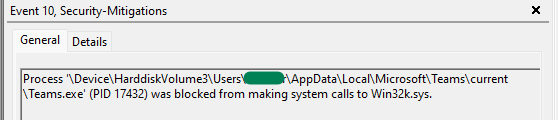
You don't need to worry about these as Exploit protection automatically applies many exploit mitigation techniques to operating system processes and apps.
Defender for Endpoint provides detailed reporting into events and blocks as part of its alert investigation scenarios.
Protect devices from exploits https://learn.microsoft.com/en-us/microsoft-365/security/defender-endpoint/exploit-protection?view=o365-worldwide
You can also use audit mode to evaluate how to exploit protection would affect your organization if it were enabled.
When mitigation is found on the device, a notification will be displayed from the Action Center. You can customize the notification with your company details and contact information.
--------------------------------------------------------------------------------------------------------------------------------------------------------
--If the reply is helpful, please Upvote and Accept it as an answer–