Microsoft 365 and Office | Install, redeem, activate | For business | Windows
Processes in Microsoft 365 for setting up Office apps, redeeming product keys, and activating licenses.

This browser is no longer supported.
Upgrade to Microsoft Edge to take advantage of the latest features, security updates, and technical support.
' cx='32' cy='32' r='32' /%3E%3Ctext x='50%25' y='55%25' dominant-baseline='middle' text-anchor='middle' fill='%23FFF' %3EP%3C/text%3E%3C/svg%3E)
Hi,
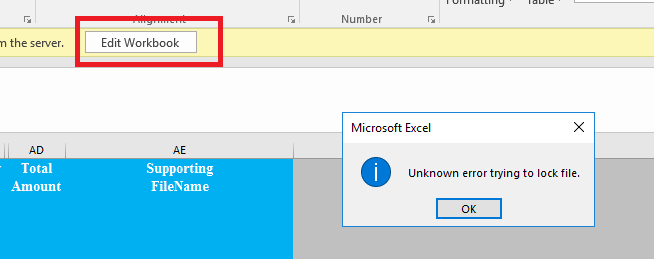
Within Excel file, I got the problem below, after I've clicked the button. What is wrong with Share-point permissions to the file?

Hi @Peter_1985
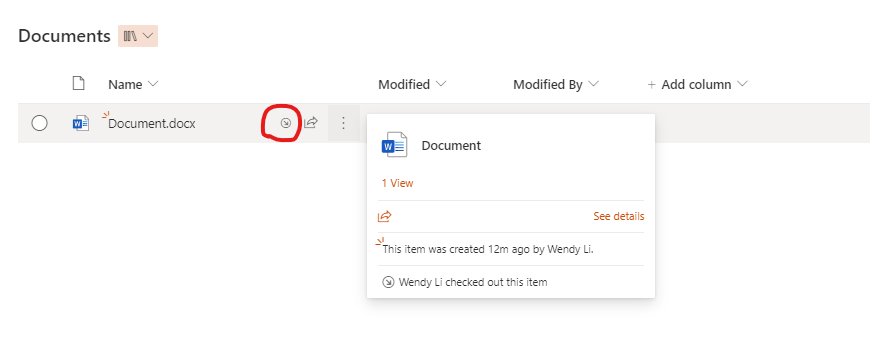
Have you checked your permission in the document library, if you have the edit permission? Or someone has checked out this file? Does this issue happen on other documents in this site?
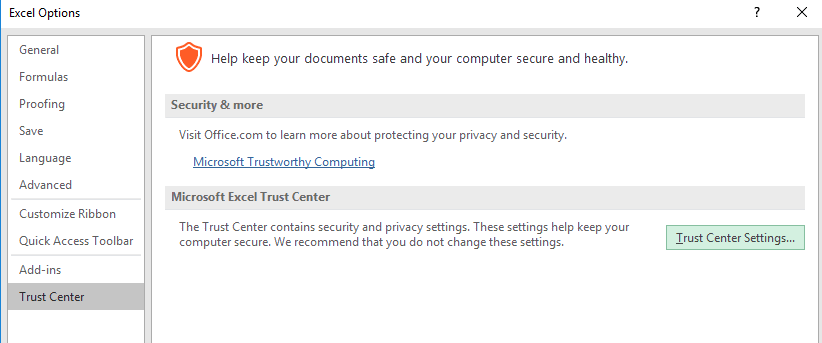
You could also try to download this file, then edit this file to see whether this issue persisits. If yes, you could check that whether the url is in Office trusted location.
If the answer is helpful, please click "Accept Answer" and kindly upvote it. If you have extra questions about this answer, please click "Comment".
Note: Please follow the steps in our documentation to enable e-mail notifications if you want to receive the related email notification for this thread.
Hi,
My current account was granted with "EDIT" right to the file. What did the issue arise?
Hi @Peter_1985
The causes of this issue may be multifarious, I could only do some troubleshooting for it. Have you check the other things I mentioned in the answer?
Hi,
How to ensure that the URL is in Office trusted location?
You could refer to this article:
https://support.microsoft.com/en-us/office/add-remove-or-change-a-trusted-location-7ee1cdc2-483e-4cbb-bcb3-4e7c67147fb4
Hi,
Can I achieve this, within Excel? How to choose the relevant path, that is part of Share-point server?
Hi @Peter_1985
The file is locked, mainly for permission access, and is exclusively owned by a user in the case of sharing, Office protected View for security reasons. If it is opened from the client, the path of the file can be added to the Office trusted location to avoid read-only caused by protected view. Before check the trusted location, I would suggest you to check whether there are some other permission reaseons
for this issue, you could try other documents in the library to see if they can be edited.
Hi,
Other file, within Share-point, is not having the same problem. Could it be due to permission problem with the current file?
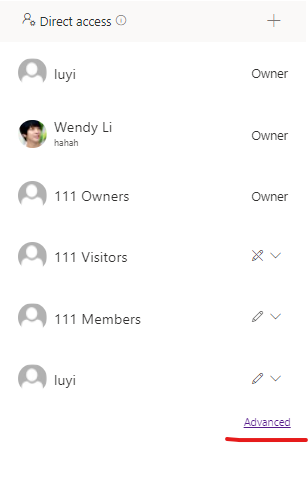
Maybe. You could check the permission for this document through "Manage Access" > Advanced to see if this file has unique permission:

Hi,
I can only choose "Can Edit" below, within Manage Access. How to ensure that Advanced option is available regarding this?
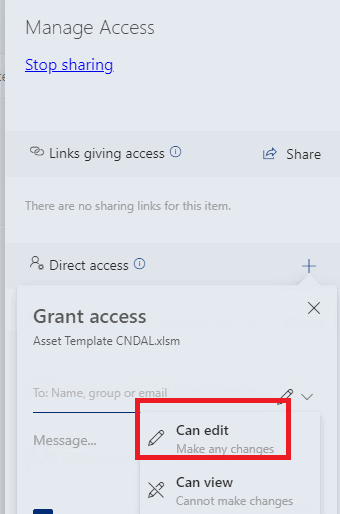
Hi @Peter_1985
It seems that you have the edit permission for this file. Please check whether this file has been checked out by others: