Azure Logic Apps
An Azure service that automates the access and use of data across clouds without writing code.
This browser is no longer supported.
Upgrade to Microsoft Edge to take advantage of the latest features, security updates, and technical support.
' cx='32' cy='32' r='32' /%3E%3Ctext x='50%25' y='55%25' dominant-baseline='middle' text-anchor='middle' fill='%23FFF' %3EJ%3C/text%3E%3C/svg%3E)
I created a workflow in logic app consumption plan wherein the logic app will send emails to recipients that are in a table. Inside the mail body, I want to insert a URL wherein part of the URL is a variable coming from the table.
ex.
Table Data
FIrstName LastName ID
John Smith 1234
in the email body:
Link=www.abc.com/@ID (result will be www.abc.com/1234)
' cx='32' cy='32' r='32' /%3E%3Ctext x='50%25' y='55%25' dominant-baseline='middle' text-anchor='middle' fill='%23FFF' %3EBL%3C/text%3E%3C/svg%3E)
Hi @JK
Do you mean something like this, but rather than the http you have something like a database trigger?
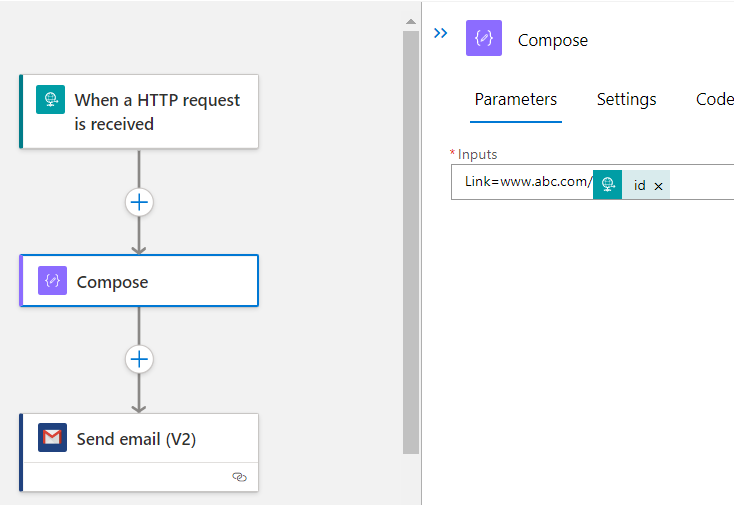
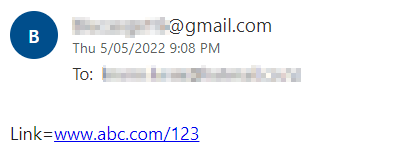
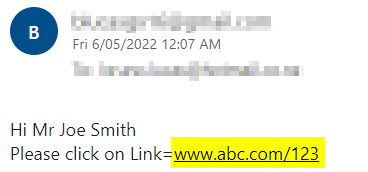
This produced this email:
Hi @JK
There are a few different ways to accomplish that.
For email sending tasks (outlook or gmail) you can preferably use a string variable or the composer task.
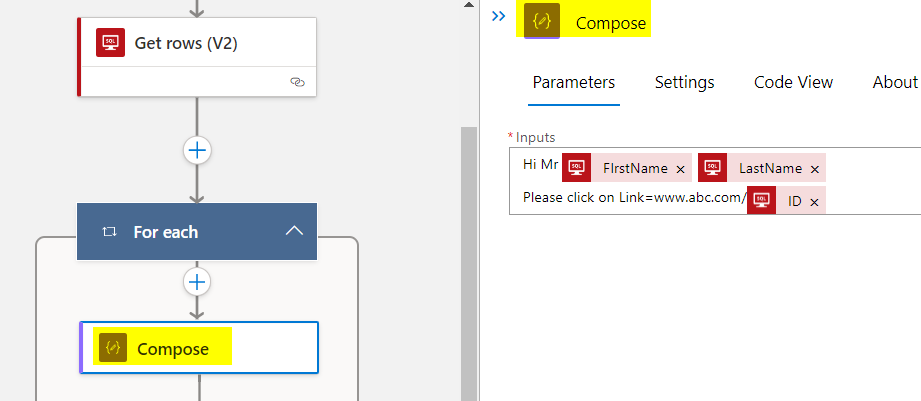
With the composer you can actually generate the who mail message dynamically:
Than drag it into the email body:
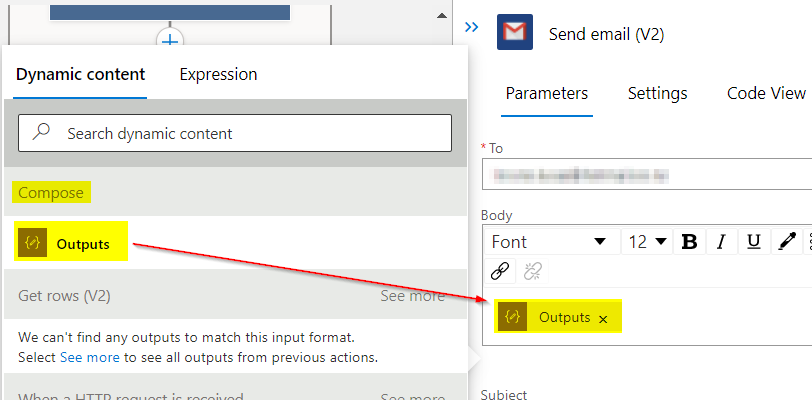
The gmail task will take it even direct:
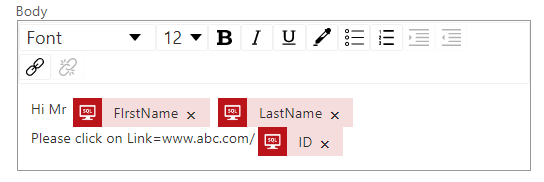
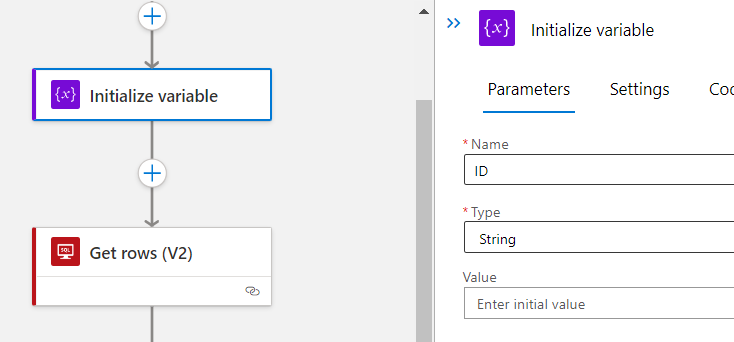
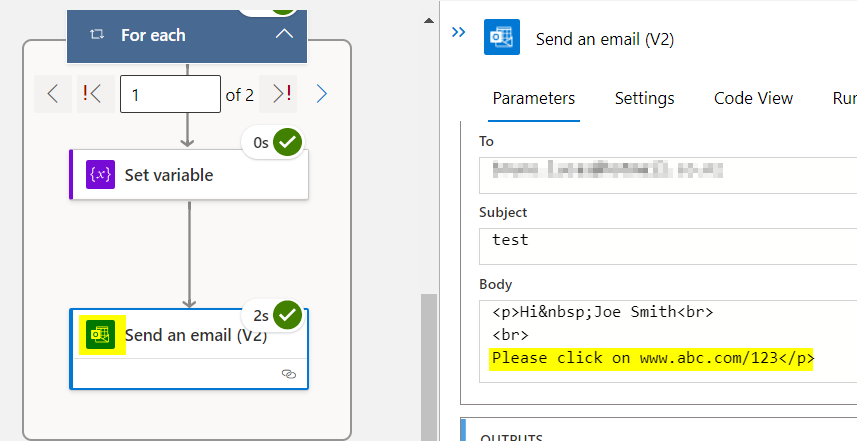
if you prefer variables, initialize one in the top of the flow:
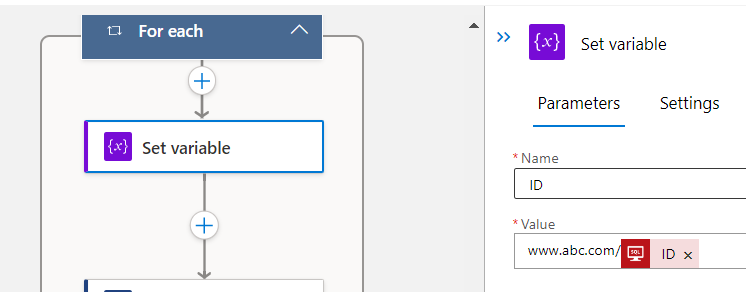
set the value inside the loop:
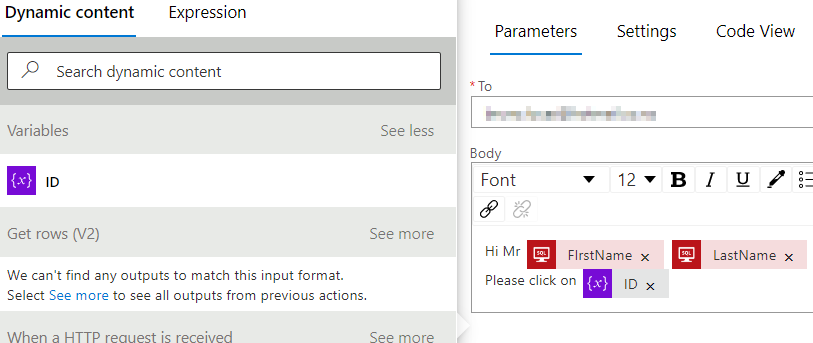
and apply on the email body
Outlook also worked just fine:
Testing the email, the link is fully functioning:
Please don't forget to click on "Accept Answer" or upvote button whenever the information provided helps you.