Developer technologies | VB
An object-oriented programming language developed by Microsoft that can be used in .NET.
This browser is no longer supported.
Upgrade to Microsoft Edge to take advantage of the latest features, security updates, and technical support.
' cx='32' cy='32' r='32' /%3E%3Ctext x='50%25' y='55%25' dominant-baseline='middle' text-anchor='middle' fill='%23FFF' %3EBB%3C/text%3E%3C/svg%3E)

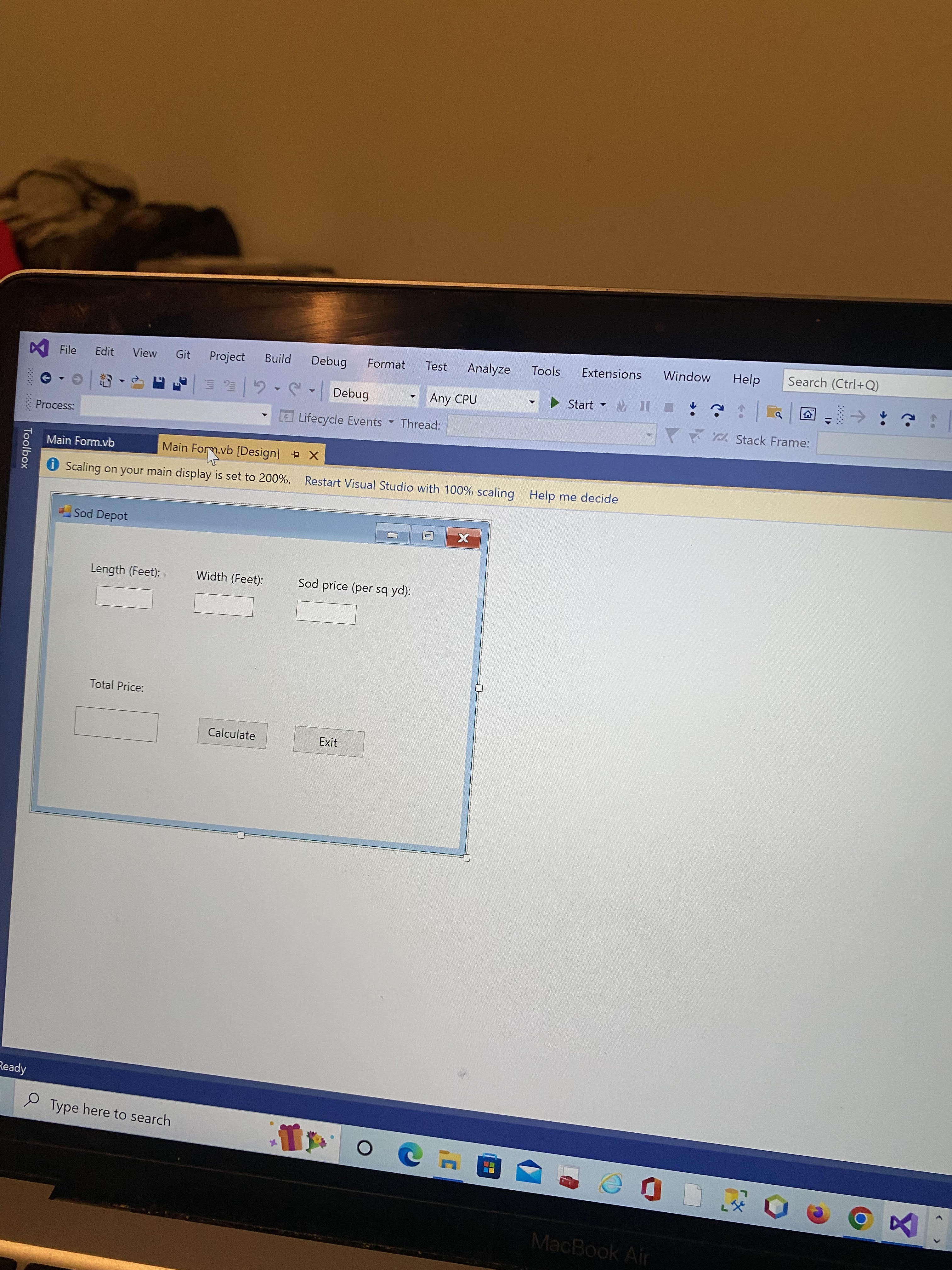


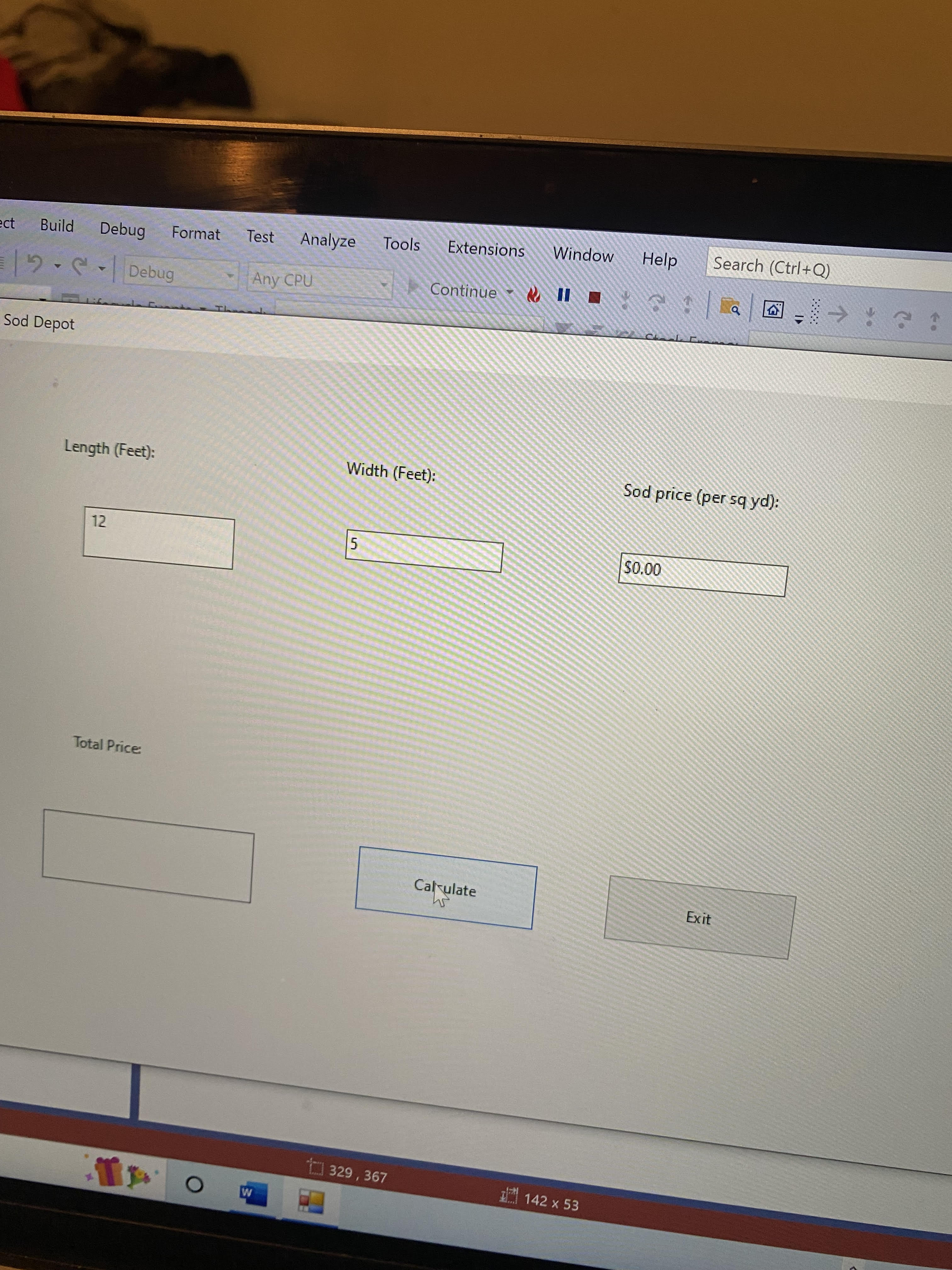
Basically The problem is that the answer I'm getting is not the same as the example of the answer I provided or similar. I just need the code so that when I enter any length, any width, any price of sod I should be getting a total price not a blank in the total price and $0.00 in the sod price text box? I just need the correct code to be able to run this application the way it wants me to. specifically for the part in question 4 that says A Calculate button that when clicked determines the total cost of laying sod based upon the three values entered by the user. The three values are Length, Width, Sod Price
This is the code I have at the moment.
Public Class frmMain

    'creating object of rectangle
    Dim rectangle As New Rectangle()

    Private Sub btnCalculate_Click(sender As Object, e As EventArgs) Handles btnCalc.Click
        Dim Length As Integer
        Dim Width As Integer

        Dim rect As New Rectangle(Length, Width)

        Dim area As Integer = rect.GetArea()

        Dim Price As Double
        'Since the area is in sq feet and price is given per sq yards
        'We'll convert sq feet to sq yard, by dividing by 9
        Dim areaInSqYd As Double = area / 9

        Dim totalPrice As Double = areaInSqYd * Price

        'Call the sub routine updatedisplayTotalPrice to update the text.
        updatedisplayTotalPrice(totalPrice)
        'Displays the total price in proper currency format
        txtPrice.Text = String.Format("{0:C2}", totalPrice)

    End Sub
    Private Sub updatedisplayTotalPrice(ByVal totalPrice As Double)

    End Sub


    Private Sub btnExit_Click(sender As Object, e As EventArgs) Handles btnExit.Click
        Me.Close()
    End Sub

End Class
Thanks
When I type 12 in the length textbox 5 in the width textbox and 35 in the sod price textbox it gives me $0.00 in the sod price text box and I should be getting 233.33 in the total cost label box below when I enter 12 in the length, 5 for the width and 35 for the sod price.
The answer I am getting is the last image, the answer I need is the 4th image it doesn't have to be the exact same but when I enter any number for the length, width, and sod price I should be getting a total price not $0.00 in the sod textbox when I enter the 3 values.
I hope this makes it clear
' cx='32' cy='32' r='32' /%3E%3Ctext x='50%25' y='55%25' dominant-baseline='middle' text-anchor='middle' fill='%23FFF' %3EJL%3C/text%3E%3C/svg%3E)
Hi @Burke, Brendan J ,
You forgot to get length, width, price from TextBoxs.
         Dim Length As Integer = TextBoxLength.Text
         Dim Width As Integer = TextBoxWidth.Text
         Dim Price As Double = TextBoxPrice.Text
Best Regards.
Jiachen Li
----------
If the answer is helpful, please click "Accept Answer" and upvote it.
Note: Please follow the steps in our documentation to enable e-mail notifications if you want to receive the related email notification for this thread.

It looks like this function should display the price
 Private Sub updatedisplayTotalPrice(ByVal totalPrice As Double)

 End Sub
but there is no code in it. You would need to set the control which displays the total price text property to totalPrice
myControl.Text = totalPrice.ToString("c")