Developer technologies | Transact-SQL
A Microsoft extension to the ANSI SQL language that includes procedural programming, local variables, and various support functions.
This browser is no longer supported.
Upgrade to Microsoft Edge to take advantage of the latest features, security updates, and technical support.
' cx='32' cy='32' r='32' /%3E%3Ctext x='50%25' y='55%25' dominant-baseline='middle' text-anchor='middle' fill='%23FFF' %3EU%3C/text%3E%3C/svg%3E)
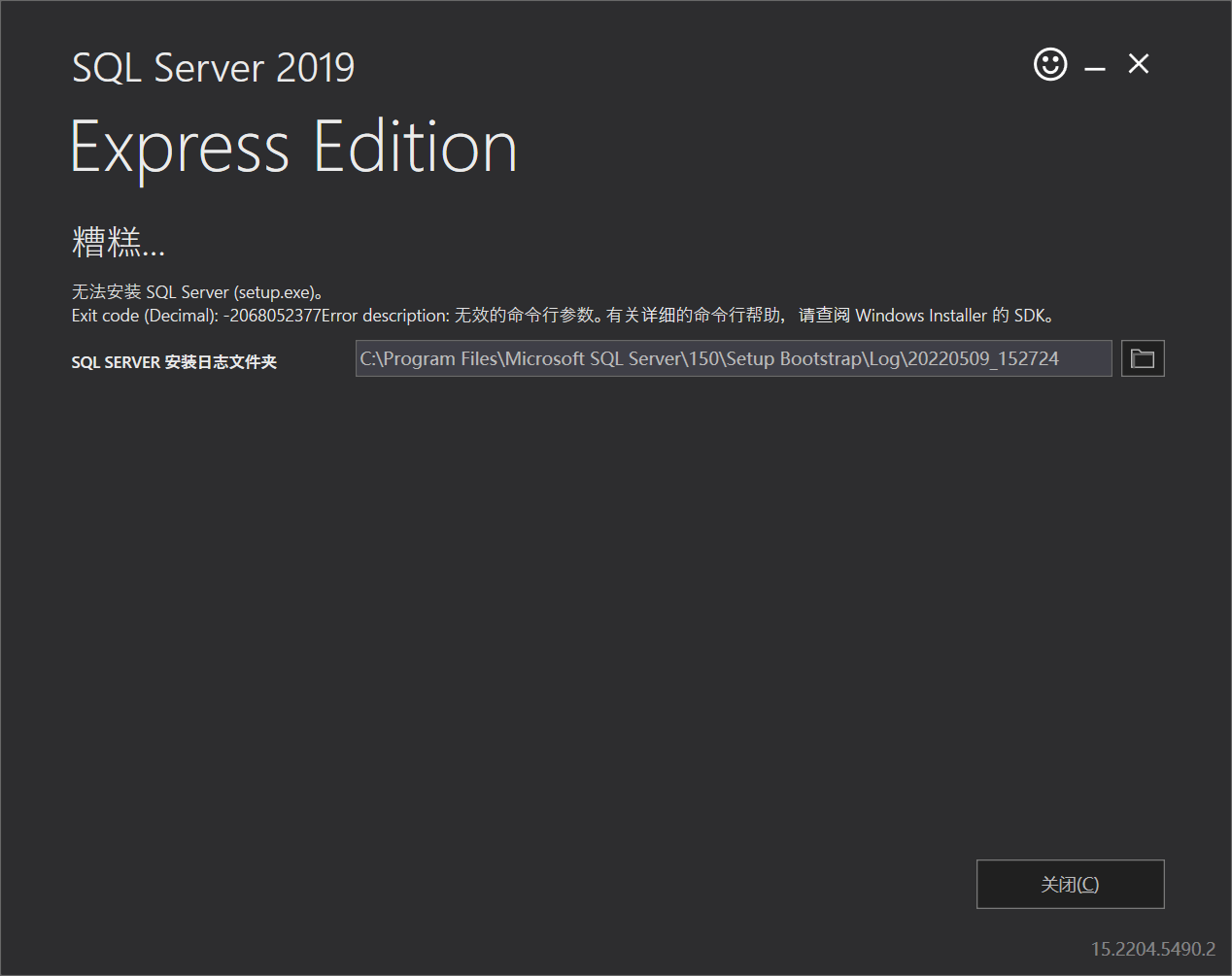
Hello, I encountered an error message when installing SQL Server 2019 :-2068052377. Before installing SQL Server, I deleted all the programs, files and registry of SQL Server. I tried many times, but the installation still failed.If you know the solution, please help me, thank you, God bless you!

Hi @uniqueW ,
The error message that you offered is too less for analysis, please start to troubleshoot this issue from SQL server setup up log( summary and detail). The setup log is located at C:\Program Files\Microsoft SQL Server\150\Setup Bootstrap\Log\20220509_152724 as the screenshot mentioned. You may find the failed reason from SQL setup log.
In addition, please check if below threads that has same error message could help you. These threads only for reference, still suggest you starting from SQL server setup log to find the failed reason.
If the answer is helpful, please click "Accept Answer" and kindly upvote it. If you have extra questions about this answer, please click "Comment".
200226-summary-laptop-8aaeblpq-20220509-173239.txt
Hello, this is the log file from my installation.Hopefully it will give you some useful information about the problem
Hi @uniqueW ,
Did you have any components of SQL server that do not uninstalled completely? If so please follow below steps;
•Uninstall the existing SQL Server and all the components from the add remove program.
•Backup the registry.
• Delete the following keys using regedit:
--HKEY_LOCAL_MACHINE\SOFTWARE\Microsoft\Microsoft SQL Server
--HKEY_LOCAL_MACHINE\SOFTWARE\Microsoft\MSSQLServer
•Go to HKEY_LOCAL_MACHINE\SOFTWARE\Microsoft\Windows\CurrentVersion\Uninstall and delete all the sub-keys referencing SQL Server.
• Go to HKEY_LOCAL_MACHINE\SYSTEM\CurrentControlSet\Services and delete all the keys referencing SQL Server.
• Rename all the SQL Server folders in the computer.
• Reboot the machine.
Please share us SQL server setup detail log as i mentioned in my first reply. We need more related error message from this log for analysis. You have only shared us summary log.