Microsoft 365 and Office | Development | Other
Building custom solutions that extend, automate, and integrate Microsoft 365 apps.

This browser is no longer supported.
Upgrade to Microsoft Edge to take advantage of the latest features, security updates, and technical support.
' cx='32' cy='32' r='32' /%3E%3Ctext x='50%25' y='55%25' dominant-baseline='middle' text-anchor='middle' fill='%23FFF' %3EG%3C/text%3E%3C/svg%3E)
Based on doc: https://learn.microsoft.com/en-us/javascript/api/office-scripts/excelscript/excelscript.labelfiltercondition?view=office-scripts
When condition set to ex "equals", "greaterThan", then "comparator" is required. However, in ExcelScript.PivotLabelFilter doc: "https://learn.microsoft.com/zh-cn/javascript/api/office-scripts/excelscript/excelscript.pivotlabelfilter?view=office-scripts
There is no such property as "comparator". I tried this in excel script, no surprise return me an error "Type '{ condition: ExcelScript.LabelFilterCondition; comparator: number; }' is not assignable to type 'PivotLabelFilter'".
How do I use "greaterThan" condition properly? Thanks.
Building custom solutions that extend, automate, and integrate Microsoft 365 apps.
Another question:
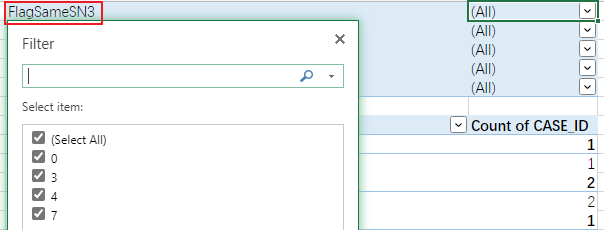
I'm trying to set a pivot filter with condition: >=3, is PivotLabelFilter the correct method?