Cost Management
A Microsoft offering that enables tracking of cloud usage and expenditures for Azure and other cloud providers.
This browser is no longer supported.
Upgrade to Microsoft Edge to take advantage of the latest features, security updates, and technical support.
' cx='32' cy='32' r='32' /%3E%3Ctext x='50%25' y='55%25' dominant-baseline='middle' text-anchor='middle' fill='%23FFF' %3EJK%3C/text%3E%3C/svg%3E)
Happened to see an authorized access to my pay as you go subscription .
they scheduled Microsoft.CostManagement/scheduledActions/dailyanomalybyresourcegroup
should i be worried of any malicious damage and how can i block them fro accessing my subscription
A Microsoft offering that enables tracking of cloud usage and expenditures for Azure and other cloud providers.
Answer accepted by question author

@Jusiah Katumba Thank for contacting us and I apologize for the delayed response!
You mentioned that you noticed an unauthorized access on your Pay-As-You-Go subscription and wanted to know if the access can blocked.
This action "Microsoft.CostManagement/scheduledActions/dailyanomalybyresourcegroup" can only be performed by user who has appropriate access to the subscription. For example: The user must be an owner or contributor.
Doc references: Scheduled Actions - Create Or Update and Scheduled Actions - Delete
You might want to check what is your access level at the subscription as well as at directory level. Also check who else has "Owner" or "Contributor" access to the subscription.
Refer to - https://techcommunity.microsoft.com/t5/itops-talk-blog/what-s-the-difference-between-azure-roles-and-azure-ad-roles/ba-p/2363647
Update:
Was thinking perhaps i deploy a blueprint for billing and Global administrator. My only worry is wont it lock my colleagues out too. A read only policy.
-If you completely block all users then yes it does. You can use RBAC - https://learn.microsoft.com/en-us/azure/role-based-access-control/overview to define required roles for each user to avoid unauthorized access to resources.
Hope this helps!
----------------------------------------------------------------------------------------------------------------------
If the response helped, do "Accept Answer" and up-vote it
@Sadiqh Ahmed Thank you for the response. Have gone through this and was thinking perhaps i deploy a blueprint for billing and Global administrator. My only worry is wont it lock my colleagues out too. A read only policy.
If you completely block all users then yes it does. You can use RBAC - https://learn.microsoft.com/en-us/azure/role-based-access-control/overview to define required roles for each user to avoid unauthorized access to resources.
Hello when i move my virtual box intact to a new subscription is there a possibility of the unauthorized user accessing it again in the new subscription via inheritance. And how can i migrate without downtime if possible.Thanks
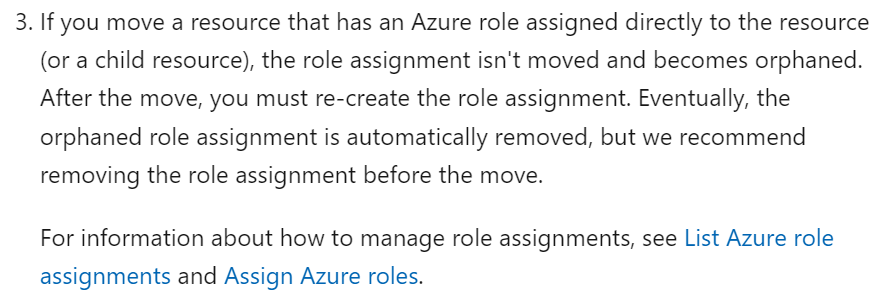
See the documentation for details - https://learn.microsoft.com/en-us/azure/azure-resource-manager/management/move-resource-group-and-subscription