Azure Data Factory
An Azure service for ingesting, preparing, and transforming data at scale.
This browser is no longer supported.
Upgrade to Microsoft Edge to take advantage of the latest features, security updates, and technical support.
' cx='32' cy='32' r='32' /%3E%3Ctext x='50%25' y='55%25' dominant-baseline='middle' text-anchor='middle' fill='%23FFF' %3EA%3C/text%3E%3C/svg%3E)
Is the pivot transformation used for only one pivot column only?
If I would like to pivot on several columns, do I use the transformation per required pivot column?
if I have to use more than one pivot transform then should I use branching?
Thanks
An Azure service for ingesting, preparing, and transforming data at scale.
Answer accepted by question author

Hi @arkiboys ,
Thank you for posting query in Microsoft Q&A Platform.
Is the pivot transformation used for only one pivot column only?
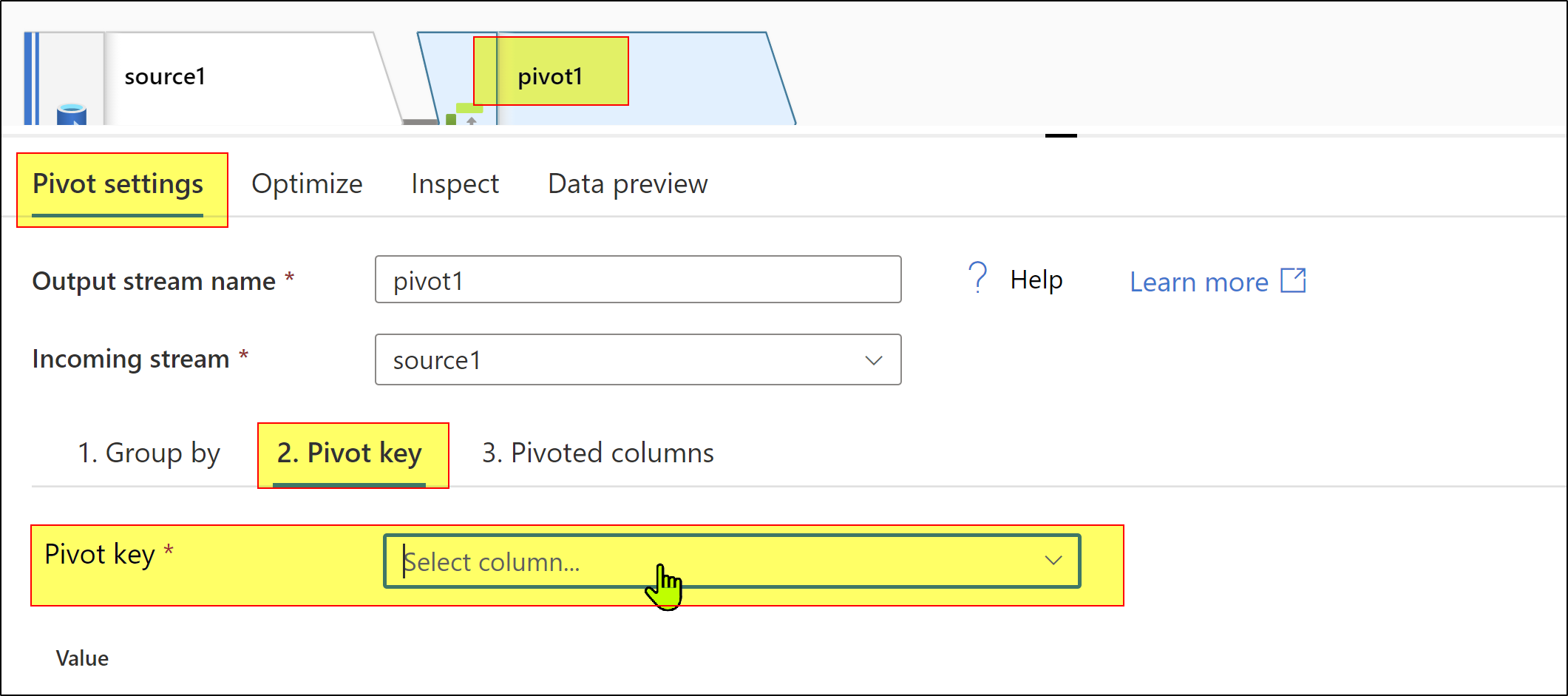
Yes its should only with one column. As you see in below screenshot Pivot key defines on which column you would like to perform pivot. This field allows us to pick only one column.
If I would like to pivot on several columns, do I use the transformation per required pivot column?
yes, you should consider using pivot on them separately with pivot transformation for each column.
if I have to use more than one pivot transform then should I use branching?
yes, you can consider using branching or added multiple source transformations. Any ways will be fine.
Please check below video to understand more about pivot transformation.
https://www.youtube.com/watch?v=ozQYffvt2aI
Hope this helps. Please let us know if any further queries.
Please consider hitting Accept Answer. Accepted answers help community as well.