' cx='32' cy='32' r='32' /%3E%3Ctext x='50%25' y='55%25' dominant-baseline='middle' text-anchor='middle' fill='%23FFF' %3EA%3C/text%3E%3C/svg%3E)

Hello,
Welcome to Microsoft Q&A!
what is the best way to do it?
Actually, the poster of the question that you shared already shows the correct way to navigate using NavigationView. You could put a Frame Object into NavigationView's content as the root frame. Then when the NavigationView item is clicked, call the Frame.navigate() to navigate to the target page.
A simple code snippet looks like this
Xaml
   <NavigationView ItemInvoked="NavigationView_ItemInvoked">
            <NavigationView.MenuItems>
                <NavigationViewItem Icon="Home" Tag="HomePage"/>
                <NavigationViewItem Icon="Delete" Tag="DeletePage"/>
                <NavigationViewItem Icon="Save" Tag="SavePage"/>
                <NavigationViewItem Icon="Settings" Tag="SettingsPage"/>
            </NavigationView.MenuItems>
        Frame x:Name="rootFrame"/>
        </NavigationView>
Code behind
  private void NavigationView_ItemInvoked(NavigationView sender, NavigationViewItemInvokedEventArgs args)
        {
            var navItemTag = args.InvokedItemContainer.Tag.ToString();
            switch (navItemTag)
            {
                case "HomePage":
                    rootFrame.Navigate(typeof(HomePage));
                    break;

                case "DeletePage":
                    rootFrame.Navigate(typeof(DeletePage));
                    break;

                case "SavePage":
                    rootFrame.Navigate(typeof(SavePage));
                    break;

                case "SettingsPage":
                    rootFrame.Navigate(typeof(SettingsPage));
                    break;
            }
        }
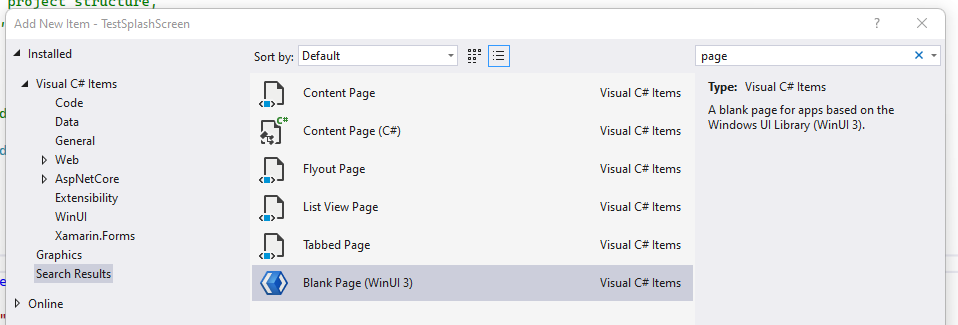
Besides, all of the pages like HomePage are Page objects.
Thank you.
If the answer is the right solution, please click "Accept Answer" and kindly upvote it. If you have extra questions about this answer, please click "Comment".
Note: Please follow the steps in our documentation to enable e-mail notifications if you want to receive the related email notification for this thread.