Azure SQL Database
An Azure relational database service.
This browser is no longer supported.
Upgrade to Microsoft Edge to take advantage of the latest features, security updates, and technical support.
' cx='32' cy='32' r='32' /%3E%3Ctext x='50%25' y='55%25' dominant-baseline='middle' text-anchor='middle' fill='%23FFF' %3EDR%3C/text%3E%3C/svg%3E)
Hi All,
I have enabled CDC in one my Azure SQL instance, and there is an Insert/Update failure happening on capturing particular table with the error message below
Sql error number: 7139. Error Message: Length of LOB data (97318) to be replicated exceeds configured maximum 65536
I further checked and found that the sys.configuration parameter "max text repl size" has to be set to -1 to avoid this issue. But I am unable to perform this update in Azure SQL as "sp_configure" is not supported yet.
Please let me know how this can be updated in Azure SQL ? or do we have any alternate to avoid this issue ?
' cx='32' cy='32' r='32' /%3E%3Ctext x='50%25' y='55%25' dominant-baseline='middle' text-anchor='middle' fill='%23FFF' %3EAS%3C/text%3E%3C/svg%3E)
Hi @dineshkumar rajendran , welcome to Microsoft Q&A forum.
As rightly mentioned by you 'SP_CONFIGURE' is not supported on Azure SQL.
Even if we look for the documentation of 'max text repl size' it is just supported for SQL Server and Azure SQL Managed Instance and not Azure SQL Database.
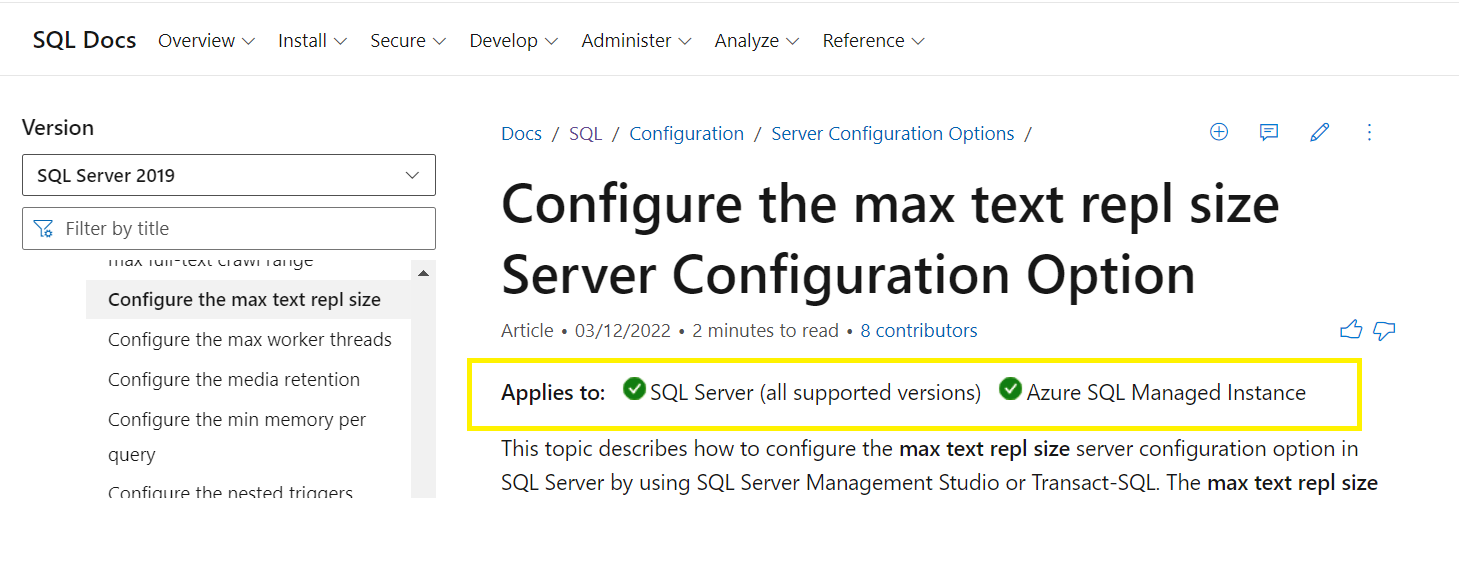
This is kind of limitation on Azure SQL Database.
To overcome this error we need to think other ways like limiting the LOB data for the column or shrinking it. Please check below article if it helps:
https://learn.microsoft.com/en-us/answers/questions/419974/shrink-files-with-lob-data.html

To my knowledge, at this time, you cannot change that setting on Azure SQL Database.
As a workaround, please try to exclude the columns exceeding limit from capture instance using captured_column_list in sp_cdc_enable_table.
EXECUTE sys.sp_cdc_enable_table
@source_schema = N'dbo'    ,
@source_name = N'Orders'    ,
@role_name = N'cdc_Admin'    ,
@captured_column_list = N'OrderID,CustomerAccount,Product,SalesPerson'
You can include only the columns that don't exceed the limit.
You can also stop pushing that table to the mirror.
EXEC sys.sp_cdc_disable_table
@source_schema = N'dbo',
@source_name   = N'MyTable',
@capture_instance = N'dbo_MyTable'
GO
If you cannot exclude the column, please consider using Temporal Tables or Change Tracking instead.
Thanks Alberto for your response. The purpose of enabling CDC is to capture the changes in that particular column, so I cannot exclude the column or even disable the table
@dineshkumar rajendran Please consider using Temporal Tables or Change Tracking instead.
@Alberto Morillo - Apologies for coming back on this topic again after a gap. I tried the solution Change Tracking with temporal table, it worked as expected with the test table that I created (exact structure as in actual table), But while enabling CT on actual table creates the same issue (Error Message: Length of LOB data (97318) to be replicated exceeds configured maximum 65536)
Do you have any idea why it works on a new table and not on the existing table ?
Welcome back Dinesh. Good morning/evening.
The error is coming again due to a row with a column that has a xml, varbinary (max), or varchar (max) data type and that data exceeds 65536.
I have the same data in new table as well. I did the following
Created a new table with same structure as in existing table, loaded the data from existing table and implemented CT with temporal table in both the tables
Now I am trying to update a column value (with text of 97K bytes i.e. more than 65536 bytes) in both the tables
the newly created table works fine, the update is happening while the same update to existing fails with the error "Length of LOB data (97318) to be replicated exceeds configured maximum 65536". the column varchar(max) in both the tables
This is what I need to understand
SQL Azure does not support more than 64 K of data on a LOB object for CDC and Temporal tables but we cannot change that on Azure SQL as we cannot change the 'max text repl size' on SQL Azure. There is no workaround. It is a Azure SQL limitation.