Microsoft 365 and Office | SharePoint | Development
The process of building custom applications and tools that interact with Microsoft SharePoint, including SharePoint Online in Microsoft 365.

This browser is no longer supported.
Upgrade to Microsoft Edge to take advantage of the latest features, security updates, and technical support.
' cx='32' cy='32' r='32' /%3E%3Ctext x='50%25' y='55%25' dominant-baseline='middle' text-anchor='middle' fill='%23FFF' %3EPS%3C/text%3E%3C/svg%3E)
Hi everyone
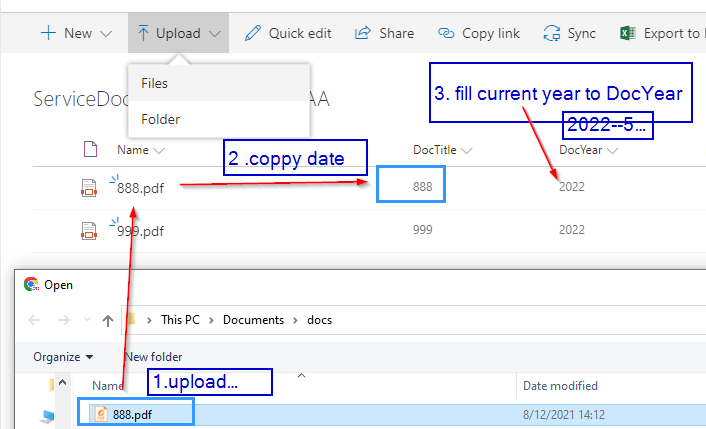
I want to upload a file to the Sharepoint library. I need to avoid manual filling values in each column.
How to automatically fill data to any custom attributes by the following steps.
It is done programmatically and simple setting in a list setting?
' cx='32' cy='32' r='32' /%3E%3Ctext x='50%25' y='55%25' dominant-baseline='middle' text-anchor='middle' fill='%23FFF' %3ETZ%3C/text%3E%3C/svg%3E)
I am currently doing some research on this issue, will let you know as soon as possible.
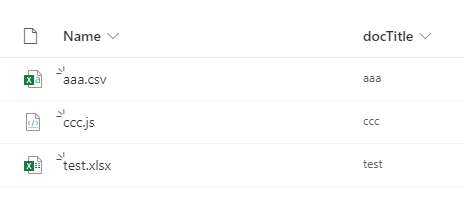
Do you want to upload files programmatically? As a workaround ,I recommend you use Power Automate to create a workflow to achieve the functionality you need. You can following these steps:
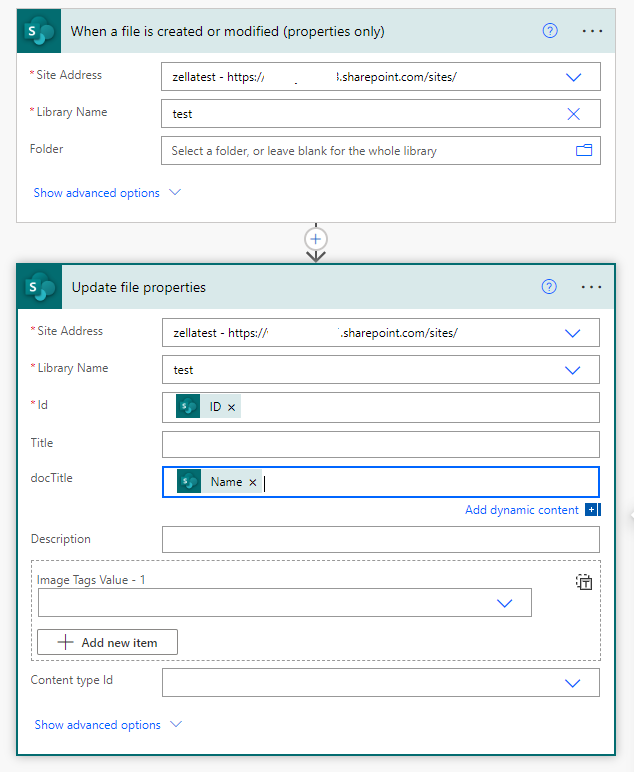
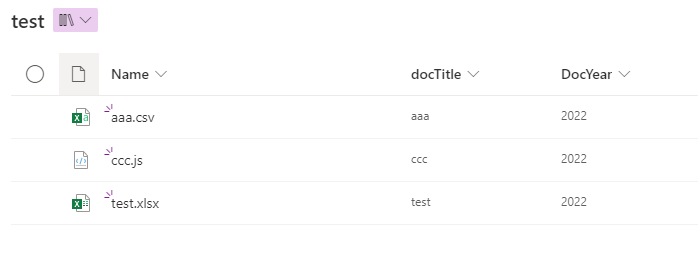
 4.Create "DocYear" column and use Calculated Field with following formula:
 =CONCATENATE(YEAR(Created)) ,then the column "DocYear" will be filled with the current year 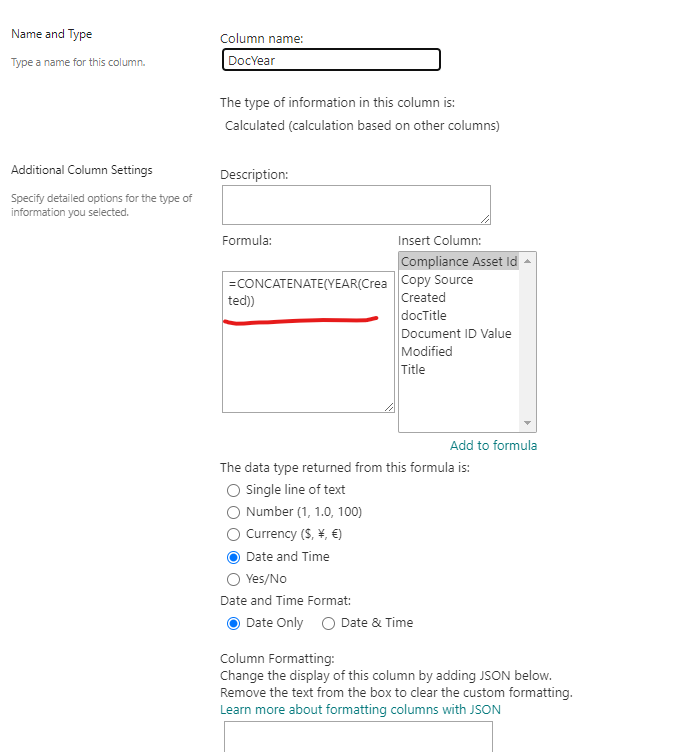
My test result:
If the answer is helpful, please click "Accept Answer" and kindly upvote it. If you have extra questions about this answer, please click "Comment".
Note: Please follow the steps in our documentation to enable e-mail notifications if you want to receive the related email notification for this thread.