SQL Server Integration Services
A Microsoft platform for building enterprise-level data integration and data transformations solutions.
This browser is no longer supported.
Upgrade to Microsoft Edge to take advantage of the latest features, security updates, and technical support.
' cx='32' cy='32' r='32' /%3E%3Ctext x='50%25' y='55%25' dominant-baseline='middle' text-anchor='middle' fill='%23FFF' %3EPC%3C/text%3E%3C/svg%3E)
Hello All,
When I’m pivoting the Tabular cube in excel on my machine (RAM Size: 16 GB), I’m able to add 4 or 5 Dimensions at row-level and when I try to add more, I’m getting the below error.
"We couldn't get data from an external data source. Please try again later.
If the problem persists, please contact the administrator for the external source.
Here is the error message that was returned from the analysis server named servername"
Any suggestions.
Thanks in advance.

Hi @Prabu Chandran ,
For SQL Server Analysis Services, the DAX section of msmdsrv.ini contains settings used to control certain query behaviors in Analysis Services, such as the upper limit on the number of rows returned in a DAX query result set. For Azure Analysis Services, this property can be specified by using XMLA.
Based on the error message, you hit this row limit issue. please increase the upper limit, specify the MaxIntermediateRowSize configuration setting.
For more information, please follow the official document:
Regards,
Zoe
If the answer is the right solution, please click "Accept Answer" and kindly upvote it. If you have extra questions about this answer, please click "Comment".
Note: Please follow the steps in our documentation to enable e-mail notifications if you want to receive the related email notification for this thread.
Hi @ZoeHui-MSFT ,
Thank you for your reply.
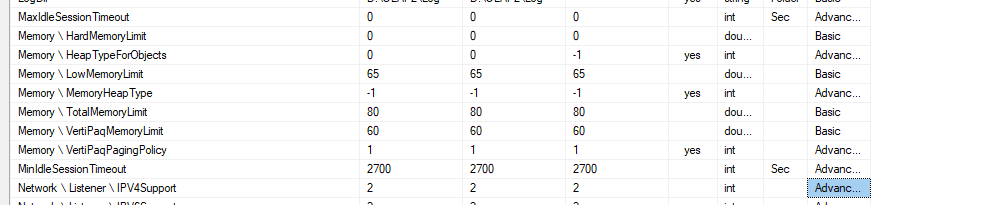
We have set the MaxIntermediate property to 1000000, but the issue still persists. We couldn't pivot more than 4 to 5 dimensions at the row level, even if we took a higher granular level of data.
Is there anything to do with RAM increase on the user's machine or with any Excel version? I have gone through an article where it mentioned 64 bit Excel handles the memory issue efficiently (currently we are using 32 bit).
Any suggestions on this?
Good day, @ZoeHui-MSFT .
Thank you for sharing your ideas.
Is it possible to set up a conference call with our team to go through the adjustments while we work on a P1 production issue? If that's the case, please tell us how to set up a meeting.