Azure Files
An Azure service that offers file shares in the cloud.
This browser is no longer supported.
Upgrade to Microsoft Edge to take advantage of the latest features, security updates, and technical support.
' cx='32' cy='32' r='32' /%3E%3Ctext x='50%25' y='55%25' dominant-baseline='middle' text-anchor='middle' fill='%23FFF' %3EBS%3C/text%3E%3C/svg%3E)
After Update to Version 15 of Azure FileSync Agent, I tried to find the function Invoke-StorageSyncServerChangeDetection
But is doesn't exist. Any ideas?

@Brian Søgaard Søby Welcome to Microsoft Q&A Forum, Thank you for posting you query here!
The Invoke-AzStorageSyncChangeDetection PowerShell cmdlet can only detect a maximum of 10,000 items. For other limitations, see the Invoke-AzStorageSyncChangeDetection documentation.
Changes made to an Azure file share using REST does not update the SMB last modified time and will not be seen as a change by sync.
Invoke-AzStorageSyncChangeDetection If run with -DirectoryPath or -Path parameters, the command will not detect the following changes in the Azure file share:
Files that are deleted, Files that are moved out of the share, Files that are deleted and created with the same name.
If share-level change detection is invoked, all of these changes will be detected. These changes will also be detected when the scheduled change detection job runs.
Azure File Sync uses the Windows USN journal feature on Windows Server to immediately detect files that were changed and upload them to the Azure file share. If files changed are missed due to journal wrap or other issues, the files will not sync to the Azure file share until the changes are detected. Azure File Sync has a server change enumeration job that runs every 24 hours on the server endpoint path to detect changes that were missed by the USN journal. If you don't want to wait until the next server change enumeration job runs, you can now use the Invoke-StorageSyncServerChangeDetection PowerShell cmdlet to immediately run server change enumeration on a server endpoint path.
To immediately run server change enumeration on a server endpoint path, run the following PowerShell commands:
Import-Module "C:\Program Files\Azure\StorageSyncAgent\StorageSync.Management.ServerCmdlets.dll"
Invoke-StorageSyncServerChangeDetection -ServerEndpointPath <path>
Note: By default, the server change enumeration scan will only check the modified timestamp. To perform a deeper check, use the -DeepScan parameter.
Please let me know if the issue still persist, I would like to work closer on this issue.
----------
Please do not forget to  and “up-vote” wherever the information provided helps you, this can be beneficial to other community members.
Hi,
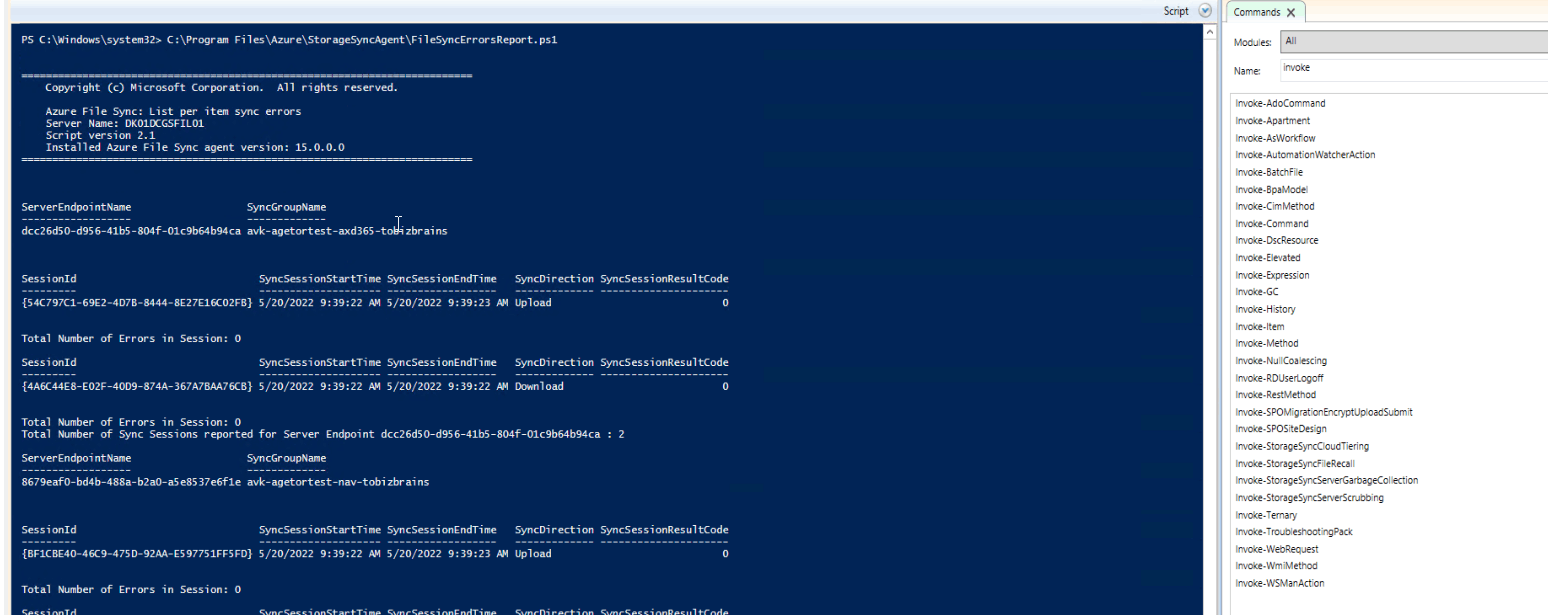
Thanks for the answer. I all ready know the things you are mentioning. My problem is that I can find the command invoke-StorageSyncServerChangeDetection in Version 15.
Look at the commands on my screen dump. invoke-StorageSyncServerChangeDetection doesn't occur? So I'm not able to run a server change enumeration.
PS C:\Windows\system32> Invoke-StorageSyncServerChangeDetection
Invoke-StorageSyncServerChangeDetection : The term 'Invoke-StorageSyncServerChangeDetection' is not recognized as the name of a cmdlet, function, script file, or operable program. Check the spelling of the name, or if a path was included, verify that the
path is correct and try again.
At line:1 char:1
@Brian Søgaard Søby Apologies for the delay response! I just tested and confirmed the cmdlet is not included in v15. I’m checking with the internal product team I’ll provide an update asap

@Sumarigo-MSFT please can you provide a response, as promised a year ago ?