Microsoft 365 and Office | Excel | For business | Windows
A family of Microsoft spreadsheet software with tools for analyzing, charting, and communicating data

This browser is no longer supported.
Upgrade to Microsoft Edge to take advantage of the latest features, security updates, and technical support.
' cx='32' cy='32' r='32' /%3E%3Ctext x='50%25' y='55%25' dominant-baseline='middle' text-anchor='middle' fill='%23FFF' %3ESM%3C/text%3E%3C/svg%3E)
Hi,
I am trying to condition format a workbook based on cell value eg below.
If cell k5 has a date input of 31/04/2022 I need it to go red 1 year from that date as the training expires after a year.
If within the year I need it to be green.
If witching 60 days of expiring I need it to turn orange.
I would then need to copy this for other cells based on expire dates some have 2 year some 3.
Can anyone help?

Please try following conditional formulas to have a check.
Red: =AND(NOT(ISBLANK(K5)),EDATE(K5,12)-TODAY()<0)
Orange: =AND(NOT(ISBLANK(K5)),EDATE(K5,12)-TODAY()>=0,EDATE(K5,12)-TODAY()<=60)
Green: =AND(NOT(ISBLANK(K5)),EDATE(K5,12)-TODAY()>60)
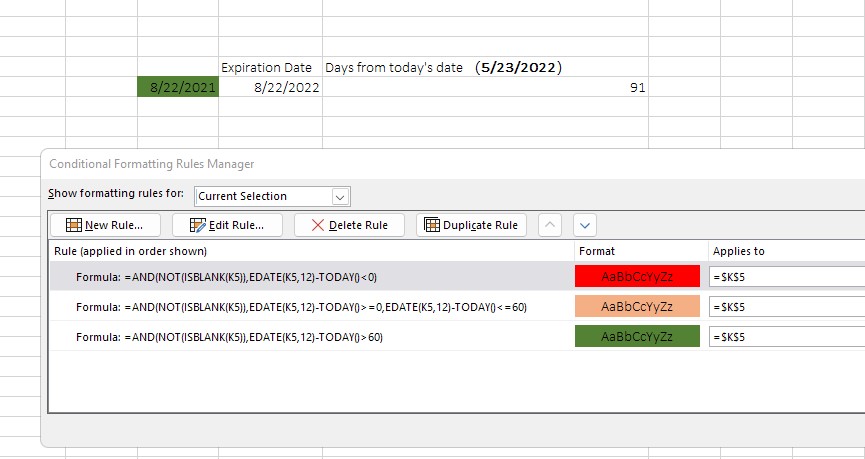
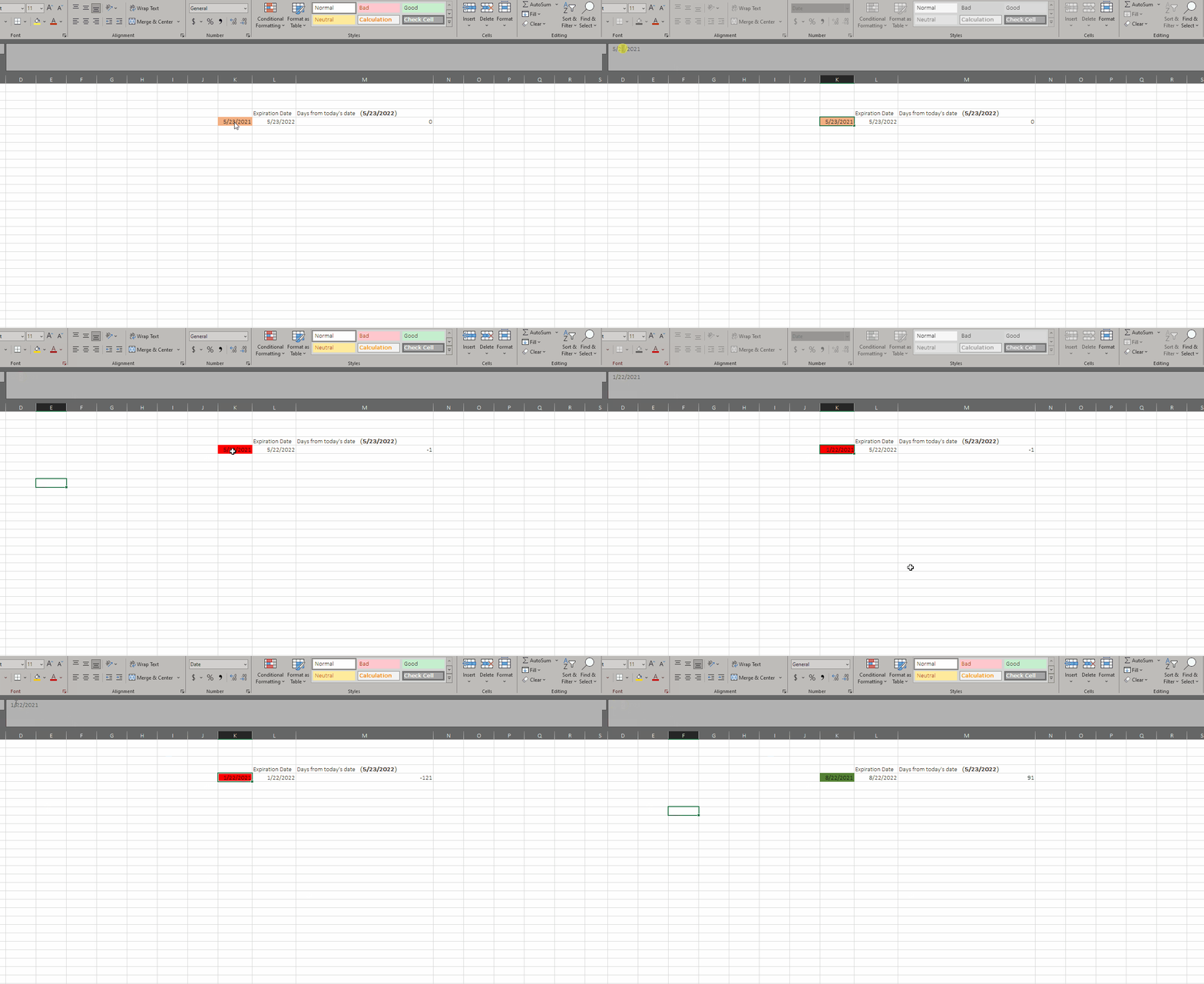
> I would then need to copy this for other cells based on expire dates some have 2 year some 3.
If the date expires after 2 years or 3 years, then you can modify the months number in EDATE function.
Such as 2 years: EDATE(start_date,24)
Such as 3 years: EDATE(start_date36)
If the answer is helpful, please click "Accept Answer" and kindly upvote it. If you have extra questions about this answer, please click "Comment".
Note: Please follow the steps in our documentation to enable e-mail notifications if you want to receive the related email notification for this thread.
Hi @Sara Marshall
I am checking this issue, if there is any update, welcome to post back.