Hi
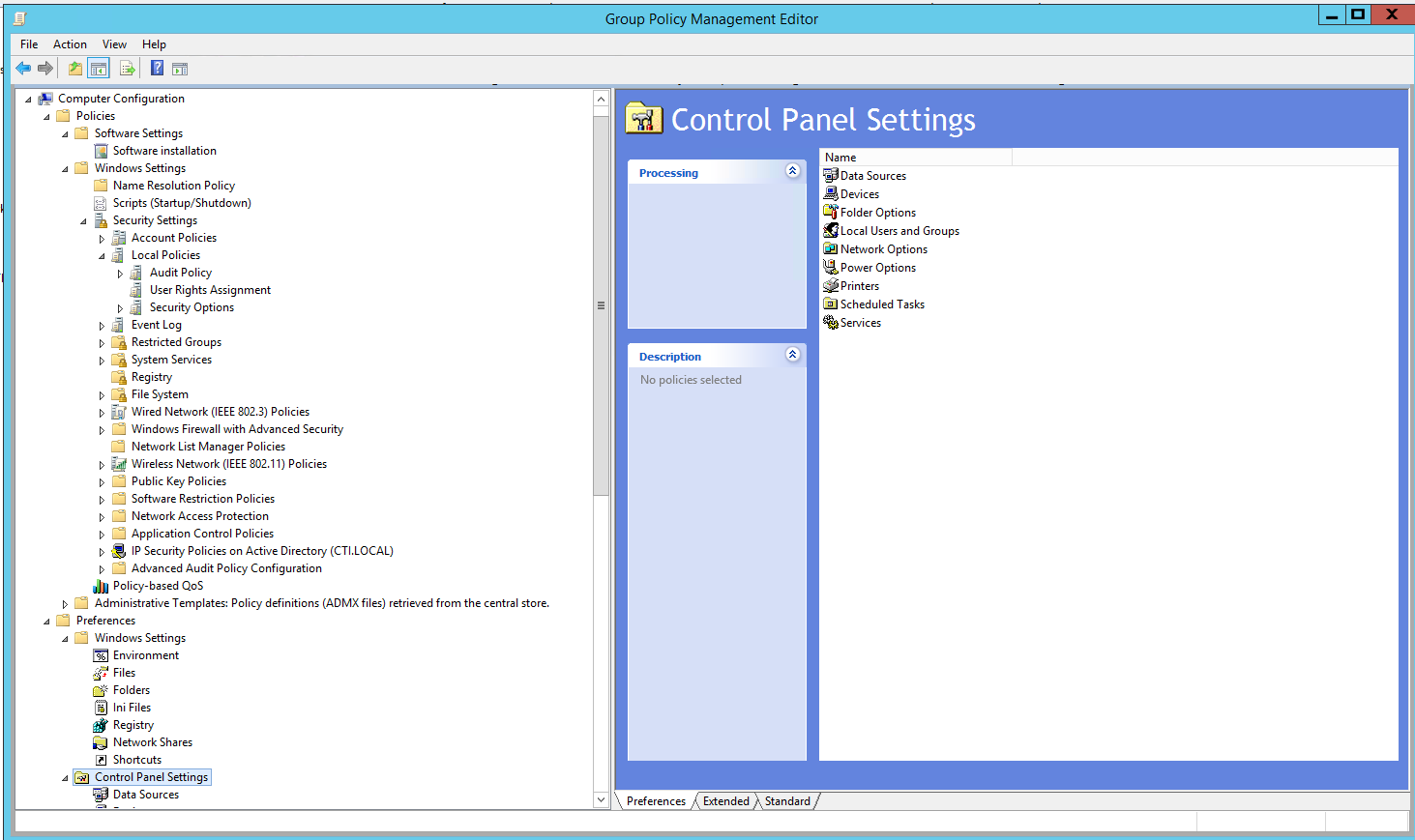
Your GPO is named all Workstation's config, but I see you are in the user context. Is it an error ? Just make sure the GPO apply to an OU where user are. (Edited; you dont have such settings in the computer section)
This browser is no longer supported.
Upgrade to Microsoft Edge to take advantage of the latest features, security updates, and technical support.
' cx='32' cy='32' r='32' /%3E%3Ctext x='50%25' y='55%25' dominant-baseline='middle' text-anchor='middle' fill='%23FFF' %3EJ%3C/text%3E%3C/svg%3E)
Hello!
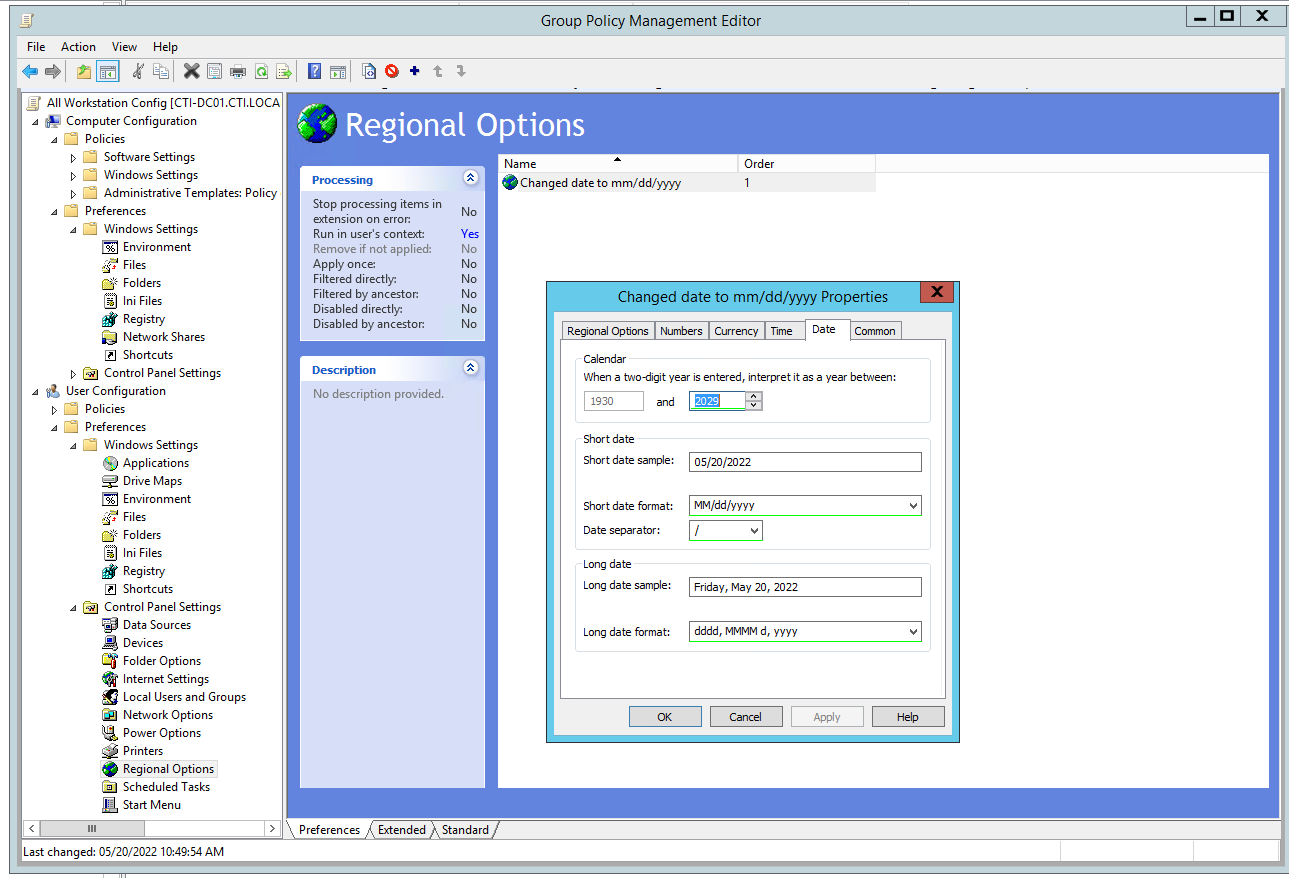
I have been trying to change the date format from all our work pc's from yyyy-mm-dd to mm-dd-yyyy but I have not been successful in doing so.
I have followed a post before where I would change it on Regional Options, and press f5 but still no success.
I have run gpudate /force as well.

Hi
Your GPO is named all Workstation's config, but I see you are in the user context. Is it an error ? Just make sure the GPO apply to an OU where user are. (Edited; you dont have such settings in the computer section)
"Computer settings if the goal is for all workstation."
This is my goal, how do I do this?
My error, regional settings is only available in the User section. Please link the GPO to a OU with your users to make it work. It's due to the fact the user that login take the default language settings from the computer, but after that the settings stay inside their profiles, it now longer check the machine settings.
There doesn't seem to be the same option on the computer configuration.