Windows 10
A Microsoft operating system that runs on personal computers and tablets.
10,655 questions
This browser is no longer supported.
Upgrade to Microsoft Edge to take advantage of the latest features, security updates, and technical support.
' cx='32' cy='32' r='32' /%3E%3Ctext x='50%25' y='55%25' dominant-baseline='middle' text-anchor='middle' fill='%23FFF' %3EO%3C/text%3E%3C/svg%3E)
Hello,
For some reason I always disable search indexing service and via the registry.
Just upgraded from Win10 1909 to 21H2 and noticed a ridiculous behavior as seen below:
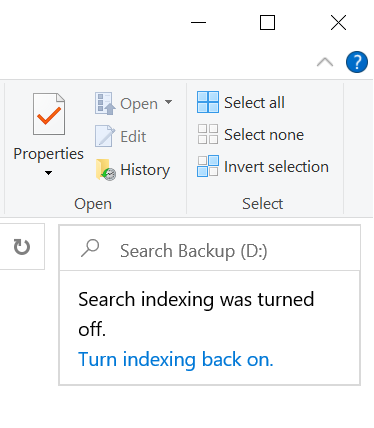
Do I have to see this message forever? Is there any registry trick to disable it? Beside the fact that on high end SSDs specially for users with a well sorted drive with not much use of in depth searches, the feature is not wanted by some, how they thought it's a good idea to show a permanent message?
Thanks all...
' cx='32' cy='32' r='32' /%3E%3Ctext x='50%25' y='55%25' dominant-baseline='middle' text-anchor='middle' fill='%23FFF' %3ERA%3C/text%3E%3C/svg%3E)
This is the behavior by design and when you disable this feature, you are expected to see this message. The reason is because for most users having the indexing on is expected behavior and it might turn off by accident like stopping the service and so on. However, your issue is exception and I advise you to open start and search for feedback and open the Feedback Hub app and share your concern. Make sure explain why you want to turn it off and if possible, share some scenarios and clarify your requirements.
Hey, thanks for the info, just as a side note, using the high-end fastest SSDs the need to have search indexing or other features like Prefetch / Superfetch enabled, does not make sense imo, when no legacy HDD is installed and you have a well arranged file archive.
I understand your concern and I advise you to share it in the Feedback Hub app.