Remote Desktop
A Microsoft app that connects remotely to computers and to virtual apps and desktops.
4,248 questions
This browser is no longer supported.
Upgrade to Microsoft Edge to take advantage of the latest features, security updates, and technical support.
' cx='32' cy='32' r='32' /%3E%3Ctext x='50%25' y='55%25' dominant-baseline='middle' text-anchor='middle' fill='%23FFF' %3ECF%3C/text%3E%3C/svg%3E)
I have used remote desktop with a ssh tunnel to log into remote machines over the internet. This was accomplished by pointing to localhost:someport. Windows 11 RDP complains that I can't specify a port (: is illegal). Is there a way around this???
Thanks

Maybe this was a typo? The highest port number is 65535
--please don't forget to upvote and Accept as answer if the reply is helpful--
Do you have a screenshot?
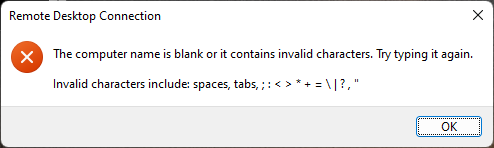
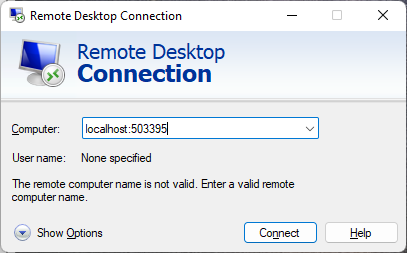
Above are the screenshots you requested. As I mentioned, this method worked fine on Win10 and earlier. The localhost port was forwarded using putty's ssh functions to point to another windows 11 host.
You can cancel the problem...looks like I had a bad port address. Sorry and thanks for your help!
Charlie
Sounds good, please don't forget to close up the thread by