Developer technologies | Universal Windows Platform (UWP)
A Microsoft platform for building and publishing apps for Windows devices.
This browser is no longer supported.
Upgrade to Microsoft Edge to take advantage of the latest features, security updates, and technical support.
' cx='32' cy='32' r='32' /%3E%3Ctext x='50%25' y='55%25' dominant-baseline='middle' text-anchor='middle' fill='%23FFF' %3EIG%3C/text%3E%3C/svg%3E)
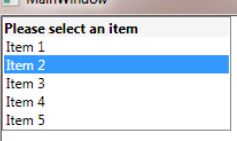
UWP - Unable to Add ListBox Header (Not ListView)
Simple ListBox Adding Header is Missing...

Hi,
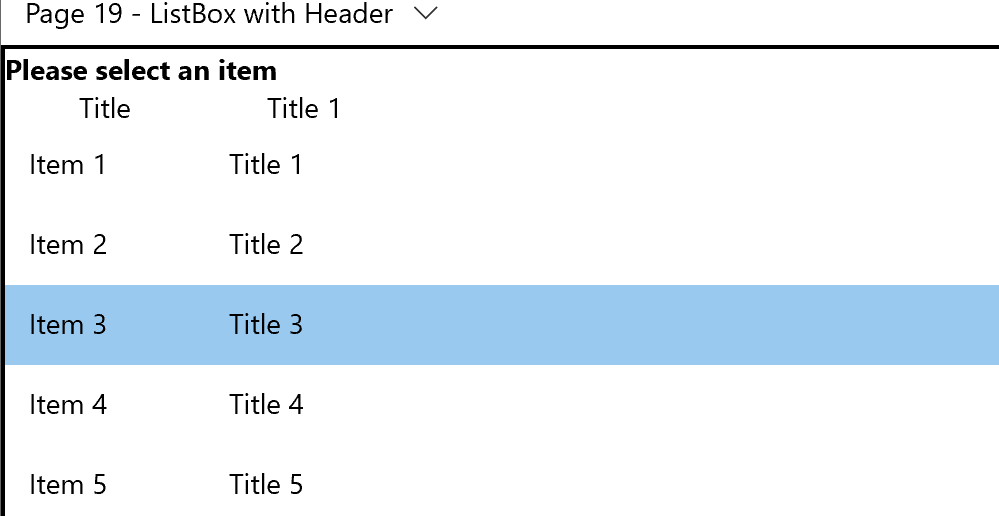
for more then one column you can try this demo:
<Page
    x:Class="UWP10App1VB.Page19"
    xmlns="http://schemas.microsoft.com/winfx/2006/xaml/presentation"
    xmlns:x="http://schemas.microsoft.com/winfx/2006/xaml"
    xmlns:local="using:UWP10App1VB.App19"
    xmlns:d="http://schemas.microsoft.com/expression/blend/2008"
    xmlns:mc="http://schemas.openxmlformats.org/markup-compatibility/2006"
    mc:Ignorable="d"
    Background="{ThemeResource ApplicationPageBackgroundThemeBrush}">
  <Page.DataContext>
    <local:ViewModel/>
  </Page.DataContext>
  <Grid>
    <ListBox ItemsSource="{Binding View}">
      <ListBox.Template>
        <ControlTemplate>
          <StackPanel>
            <Grid>
              <Grid.RowDefinitions>
                <RowDefinition Height="Auto"/>
                <RowDefinition Height="Auto"/>
              </Grid.RowDefinitions>
              <Grid.ColumnDefinitions>
                <ColumnDefinition Width="100"></ColumnDefinition>
                <ColumnDefinition Width="100"></ColumnDefinition>
              </Grid.ColumnDefinitions>
            <TextBlock Grid.ColumnSpan="2" Text="Please select an item" FontWeight="Bold"/>
              <TextBlock Grid.Row="1" Grid.Column="0" Text="Title" HorizontalAlignment="Center"/>
              <TextBlock Grid.Row="1" Grid.Column="1" Text="Title 1" HorizontalAlignment="Center"/>
            </Grid>
            <ItemsPresenter></ItemsPresenter>
          </StackPanel>
        </ControlTemplate>
      </ListBox.Template>
      <ListBox.ItemTemplate>
        <DataTemplate>
          <Grid>
            <Grid.ColumnDefinitions>
              <ColumnDefinition Width="100"></ColumnDefinition>
              <ColumnDefinition Width="100"></ColumnDefinition>
            </Grid.ColumnDefinitions>
            <TextBlock Text="{Binding Title}"/>
            <TextBlock Grid.Column="1" Text="{Binding Title1}"/>
          </Grid>
        </DataTemplate>
      </ListBox.ItemTemplate>
    </ListBox>
  </Grid>
</Page>
Result:
Hi,
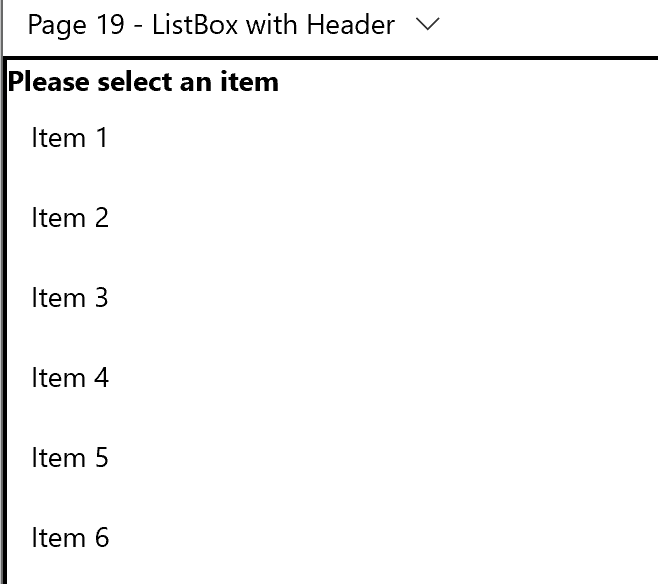
you can use style like in following demo:
XAML:
<Page
    x:Class="UWP10App1VB.Page19"
    xmlns="http://schemas.microsoft.com/winfx/2006/xaml/presentation"
    xmlns:x="http://schemas.microsoft.com/winfx/2006/xaml"
    xmlns:local="using:UWP10App1VB.App19"
    xmlns:d="http://schemas.microsoft.com/expression/blend/2008"
    xmlns:mc="http://schemas.openxmlformats.org/markup-compatibility/2006"
    mc:Ignorable="d"
    Background="{ThemeResource ApplicationPageBackgroundThemeBrush}">
  <Page.DataContext>
    <local:ViewModel/>
  </Page.DataContext>
  <Grid>
    <ListBox ItemsSource="{Binding View}">
      <ListBox.Template>
        <ControlTemplate>
          <StackPanel>
            <TextBlock Text="Please select an item" FontWeight="Bold"/>
            <ItemsPresenter></ItemsPresenter>
          </StackPanel>
        </ControlTemplate>
      </ListBox.Template>
      <ListBox.ItemTemplate>
        <DataTemplate>
          <TextBlock Text="{Binding Name}"/>
        </DataTemplate>
      </ListBox.ItemTemplate>
    </ListBox>
  </Grid>
</Page>
And Classes:
Namespace App19
  Public Class ViewModel
    Public Sub New()
      GetData()
    End Sub

    Public Property View As ObservableCollection(Of Data) = New ObservableCollection(Of Data)

    Private Sub GetData()
      For i = 1 To 10
        View.Add(New Data With {.Name = $"Item {i}"})
      Next
    End Sub

  End Class

  Public Class Data
    Public Property Name As String
  End Class

End Namespace
Result:
Hey Peter, for 1 Column Header is Fine ...I have 2 Columns, So I need 2 Column Header
I tried below Code, but not working appropriately...
<Grid>
<Grid.ColumnDefinitions>
<ColumnDefinition Width="" />
<ColumnDefinition Width="" />
</Grid.ColumnDefinitions>
<TextBlock Text="Test"/>
<TextBlock Grid.Column="1" Text="Test1"/>
<ItemsPresenter Grid.Column="0" ></ItemsPresenter>
</Grid>
</ControlTemplate>
</ListBox.Template>
<ListBox.ItemTemplate>
<DataTemplate>
<Grid>
<Grid.ColumnDefinitions>
<ColumnDefinition Width="" />
<ColumnDefinition Width="" />
</Grid.ColumnDefinitions>
<TextBlock Text="{Binding Title}"/>
<TextBlock Grid.Column="1" Text="{Binding Title1}"/>
