Microsoft 365 and Office | SharePoint Server | For business
A family of Microsoft on-premises document management and storage systems.

This browser is no longer supported.
Upgrade to Microsoft Edge to take advantage of the latest features, security updates, and technical support.
' cx='32' cy='32' r='32' /%3E%3Ctext x='50%25' y='55%25' dominant-baseline='middle' text-anchor='middle' fill='%23FFF' %3EA%3C/text%3E%3C/svg%3E)
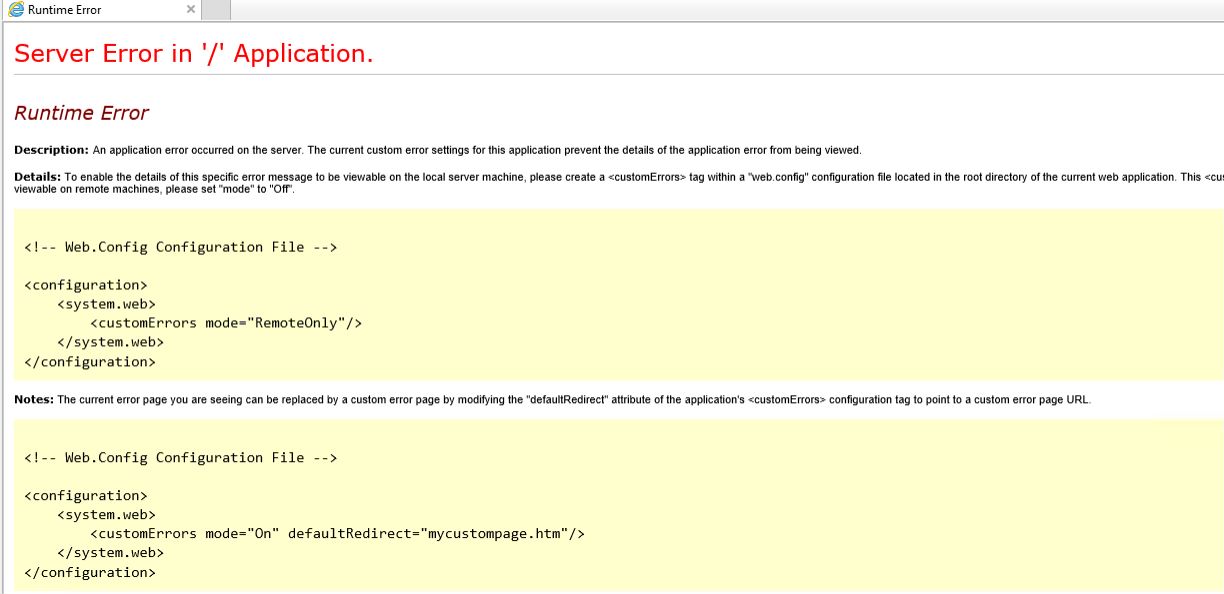
When I open any site, the error returned, how to fix it. my sites ever worked, don't know why it stopped.
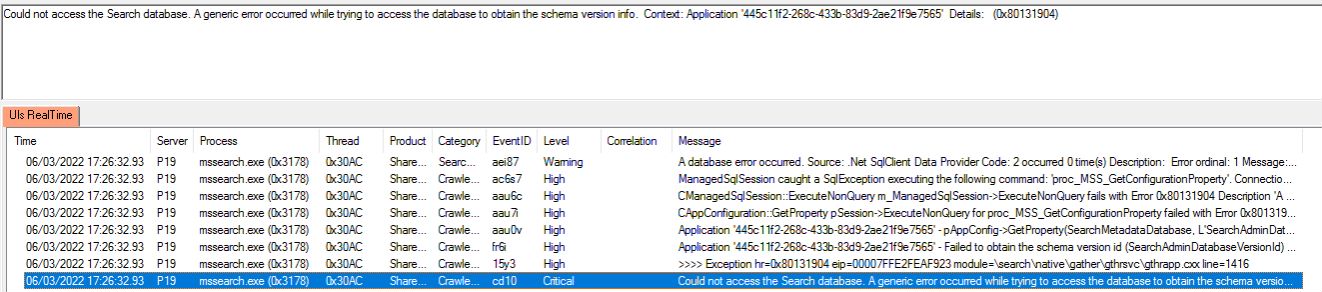
Check ULS log, it showed:
Could not access the Search database. A generic error occurred while trying to access the database to obtain the schema version info. Context: Application '445c11f2-268c-433b-83d9-2ae21f9e7565' Details: (0x80131904)
' cx='32' cy='32' r='32' /%3E%3Ctext x='50%25' y='55%25' dominant-baseline='middle' text-anchor='middle' fill='%23FFF' %3EYJ%3C/text%3E%3C/svg%3E)
Hi @Andy ,
From the error in the ULS log, it seems to be only related to search database. As all sites cannot access, please check if there is any other error in the ULS log.
Besides, according to your description, we can do some troubleshooting.
First, check to see whether your SQL Server still works, make sure all SQL server services are running.
Ping SQL server from SharePoint server and see if you get the response.
Second, ensure that TCP\IP and Named Protocols are enabled for the local SharePoint instance.
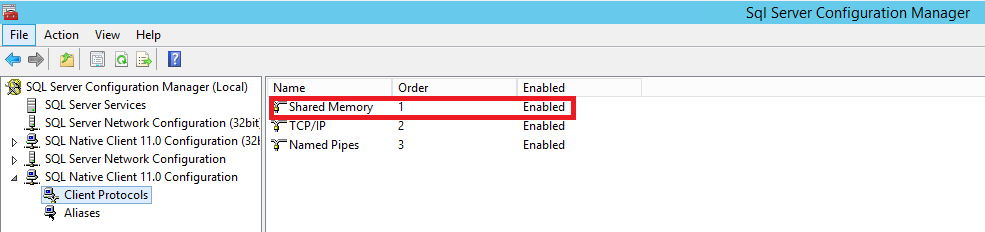
Go to SQL Server configuration Manager, and check whether Shared Memory option is enabled under "Client Protocols". It should be enabled.
Third, clear the SharePoint Configuration Cache files and restart the timer. Please click here for your reference.
Note: Microsoft is providing this information as a convenience to you. The sites are not controlled by Microsoft. Microsoft cannot make any representations regarding the quality, safety, or suitability of any software or information found there. Please make sure that you completely understand the risk before retrieving any suggestions from the above link.
Fourth, ensure the port number 1433 is open (on the server where you are hosting the SQL databases). If you are using a custom port, please enable the port number for incoming connections in the firewall. Please click here for your reference.
Finally, check the Event Viewer log to see if there is any error message.
Thanks,
Yanli Jiang
===========================================
If the answer is helpful, please click "Accept Answer" and kindly upvote it. If you have extra questions about this answer, please click "Comment".
Note: Please follow the steps in our documentation to enable e-mail notifications if you want to receive the related email notification for this thread.

Hi @Andy ,
I’m checking how the things are going on about this issue. Whether the answer helps you?
If there is any problem with this issue, feel free to let me know.
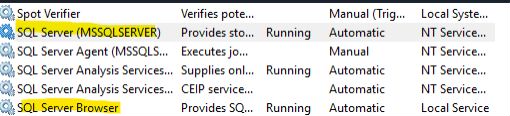
We found the following two SQL services stopped, after starting them, all go back to work.
Hi @Andy ,
I'm glad to hear that your problem has been solved.
If the answer is helpful to you, you can accept it as answer. The behavior will help others who meet the similar issue in the future quickly find the correct answer.
Hi @Andy ,
If this answer is helpful to you, please remember to accept it. It will help others who meet the similar question in this forum. Thanks for your understanding.
Thanks for your feedback, welcome to raise threads if you have any SharePoint issue.