SQL Server Integration Services
A Microsoft platform for building enterprise-level data integration and data transformations solutions.
This browser is no longer supported.
Upgrade to Microsoft Edge to take advantage of the latest features, security updates, and technical support.
' cx='32' cy='32' r='32' /%3E%3Ctext x='50%25' y='55%25' dominant-baseline='middle' text-anchor='middle' fill='%23FFF' %3EGD%3C/text%3E%3C/svg%3E)
Hi All,
I am having issue while mapping SQL variable to SSIS variable in OLEDB source.
Here is what happening :
That's it, when i change the provider i was not able access parameter & Parse the query.
Attached snapshot.
Please help what am missing here or provider will not allow the way that am doing.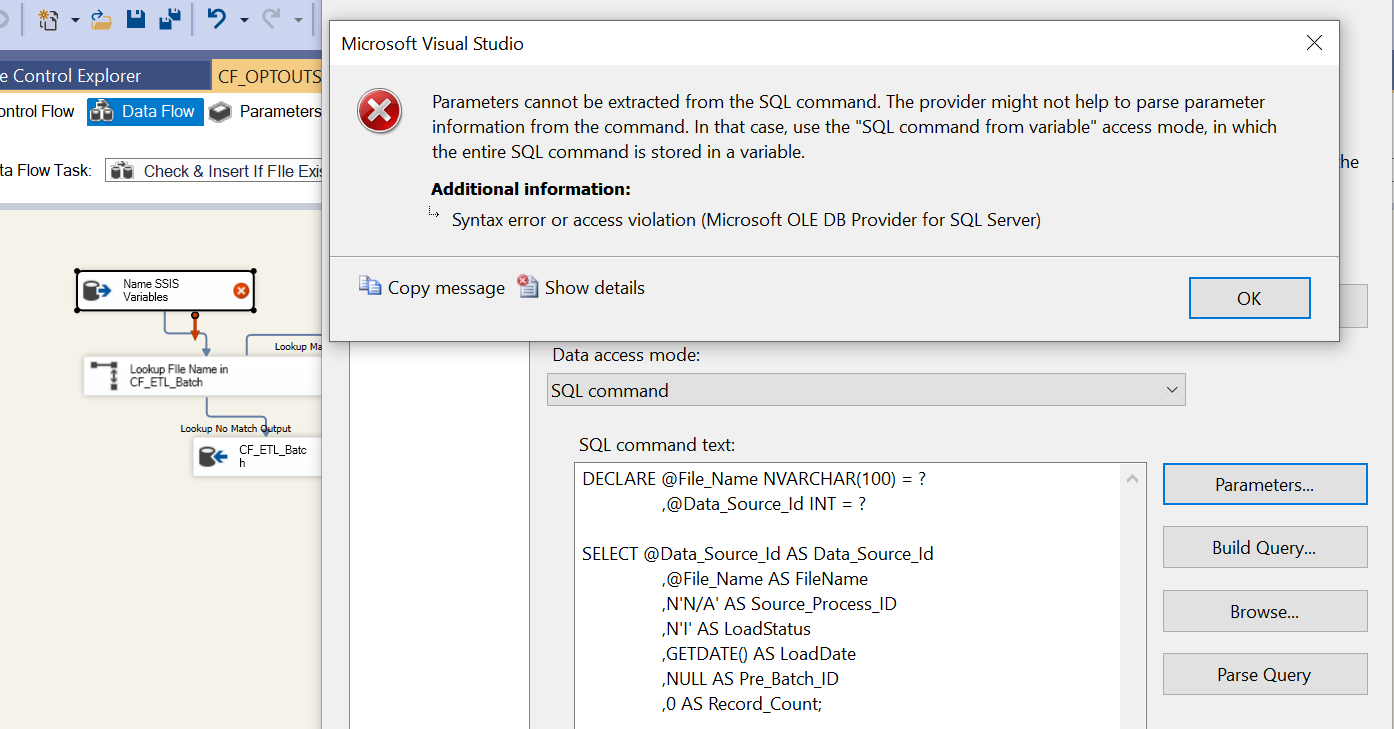
Error :
TITLE: Microsoft Visual Studio
------------------------------
Parameters cannot be extracted from the SQL command. The provider might not help to parse parameter information from the command. In that case, use the "SQL command from variable" access mode, in which the entire SQL command is stored in a variable.
------------------------------
ADDITIONAL INFORMATION:
Syntax error or access violation (Microsoft OLE DB Provider for SQL Server)

Hi @Gopinath Desai ,
Try to follow the suggestion and create a variable.
Create a package variable
Double click on the package variable name. (This allows you to access the properties of the variable)
Set the property 'EvaluateAsExpression' to true
Enter the query in the expression builder.
Set the OLE DB source query to SQL Command from Variable
A same thread you may take a reference to.
how-to-resolve-sql-query-parameters-mapping-issues-while-using-oracle-ole-db-pro
Regards,
Zoe
If the answer is the right solution, please click "Accept Answer" and kindly upvote it. If you have extra questions about this answer, please click "Comment".
Note: Please follow the steps in our documentation to enable e-mail notifications if you want to receive the related email notification for this thread.