Microsoft Security | Microsoft Graph
An API that connects multiple Microsoft services, enabling data access and automation across platforms

This browser is no longer supported.
Upgrade to Microsoft Edge to take advantage of the latest features, security updates, and technical support.
' cx='32' cy='32' r='32' /%3E%3Ctext x='50%25' y='55%25' dominant-baseline='middle' text-anchor='middle' fill='%23FFF' %3EVA%3C/text%3E%3C/svg%3E)
Hello,
I´m trying to create new plan in Microsoft Planner (https://tasks.office.com/) with the option "Add to an existing Microsoft 365 Group", however, only old groups are listed. Newly created groups are not being listed.
I try to create new plan in Microsoft Graph, but with the same issue.
The next pictures show the "existing" Microsoft 365 groups that I have available to select.
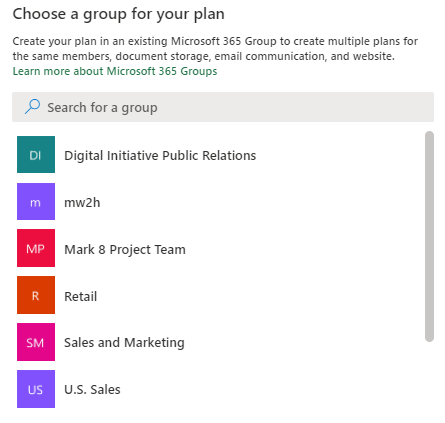
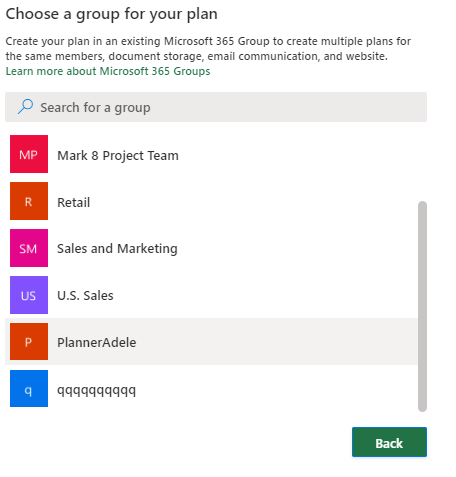
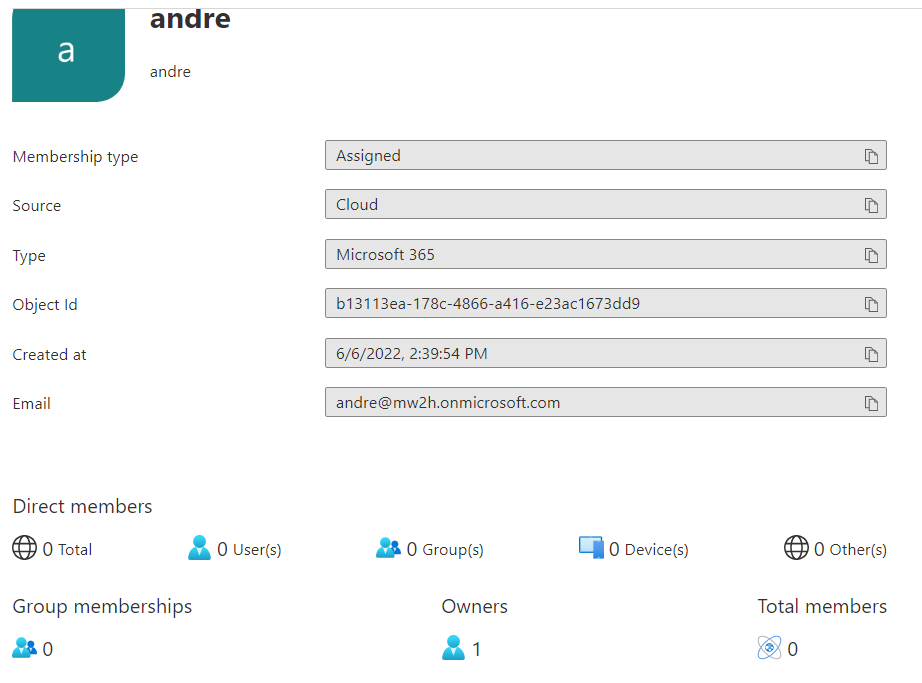
In the azure portal, Azure Active Directory, as the next picture show I have the group "andre", created today, by me, so I´m the owner of this group, and dont show.
I try with another tenant, differents users, but I still with the same problem.
Thanks for the attention!
' cx='32' cy='32' r='32' /%3E%3Ctext x='50%25' y='55%25' dominant-baseline='middle' text-anchor='middle' fill='%23FFF' %3EZY%3C/text%3E%3C/svg%3E)
Hi @Vasco Azevedo , I'm currently trying to reproduce your problem. Would you mind providing the Graph API you are using and more details about the problems that arise when using graph.
Hi @Zehui Yao_MSFT .
I use Microsoft Graph API (https://developer.microsoft.com/en-us/graph/graph-explorer).
First of all, the next image show one of the recent group with the name Andre.

The next step, I try to create new plan (documentation: https://learn.microsoft.com/en-us/graph/api/planner-post-plans?view=graph-rest-1.0&tabs=http), and the response is 403. The item may not exists or I dont have consents.
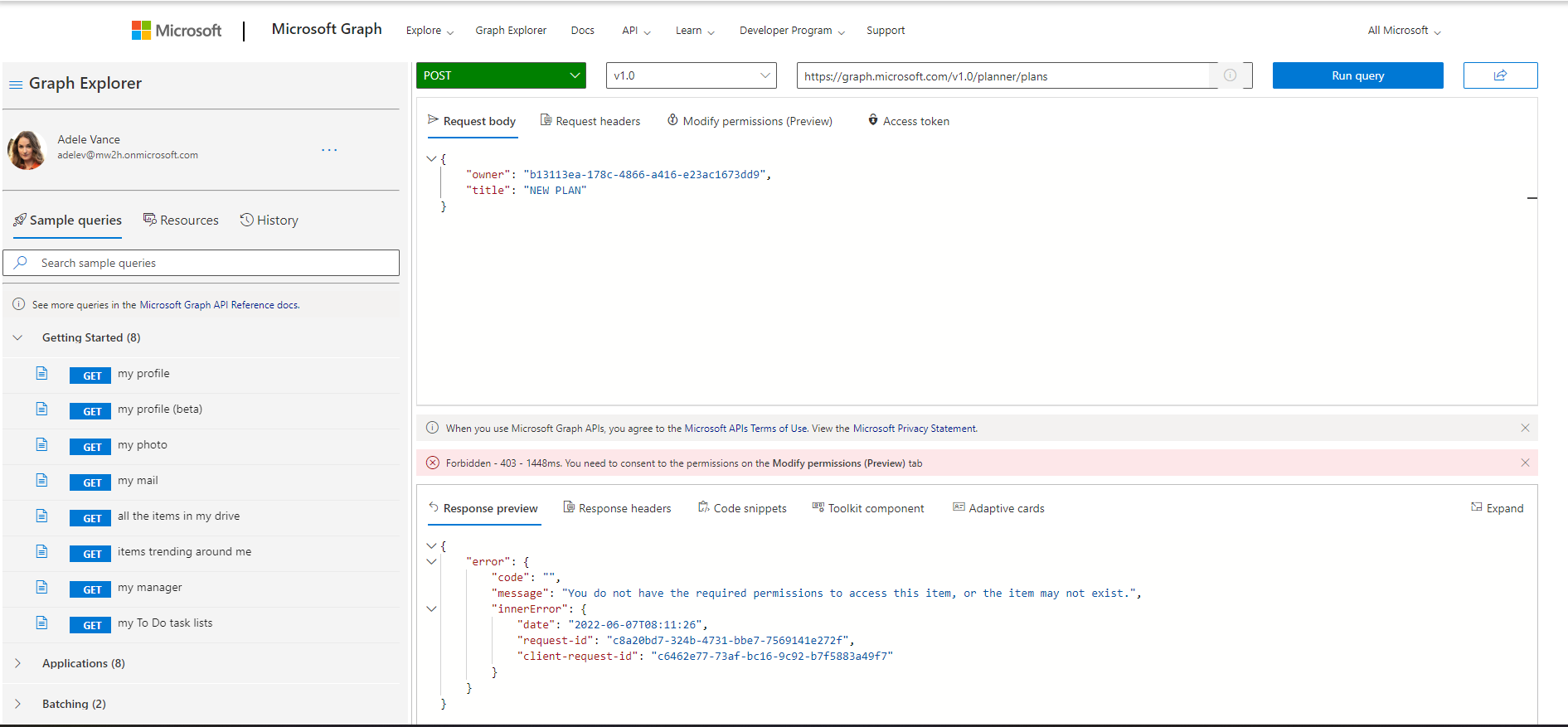
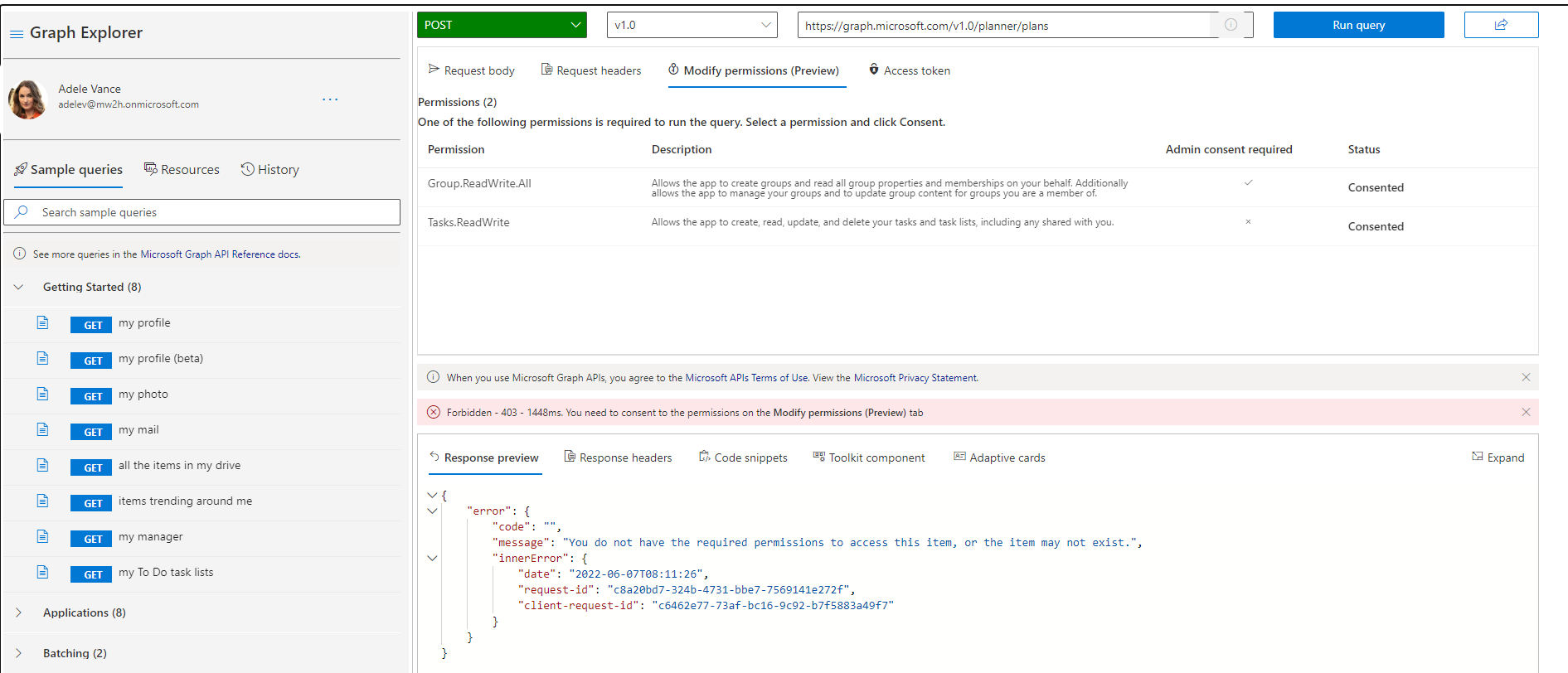
In the last week this is working.
Hello @Vasco Azevedo , the screenshot you shared doesn't seem to work, would you mind posting it again?


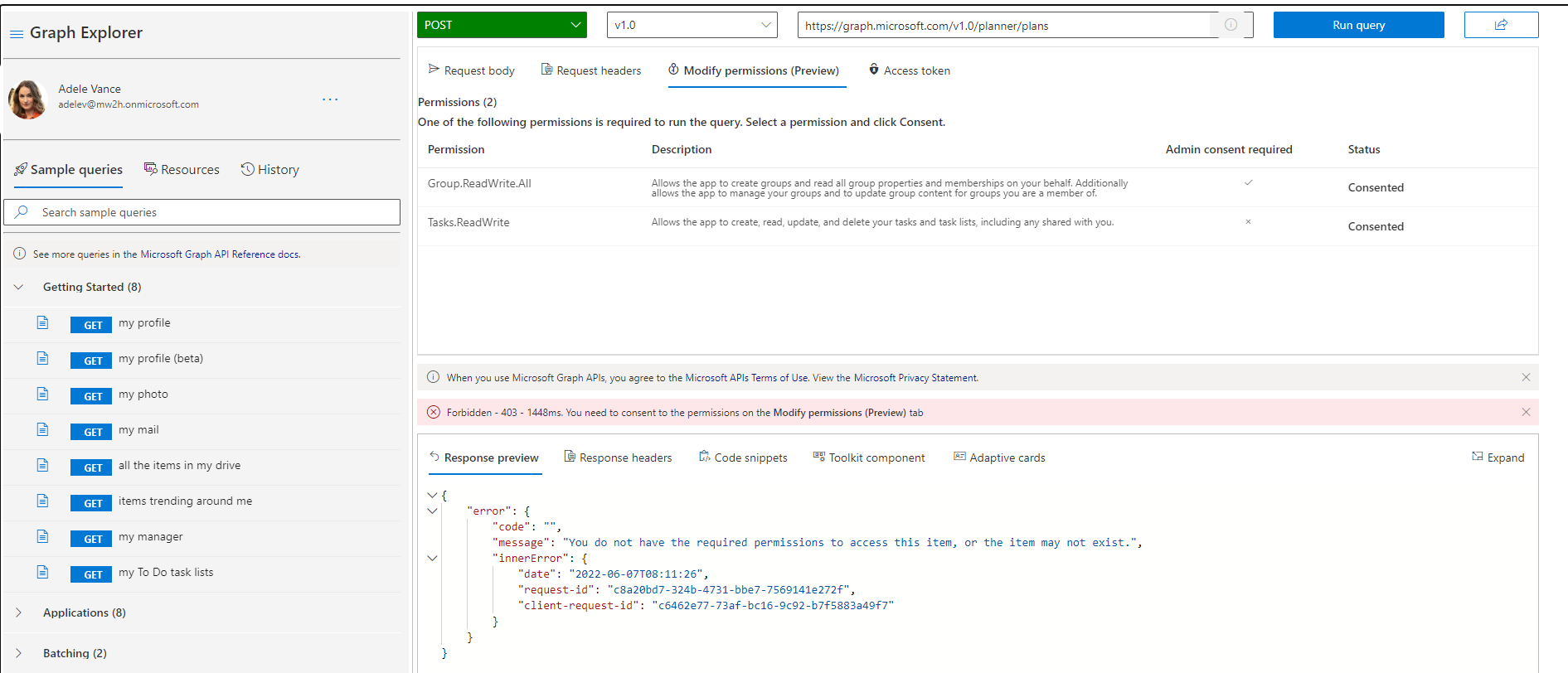
The photos
' cx='32' cy='32' r='32' /%3E%3Ctext x='50%25' y='55%25' dominant-baseline='middle' text-anchor='middle' fill='%23FFF' %3ESM%3C/text%3E%3C/svg%3E)
Hi @Vasco Azevedo ,
According to this documentation, When you create a new group, you are not added to the group as a member. After the group is created, add yourself as a member of the group. As I can see you are the owner of the group but not member, Please add yourself as a member too. Then try this API POST https://graph.microsoft.com/v1.0/planner/plans
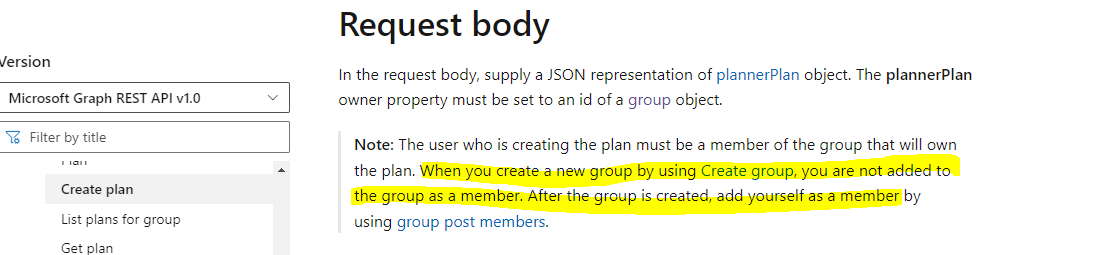
Hope this helps.
If the answer is helpful, please click Accept Answer and kindly upvote it. If you have any further questions about this answer, please click Comment.