Microsoft 365 and Office | Development | Other
Building custom solutions that extend, automate, and integrate Microsoft 365 apps.

This browser is no longer supported.
Upgrade to Microsoft Edge to take advantage of the latest features, security updates, and technical support.
' cx='32' cy='32' r='32' /%3E%3Ctext x='50%25' y='55%25' dominant-baseline='middle' text-anchor='middle' fill='%23FFF' %3ENX%3C/text%3E%3C/svg%3E)
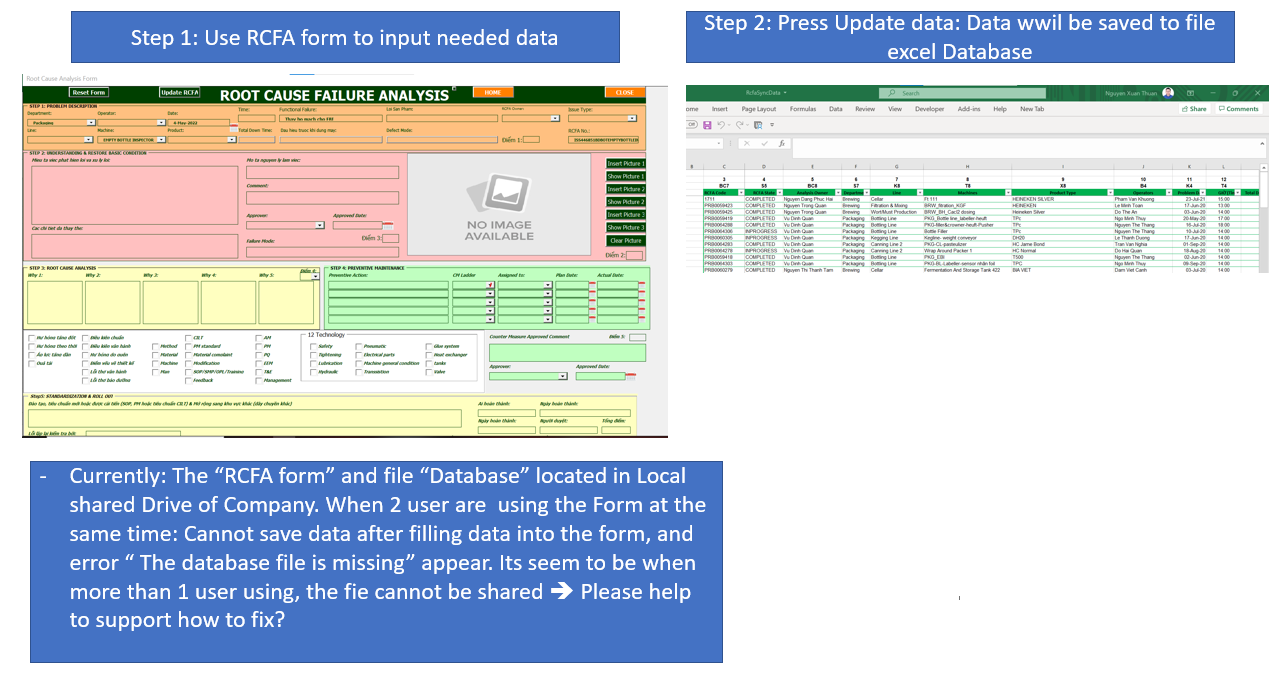
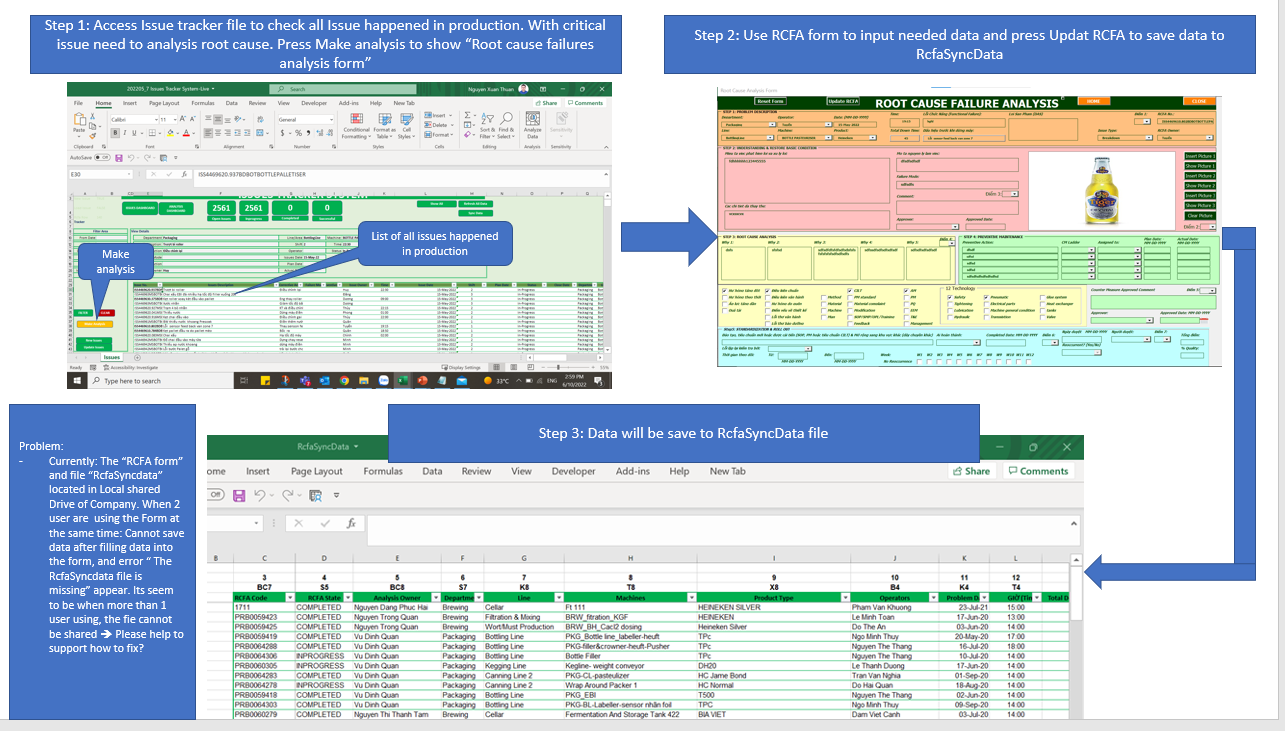
Please help to support about our current issue: We use Form to input data of root cause analysis sheet and and then press update data, with purpose data will be saved into the Database file ( Excel file ), But when more than 1 users using the Form, for Example 2 user: system cannot save data to the Database file and error " the data base fie is missing" appear. Both the form and Database file we put into the shared drive of our company.
' cx='32' cy='32' r='32' /%3E%3Ctext x='50%25' y='55%25' dominant-baseline='middle' text-anchor='middle' fill='%23FFF' %3ETZ%3C/text%3E%3C/svg%3E)
Hi @Nguyen Xuan Thuan ,
Is this excel file stored in the SharePoint Library?
Dear TongZhang,
Thank you so much for your reply to my question.
Hi @Nguyen Xuan Thuan ,
Since your question is about Excel, I removed the SharePoint tag so that more professional will help you.
Thanks for your understanding.
Dear Tongzhang
Where is extract link that I can post my question? Please help to support.
Thank you.
Hi @Nguyen Xuan Thuan ,
Since there is already an Excel tag in the case, there is no need to repost, more professional will help you.
Thank you TongZhang.

Hi @Nguyen Xuan Thuan ,
Did you enable the Shared Workbook feature?
I suggest you refer to this support article about the Share Workbook feature, as the article said this feature has limitations and you can refer to the unsupported features in Shared Workbook:
https://support.microsoft.com/en-us/office/about-the-shared-workbook-feature-49b833c0-873b-48d8-8bf2-c1c59a628534
What version of Excel are you using?
If you're using the Excel 365, you can try to check if the co-authoring will help you:
https://support.microsoft.com/en-us/office/collaborate-on-excel-workbooks-at-the-same-time-with-co-authoring-7152aa8b-b791-414c-a3bb-3024e46fb104
Just checking in to see if the information was helpful. Please let us know if you would like further assistance.
If the response is helpful, please click "Accept Answer" and upvote it.
Note: Please follow the steps in our documentation to enable e-mail notifications if you want to receive the related email notification for this thread.