Microsoft Security | Microsoft Graph
An API that connects multiple Microsoft services, enabling data access and automation across platforms

This browser is no longer supported.
Upgrade to Microsoft Edge to take advantage of the latest features, security updates, and technical support.
' cx='32' cy='32' r='32' /%3E%3Ctext x='50%25' y='55%25' dominant-baseline='middle' text-anchor='middle' fill='%23FFF' %3ETJ%3C/text%3E%3C/svg%3E)
Have Developer Sandbox tenant: 05b918a2-36ce-4bfe-aa74-ffc26a4d51fb
Created Enterprise App OID: 0095c6ae-ca8d-4b4d-bd2c-a073a2163995
with permissions
User.Read -Delegated
User.Read.All -Application
Calendars.ReadWrite -Application
OnlineMeetings.ReadWrite.All -Application
logged into powershell tenant to execute:
New-CsApplicationAccessPolicy -Identity newApp-policy -AppIds "0095c6ae-ca8d-4b4d-bd2c-a073a2163995"
Grant-CsApplicationAccessPolicy -PolicyName newApp-policy -Identity "fb9a9c8b-1ed8-4365-a6f3-ef4f5967bcc4"
Grant-CsApplicationAccessPolicy -PolicyName newApp-policy -Global
later
POST Method to create online meeting
https://graph.microsoft.com/v1.0/users/fb9a9c8b-1ed8-4365-a6f3-ef4f5967bcc4/onlineMeetings
still fails with 403 error: No Application Access Policy found for this app.
waited few hours, no change,
Added extra permission:
OnlineMeetings.ReadWrite -Delegated
no change
there is also github issue:
https://github.com/microsoftgraph/microsoft-graph-docs/issues/16801
An API that connects multiple Microsoft services, enabling data access and automation across platforms
' cx='32' cy='32' r='32' /%3E%3Ctext x='50%25' y='55%25' dominant-baseline='middle' text-anchor='middle' fill='%23FFF' %3ESM%3C/text%3E%3C/svg%3E)
Hi @Tomek Jagodowski ,
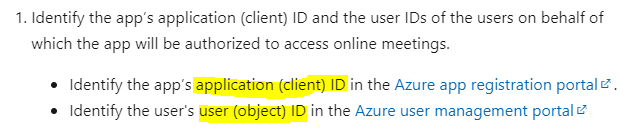
As per this Microsoft Documentation, we need to identify the app’s application (client) ID in the Azure app registration portal
and place it in this command: New-CsApplicationAccessPolicy -Identity newApp-policy -AppIds "{application (client) ID}". In the next step we need to Identify the user's user (object) ID in the Azure user management portal and then use this command: Grant-CsApplicationAccessPolicy -PolicyName newApp-policy -Identity "{object ID}"
For validating application access policy you can run this command Get-CsApplicationAccessPolicy to check if the policy created successfully or not.
Hope this helps.
If the answer is helpful, please click Accept Answer and kindly upvote it. If you have any further questions about this answer, please click Comment.
Seems the issue was placing OID instead App ID in the command
New-CsApplicationAccessPolicy -Identity newApp-policy -AppIds "0095c6ae-ca8d-4b4d-bd2c-a073a2163995"
Should there be a validation saying App ID not existing.
After changing OID to matching App ID policy was granted successfully.