Microsoft Security | Microsoft Entra | Microsoft Entra ID
A cloud-based identity and access management service for securing user authentication and resource access

This browser is no longer supported.
Upgrade to Microsoft Edge to take advantage of the latest features, security updates, and technical support.
' cx='32' cy='32' r='32' /%3E%3Ctext x='50%25' y='55%25' dominant-baseline='middle' text-anchor='middle' fill='%23FFF' %3EJH%3C/text%3E%3C/svg%3E)
When I try to access a SharePoint group using my work account, I get asked to verify using Microsoft Authenticator app, even though that option has been deleted from my "Additional security verification" page.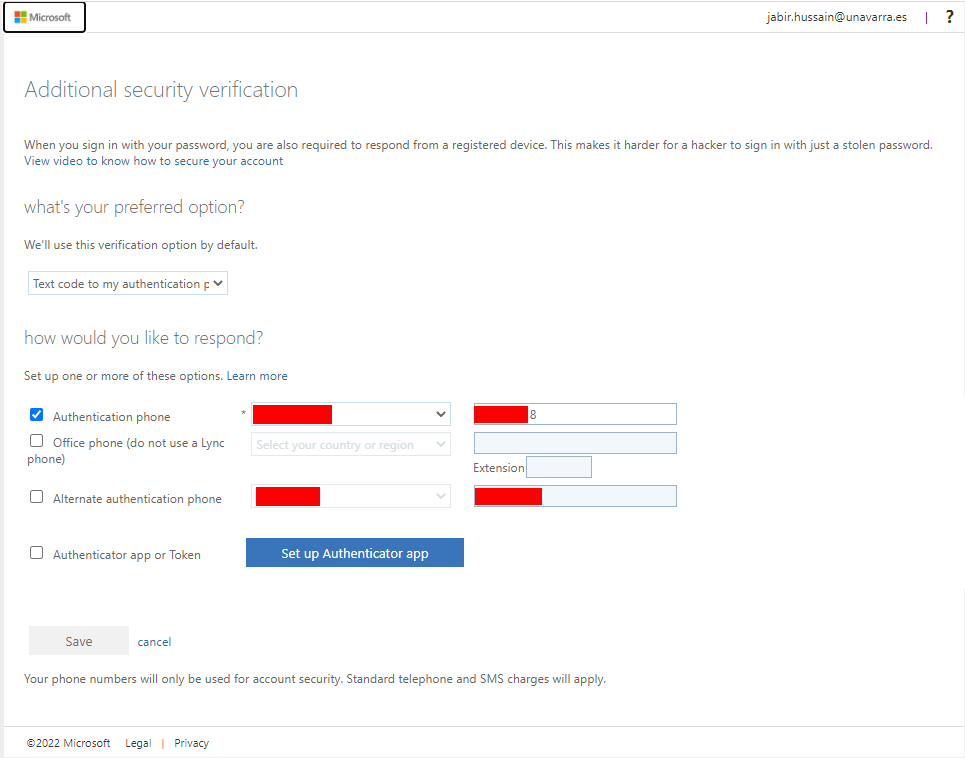
I had initially registered with the Microsoft Authenticator app as an MFA, but it never worked with SharePoint. I have also deleted my work account from the Authenticator app. The option to send text code to mobile is not available
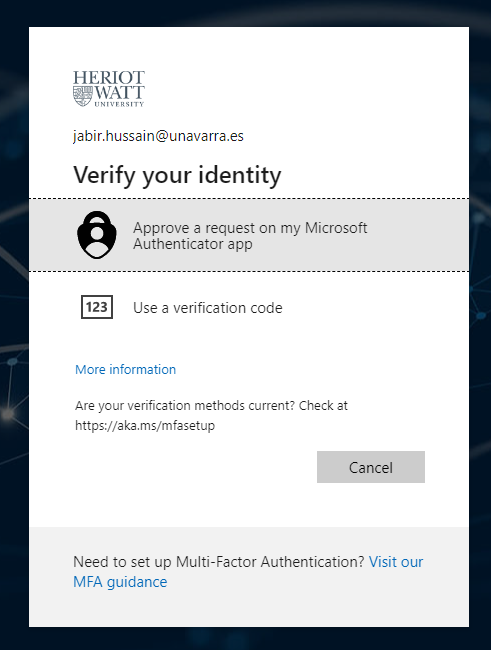
The problem does not occur when I try to access/login to any other page. I can either use the Authenticator app (notification comes through) or the option to send text message is available.
I have asked the IT personnel to revoke and register MFA in the Azure Portal, but that also does not solve the problem.
The last option I have is to ask the SharePoint group admin to backup my folder and then remove and re-add me to the group. Will that fix the problem?
Any help would be appreciated. Thank you.
' cx='32' cy='32' r='32' /%3E%3Ctext x='50%25' y='55%25' dominant-baseline='middle' text-anchor='middle' fill='%23FFF' %3EGM%3C/text%3E%3C/svg%3E)
Apologies for the delay in answering this post. Wanted to check if we can repro this issue and troubleshoot further on the same ?
As you mentioned above "ask the SharePoint group admin to backup my folder and then remove and re-add me to the group" - Did you perform this step ? Did it help to resolve your issue ?
Let me know if you have any further questions.