Azure SQL Database
An Azure relational database service.
This browser is no longer supported.
Upgrade to Microsoft Edge to take advantage of the latest features, security updates, and technical support.
' cx='32' cy='32' r='32' /%3E%3Ctext x='50%25' y='55%25' dominant-baseline='middle' text-anchor='middle' fill='%23FFF' %3EDC%3C/text%3E%3C/svg%3E)
Hi, could you advise how do resolve this error message?
Error 0069: SQL query "SELECT DISTINCT [fuel-type] AS fueltype,
[aspiration],
[num-of-doors] AS doors,
[body-style] AS body,
[drive-wheels] AS drive,
[engine-location] AS engineloc,
[wheel-base] AS wheelbase,
[length],
[width],
[height],
[curb-weight] AS weight,
[engine-type] AS enginetype,
CASE
WHEN [num-of-cylinders] IN ('two', 'three', 'four')
THEN 'four-or-less'
WHEN [num-of-cylinders] IN ('five', 'six')
THEN 'five-six'
WHEN [num-of-cylinders] IN ('eight', 'twelve')
THEN 'eight-twelve'
ELSE 'other'
END
AS cylinders,
[engine-size] AS enginesize,
[fuel-system] AS fuelsystem,
[bore],
[stroke],
[compression-ratio] AS compression,
[horsepower],
[peak-rpm] AS rpm,
[city-mpg] AS citympg,
[highway-mpg] AS highwaympg,
[price],
[make],
log([price]) AS lnprice
FROM t1 LEFT OUTER JOIN t2
ON t1.[make-id] = t2.[make-id]
WHERE [fueltype] IS NOT NULL AND
[aspiration] IS NOT NULL AND
[doors] IS NOT NULL AND
[body] IS NOT NULL AND
[drive] IS NOT NULL AND
[engineloc] IS NOT NULL AND
[wheelbase] IS NOT NULL AND
[length] IS NOT NULL AND
[width] IS NOT NULL AND
[height] IS NOT NULL AND
[weight] IS NOT NULL AND
[enginetype] IS NOT NULL AND
[cylinders] IS NOT NULL AND
[enginesize] IS NOT NULL AND
[fuelsystem] IS NOT NULL AND
[bore] IS NOT NULL AND
[stroke] IS NOT NULL AND
[compression] IS NOT NULL AND
[horsepower] IS NOT NULL AND
[rpm] IS NOT NULL AND
[citympg] IS NOT NULL AND
[highwaympg] IS NOT NULL AND
[price] IS NOT NULL AND
[make] IS NOT NULL AND
[enginesize] < 190 AND
[weight] < 3500 AND
[citympg] < 40;" is not correct:
SQL logic error or missing database
ambiguous column name: make
Start time: UTC 06/14/2022 02:26:33
End time: UTC 06/14/2022 02:26:35
An Azure relational database service.
Answer accepted by question author

Hi,
ambiguous column name: make
In your SELECT query you use the column make but seems like this column exists in both tables. Therefore, the server do not know which of these columns you meant.
In this case, you should use something like tableName.ColumnName or in your case it can be t1.make or t2.make for example
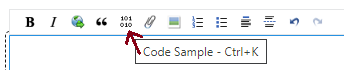
Note! Your message is not well formatted which make it hard to read. When you add code or message wchih include code like query then please use the "code block" option of the editor. Meaning to mark oll the code and click the Code sample button