Community Center | Not monitored
Tag not monitored by Microsoft.

This browser is no longer supported.
Upgrade to Microsoft Edge to take advantage of the latest features, security updates, and technical support.
' cx='32' cy='32' r='32' /%3E%3Ctext x='50%25' y='55%25' dominant-baseline='middle' text-anchor='middle' fill='%23FFF' %3ECY%3C/text%3E%3C/svg%3E)
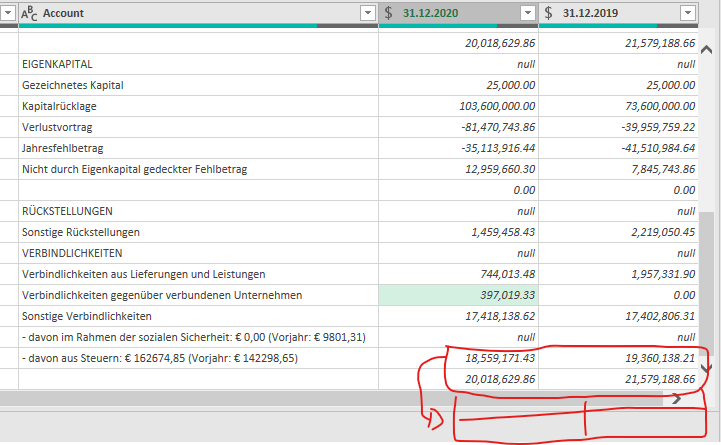
I would like to move the circled cells in Power Query one cell down without affecting the columns. Can you please help? Please find attached the screenshot.

I would like to move the circled cells in Power Query one cell down without affecting the columns
And now we have to guess the rest of the story, like which tool you use and how your base query look like?
I am not sure what you mean by your question/remark? The source was a pdf and the power query i use is for cleaning up data before saving in excel. Are you able to help? I would prefer an easy way of doing this ie. not a function but through the available functions the Power Query already has in place. You would be more helpful if you elaborate on your remark since i am a beginner to Power Query and being an accountant i hope i wont have to know the tool inside out. There are IT professionals for that type of work. Thanks!