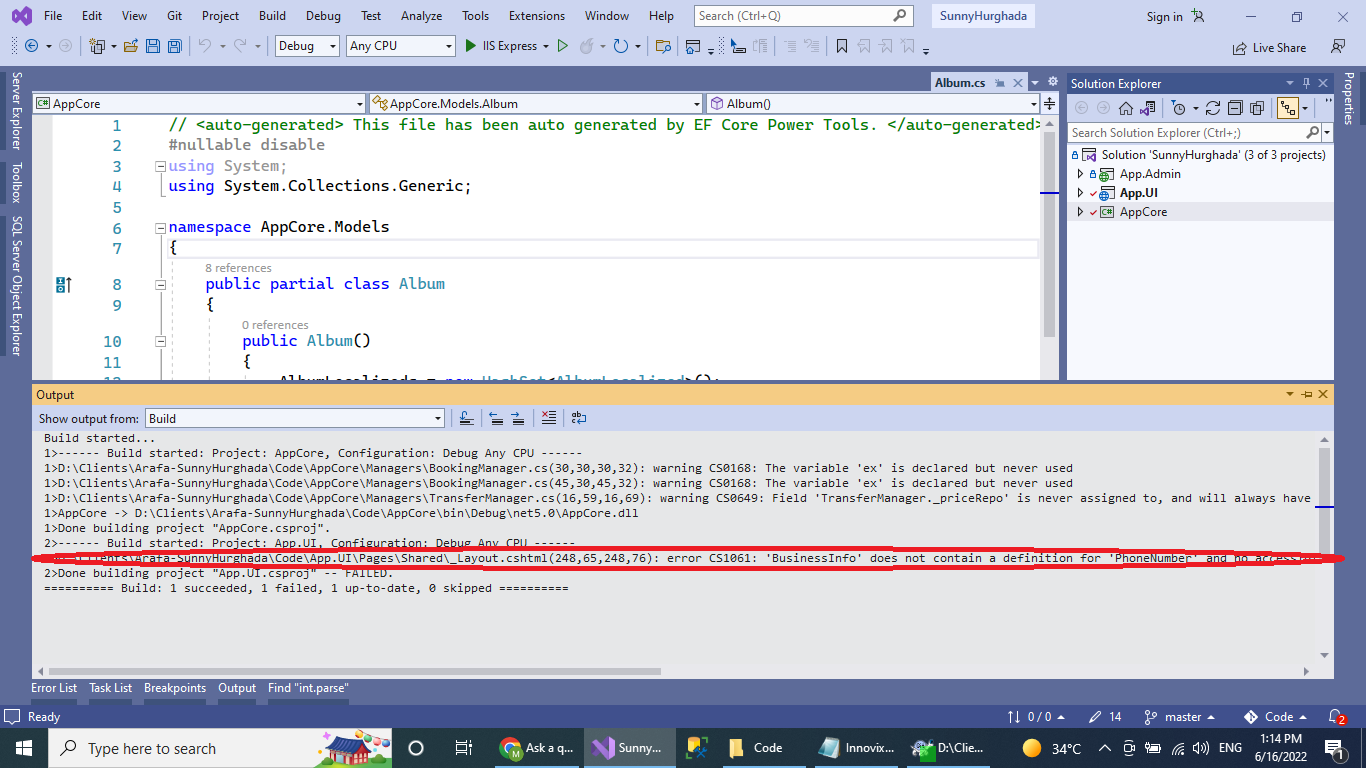
Visual Studio - Remove Error Messages from Output Window

Mahmoud Arafa 1 Reputation point
2022-06-16T11:18:30.527+00:00

The error messages are displayed in Error Window. How to revert it back to the Error List Window?

212102-untitled.png

Developer technologies | Visual Studio | Other
A family of Microsoft suites of integrated development tools for building applications for Windows, the web, mobile devices and many other platforms. Miscellaneous topics that do not fit into specific categories.

Developer technologies | C#
An object-oriented and type-safe programming language that has its roots in the C family of languages and includes support for component-oriented programming.
0 comments No comments
{count} votes

2 answers

Sort by: Most helpful
  1. Viorel 125.8K Reputation points
    2022-06-16T11:23:14.477+00:00

    Click the "Error List" tab or select from main menu: View, Error List.

    0 comments No comments

  2. Olaf Helper 47,586 Reputation points
    2022-06-16T11:45:26.807+00:00

    Remove Error Messages from Output Window

    You remove the error from the list it by fixing the error.

    0 comments No comments

Your answer

Answers can be marked as 'Accepted' by the question author and 'Recommended' by moderators, which helps users know the answer solved the author's problem.