Developer technologies | Windows Presentation Foundation
A part of the .NET Framework that provides a unified programming model for building line-of-business desktop applications on Windows.
This browser is no longer supported.
Upgrade to Microsoft Edge to take advantage of the latest features, security updates, and technical support.

hello everyone ,
so, I have a music player project and in my project i want to use musics image dominant (or Correct) color for using in my UI , i searched about it a lot but i couldn't find any good solution , in fact i want to make something like this :



but i really don't know how should i do this ( i found some libraries like color thief but i didn't get any good result ) ,
so could you help me to find solution please ???
' cx='32' cy='32' r='32' /%3E%3Ctext x='50%25' y='55%25' dominant-baseline='middle' text-anchor='middle' fill='%23FFF' %3EHL%3C/text%3E%3C/svg%3E)
Hi,@IKINGSHADOW . Welcome Microsoft Q&A.
You could try to refer to the example below and see if it helps you.
Xaml:
<Window.Resources>
        <local:StringToImageConverter x:Key="StringToImageConverter" />
    </Window.Resources>
    <Grid>
        <Grid.Background>
            <ImageBrush ImageSource="{Binding ElementName=lb,Path=SelectedItem.Name, Converter={StaticResource StringToImageConverter}}"/>
        </Grid.Background>
        <Grid.ColumnDefinitions>
            <ColumnDefinition Width="60"/>
            <ColumnDefinition/>
        </Grid.ColumnDefinitions>
          <ListView HorizontalAlignment="Left" x:Name="lb" Width="50" Height="100" ItemsSource="{Binding Items}" SelectedItem="{Binding SelectedItem}"  >
            <ListView.ItemTemplate>
                <DataTemplate>
                    <StackPanel >
                        <Image Width="30" Source="{Binding Name, Converter={StaticResource StringToImageConverter}}" />
                    </StackPanel>
                </DataTemplate>
            </ListView.ItemTemplate>
        </ListView>
        <Image Grid.Column="1" Width="100" Height=" 100" VerticalAlignment="Bottom" Margin="20"
               Source="{Binding ElementName=lb,Path=SelectedItem.Name, Converter={StaticResource StringToImageConverter}}"/>
    </Grid>
Codebehind:
212350-new-text-document-2.txt
The result:
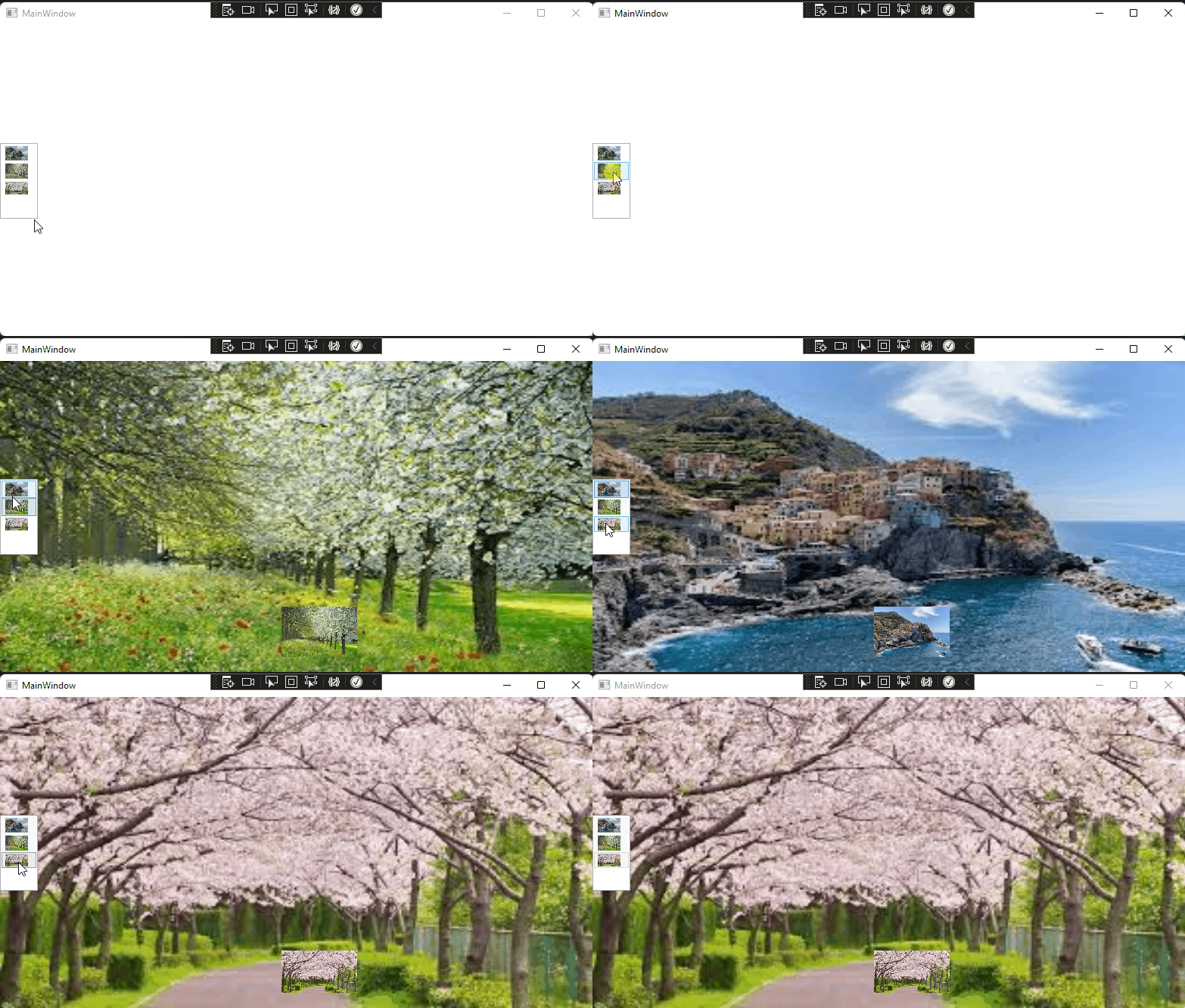
If the response is helpful, please click "Accept Answer" and upvote it.
Note: Please follow the steps in our [documentation][5] to enable e-mail notifications if you want to receive the related email notification for this thread.
[5]: https://learn.microsoft.com/en-us/answers/articles/67444/email-notifications.html