Share via

Services do not start!!

Duchemin, Dominique 2,011 Reputation points
2022-06-17T20:10:59.803+00:00

Hello,

I have a strange issue:

two service accounts:
AccountT
AccountP

Two servers Windows Server 2019 Standard:
ServerA
ServerB

The servers have been rebooted several times during the troubleshooting...

the two servers are in the same OU and should have the same GPOs...
I set the two accounts as Local Administrators on both servers.

When I am on ServerA:
Both accounts are able to start the services...

When I am on ServerB:
The account AccountT is able to start the service.
The account AccountP is not able to start the service
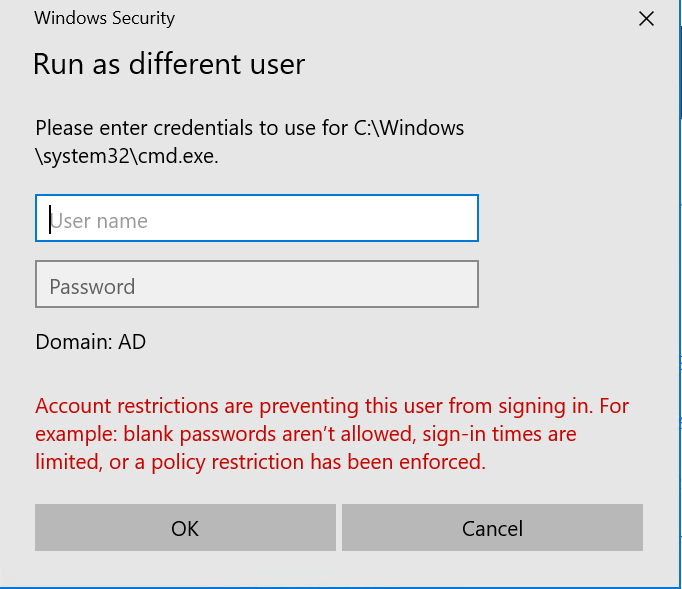
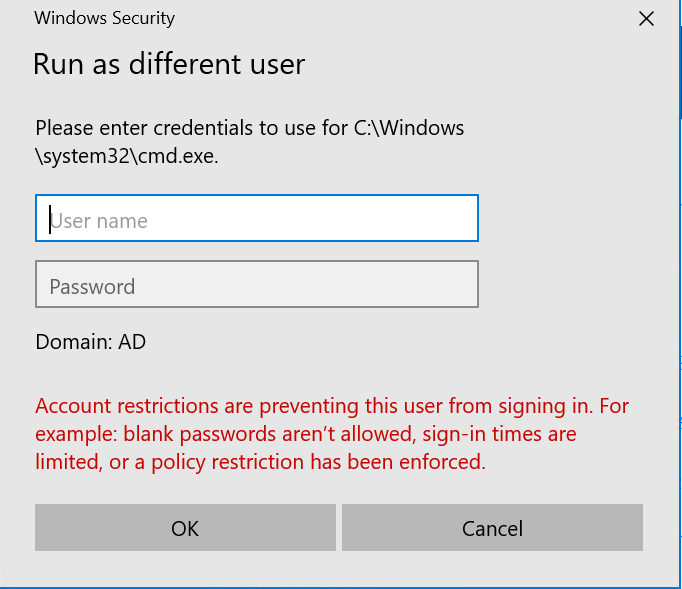
"Error: The user isn't allowed to sign in to this computer"

If I start the service with account AccountT on ServerB and then change the account to AccountP I am able to restart the service successfully!!

They have the same set of WINS servers in the same order.
I verified also their registration ...
nbtstat -a ServerA
Prod: PS C:\Windows\system32> nbtstat -a ServerA
Ethernet0:
Node IpAddress: [10.17.82.70] Scope Id: []
NetBIOS Remote Machine Name Table
Name Type Status


SERVERA <00> UNIQUE Registered
AD <00> GROUP Registered
SERVERA <20> UNIQUE Registered
MAC Address = 00-50-56-8F-49-17

=========================================

Prod: PS C:\Windows\system32> nbtstat -a ServerB
Ethernet0:
Node IpAddress: [10.17.82.70] Scope Id: []
NetBIOS Remote Machine Name Table
Name Type Status


SERVERB <00> UNIQUE Registered
AD <00> GROUP Registered
SERVERB <20> UNIQUE Registered
MAC Address = 00-50-56-8F-49-17

================================================

I checked also :
Local Computer Policy > Windows Settings > Local Policies > User Rights Assignment

  • Allow log on locally: Administrators is in and both accounts AccountT & AccountP are in the Administrators Group.
  • Deny log on as a service is blank
  • Log on as a service: both accounts AccountT & AccountP are in

Any idea?

Thanks,
Dom

Windows for business | Windows Server | User experience | Other
0 comments No comments

5 answers

Sort by: Most helpful
  1. Duchemin, Dominique 2,011 Reputation points
    2022-06-18T20:11:18.967+00:00

    Hello,

    They have the same AD policies.
    I checked the event log and apparently the services are starting and then later on stopped by themselves...
    I am trying to remove FireEye & Sophos to see if it is these products who create issues not having the proper exclusions for the application.

    Thanks,
    Dom

    Was this answer helpful?

    1 person found this answer helpful.

  2. Duchemin, Dominique 2,011 Reputation points
    2022-06-18T00:16:41.647+00:00

    Hello,

    These has been verified several times -- still checking.

    Thanks,
    Dom

    Was this answer helpful?

    1 person found this answer helpful.

  3. MotoX80 37,696 Reputation points
    2022-06-17T22:42:16.987+00:00

    Check the "log on to" restrictions on the account in AD.

    http://woshub.com/restrict-workstation-logon-ad-users/

    Was this answer helpful?

    1 person found this answer helpful.
    0 comments No comments

  4. Duchemin, Dominique 2,011 Reputation points
    2022-06-29T19:58:26.217+00:00

    We replaced the old accounts (2010):

    • svcBedMasterT
    • svcBedMasterP

    by two new accounts and everything suddenly works well....
    Not sure the reason but the AD team was arguing about various AD upgrades whioch might have interfed with the files/properties on the accounts..

    Thanks,
    Dom

    Was this answer helpful?

    0 comments No comments

  5. Duchemin, Dominique 2,011 Reputation points
    2022-06-19T00:46:14.283+00:00

    Thanks a lot I had sent tom the AD team the information above... waiting for them to respond...

    Was this answer helpful?

    0 comments No comments

Your answer

Answers can be marked as 'Accepted' by the question author and 'Recommended' by moderators, which helps users know the answer solved the author's problem.